Sometimes the strangeness starts with a small thing: you get a code you didn’t request, or Viber suddenly asks you to log in again. In such moments, it’s easy to get worked up, but there’s not always a hack behind it. I’ve noticed that more often than not, it’s more useful not to panic, but to calmly go through the signs and check the obvious things.
Here I’ve gathered what people usually look at first if they feel something is wrong with their account. No scare stories and no promises that one sign explains everything. Think of it more as a clear map: what to check, when to be concerned, and what to do next.
In a nutshell: what’s the point
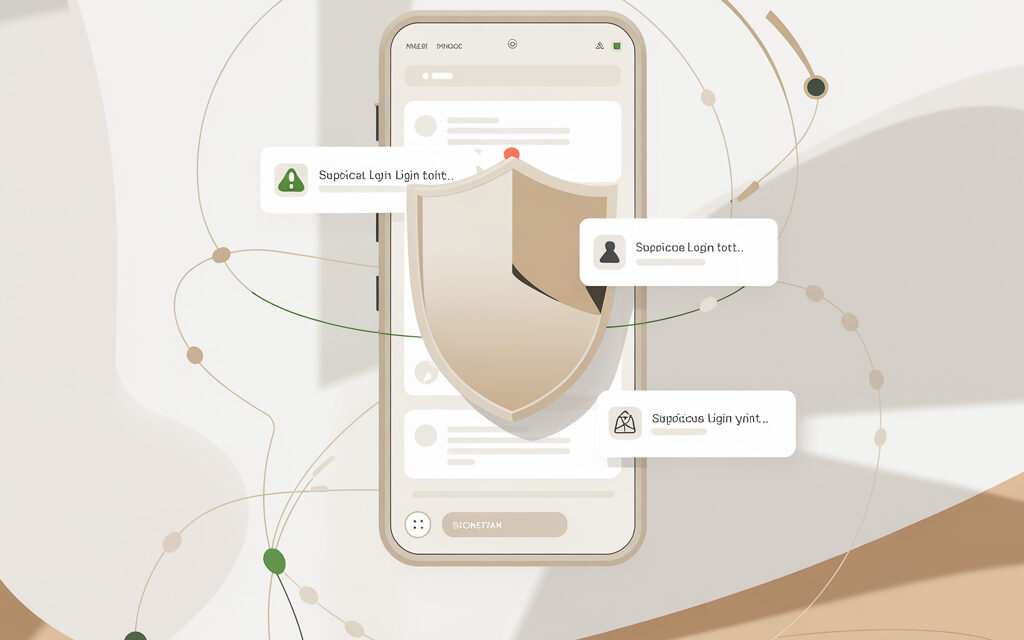
In short, the question How to tell if Viber has been hacked? usually comes down to a few observable things: unexpected activation codes, messages you didn’t send, new devices, or strange calls made from your account. But sometimes it’s simpler – an app glitch, changing your SIM, reinstalling the app, or confusion with notifications.
Can you tell if your account has been hacked? Most of the time, yes, though not with 100% certainty based on a single symptom. It usually helps to look at a combination of signs, not just one detail.
If you have doubts – check the linked devices, change your two-step verification PIN, don’t share codes, and alert your close contacts. This is often enough to quickly take control of the situation.
What signs most often indicate that something is wrong with Viber?
When people ask, how to tell if I’ve been hacked or not?, they are usually looking for one precise symptom. But that rarely works with Viber. I’ve noticed that a more honest approach is to gather several oddities together and then draw a conclusion from them.
What happens when Viber is hacked? Often, attackers try to reactivate the account on another device, intercept the code, or gain access through the person’s own trust. It doesn’t always look like a movie-style hack – sometimes it just looks like an ordinary notification.
Unexpected activation code
If you receive an SMS or a call with a login code when you weren’t setting anything up, that’s already a reason to stop and check what’s happening. The code itself doesn’t mean the account is already in someone else’s hands. But it is often the first signal that someone is trying to log in.
This once happened to me – an acquaintance forwarded a screenshot of a code and asked if that was normal. He just wanted to know if it was a bug. I told him first of all not to send it to anyone and to look at the article Why does Viber activation come through? – because sometimes the reason is mundane, but you definitely don’t want to let your guard down in such a moment.
| Situation | What it looks like | What to do immediately |
|---|---|---|
| Code arrives without a request | Someone is trying to log in | Don’t share the code with anyone |
| Someone asks for the code over the phone | Almost always a scam | End the conversation immediately |
| Code arrives after reinstalling | Could be a normal reactivation | Check if you initiated the login yourself |
Messages or calls you didn’t make
Another noticeable sign is people replying to messages you don’t remember sending. Or someone says you called them, even though you didn’t touch your phone. Many people initially dismiss this as an accidental tap, but then it happens again.
An acquaintance had this situation: his sister asked why he sent a strange request to borrow money. He tried to open the chat – and part of the conversation history already looked unfamiliar. I don’t know if this would help everyone equally, but in his case, quickly disconnecting extra sessions and changing the security settings worked.
An unfamiliar device or sudden logout from your account
If Viber suddenly asks you to log in again, especially without an obvious reason, I wouldn’t ignore it. Sometimes it’s just an update or a glitch. But sometimes it looks like reactivation on another device.
In such moments, it’s useful to check if there’s a desktop version connected that you don’t recognize. The question How to find out if someone has connected to my Viber? is relevant here – because additional devices often reveal the problem faster than the chats themselves.
- codes arrive that you didn’t request
- the chat history looks unfamiliar
- someone receives strange messages from you
- the app asks you to log in again for no apparent reason
- unfamiliar activity appears on your computer or tablet
- settings change without you touching them
How to check your account without panicking or making unnecessary moves?
When the question Can you tell if your account has been hacked? comes up, I usually think not of a single test, but of a calm step-by-step check. Because in Viber, some oddities can be a simple app error, while others are a reason to act quickly.
How to tell if you’ve been hacked on Viber? Most often through the device history, recent notifications, PIN codes, and the reactions of people in your contacts. All of this can be checked without special skills.
Check your devices and linked sessions
If you’ve ever had Viber on a laptop or a second phone, that’s exactly where traces sometimes remain. Check which devices are currently linked to your account. If you see something unfamiliar, it’s better to unlink it immediately.
I’ve noticed that when a person sees a suspicious session, they often start digging into small details and waste time. What usually helps is the opposite – first disconnect everything unnecessary, and only then figure out how it happened.
| What to check | Normal | Reason to be concerned |
|---|---|---|
| Linked devices | Only yours | An unfamiliar PC or tablet |
| Two-step verification PIN | You remember it | It appeared or changed without you |
| Chat history | No strange activity | There are messages you didn’t write |
Check your security settings
If two-step verification is not enabled, you can try enabling it now. It doesn’t solve everything, but it adds another lock. In my opinion, a few simple layers of protection are better than hoping it won’t happen to you.
Sometimes, a completely different aspect of digital hygiene comes up. For example, people carelessly install modified apps for minor features – like when someone searches for how to extract sound from a TikTok video using shady software. Then they wonder why their phone is acting strange. There’s no direct link always, but the general principle is the same: fewer questionable installs, fewer surprises.
Ask your close contacts if they’ve seen any strange messages from you
This is basic, but useful. A couple of quick questions to people you talk to often sometimes gives you more insight than all the app’s menus. If someone received links, money requests, or voice messages from you that you didn’t send, it’s no longer just a feeling.
Someone once wrote to me that his mother received a strange “vote for my niece” message from a person. I advised him not to argue with the app first, but to quickly call a few contacts and find out exactly what was sent from the account. The logic is simple: first understand the scale, then fix it.
What to do immediately if you already have suspicions?
If you’ve already gotten to the point of asking How to tell if I’ve been hacked or not?, chances are something inside you is uneasy for a reason. At such a moment, a short action plan is more useful than reading dozens of forums. It usually helps to act by priority: block access, warn people, then figure out the details.
What happens when Viber is hacked? Often, attackers are in a hurry – they send messages, ask for codes, try to gain a foothold on the device. So your first actions should be without delay.
Change what you can change immediately
First – disconnect unknown devices and enable or update your two-step verification PIN. Second – check if any suspicious permissions are enabled for apps on your phone. Third – update the system and Viber itself through the official app store.
I’m not sure this works the same for everyone, but I would also look to see if there’s any extra software on your phone that you installed “just for a minute”. Sometimes the problem isn’t the messenger itself, but the environment around it.
| Step | Why | How long |
|---|---|---|
| Disconnect extra devices | Cut off access | A couple of minutes |
| Change your PIN | Add protection | A couple of minutes |
| Update the app | Remove old vulnerabilities | Depends on your phone |
Warn your contacts
This is awkward, but useful. A simple message like “if you see anything strange from me – don’t open it and don’t reply” can protect people from trouble. And it will be easier for you to piece together the picture later if someone tells you exactly what they saw.
Interestingly, similar logic works on other social networks too. When a person doesn’t understand why something is acting unusual, they often think of a bug first – like in stories where TikTok removed a sound or a feature suddenly disappeared. But when it comes to a messenger and personal messages, it’s better to be a little more cautious.
If you can’t log in – contact support and your mobile operator
Sometimes the problem isn’t with Viber itself, but with your SIM card or a number transfer. If you feel that someone might have gained access through your phone number, it’s better to also contact your operator at the same time. This isn’t always an obvious step, but sometimes it’s more important than reinstalling the app.
One person tried just deleting Viber and reinstalling it – it didn’t work. Then he realized why: if someone already had access via the number or a device, reinstalling on his side didn’t solve the problem on theirs. He had to go deeper and check the whole chain.
What situations look like a hack but aren’t?
When people ask How to tell if Viber has been hacked?, part of the anxiety comes from the fact that ordinary glitches look suspicious. And here, in my opinion, it’s useful not to confuse a technical glitch with a real attack. Not because there’s no threat, but because unnecessary panic prevents you from seeing the facts.
How to tell if you’ve been hacked on Viber? It’s more accurate when you filter out false signs. Sometimes the app lags, sometimes the network does its own thing, sometimes the person simply forgot that they logged in from another device.
Reinstallation, updates, changing phones
After updates, messengers sometimes act strange: they ask for re-verification, load history slowly, or rebuild notifications. This once happened to me after changing phones – it felt like something was off, but it all came down to a normal re-sync.
If you’ve recently changed your device, number, SIM, or cleared your storage, some of the oddities might be explainable. But it’s still better to cross-check that with active sessions and chat messages.
Notification glitches and others’ inattention
Sometimes friends write: “did you send me this?” and then they find an old message in their own chat or confuse the chat. This happens more often than it seems. Many people find that one strange notification is already perceived as a hack.
Similar confusion happens in other apps too – for example, a person can’t figure out How to save a recorded video from TikTok to the gallery?, and thinks something is missing or broken, when it’s actually about access settings. The principle with Viber is similar: first check the simple reasons, then draw conclusions.
| Symptom | Possible ordinary cause | When it’s alarming |
|---|---|---|
| Re-login | Update or new phone | If there were unrequested codes and strange messages |
| Strange notifications | Sync glitch | If contacts confirm unfamiliar activity |
| Missing data | Cache, settings, reinstallation | If security parameters have changed |
How to secure your account so you don’t have to wonder later?
The question Can you tell if your account has been hacked? often appears after an unpleasant situation has already occurred. But some problems are easier to prevent than to piece together later. I’ve noticed that the most boring measures are usually the most effective.
What happens when Viber is hacked? Almost always, it’s not magic that’s used, but someone’s haste, trustfulness, or disregard for simple settings. So protection here isn’t about clever schemes, but about habits.
Don’t share codes and don’t click on urgent links
This sounds obvious, but in practice, people still fall for it, especially when the message comes “from a friend.” If someone asks you to urgently forward a code, confirm a login, or “help with a vote,” it’s better to pause and verify with a voice call or a regular phone call.
If you want to check official information, you can look at the Rakuten Viber help or the account security sections. It’s also useful to read the basic principles of two-factor authentication on Wikipedia – they explain without unnecessary mysticism why a second layer of verification is needed.
Keep your phone in good order
System updates, screen lock, being careful with apps – all of this seems like background noise until a strange incident occurs. I’m not sure this works as a universal recipe for everyone, but I feel calmer when there’s no extra junk and random APKs on my phone.
Sometimes this also touches on other platforms tangentially. Someone searches for Why does Instagram lose video quality when uploading?, installs shady “enhancers,” and then catches a completely different problem than the one they wanted to solve. In security, a simple thought often works: fewer random tools – fewer unnecessary holes.
Check your digital footprint at least sometimes
Not every day, of course. But checking your devices, security settings, and important app permissions once in a while is a good habit. Without fanaticism.
I’ve noticed that when a person does this calmly at least once, they’re no longer so scared by a random notification. They know where to check the facts. It’s roughly the same way people regain control on other services when they try to understand How to find a video you liked? or where a needed feature went – first a map of the app, then emotions.
| Habit | What it gives | Difficulty |
|---|---|---|
| Two-step verification | An extra barrier | Low |
| Checking devices | Quick access control | Low |
| Caution with links | Less chance of being deceived | Medium |
| Phone updates | Fewer old holes | Low |
Frequently asked questions
If I receive a Viber code, does that mean I’ve already been hacked?
Not necessarily. But it’s definitely a reason not to share it with anyone and to check if someone is trying to log into your account.
Can I regain control if I’ve already sent the code?
Sometimes yes, if you quickly disconnect extra devices, change your PIN, check your number, and contact support. But you’d better not delay.
If I get logged out of Viber, is that a bad sign?
It could just be an ordinary glitch. But if it coincides with strange messages, codes, or suspicious calls, I’d take it more seriously.
Should I reinstall the app?
Sometimes it helps as a technical step, but it rarely solves everything on its own. First, it’s better to check access and security settings.
What do other apps and social networks have to do with it?
There may be no direct link. But the general habit of installing random software and not reading permissions often comes back to haunt you everywhere – from messengers to questions like How does the hide likes feature work on Instagram?, where people also expect predictable behavior but get confusion instead.
What to remember from this
Suspicion of a Viber hack is rarely based on a single sign. More often, the picture is made up of small things: unrequested codes, re-login, strange messages, and extra devices. I would look at the combination of facts, not a single alarming detail.
A simple order usually helps: don’t share anything with anyone, check your devices, update your security, warn your contacts. If the cause turns out not to be a hack, you’ve simply tidied up. If the problem is real, you’ll react faster.
Not everything here works the same for everyone, but a calm check is almost always more useful than panic. If you try going through these points – what raised the most questions for you?
Glossary
Activation code – a one-time code that confirms login to your account on a device.
Two-step verification – an additional layer of protection where a phone number alone is not enough and a PIN is also required.
Session – an active login of your account on a specific device, for example on a laptop.
Linked device – a computer, tablet, or another device where your Viber is open.
Phishing – an attempt to trick someone into revealing a code, password, or personal information under the guise of an ordinary message.
SIM interception – a situation where the problem comes through the phone number, not just through the app.
Notification – a system message from an app. Sometimes useful, sometimes misleading due to glitches.
App permissions – access to phone functions: contacts, microphone, files, and so on.
Official app store – the safest place to install updates and Viber itself.