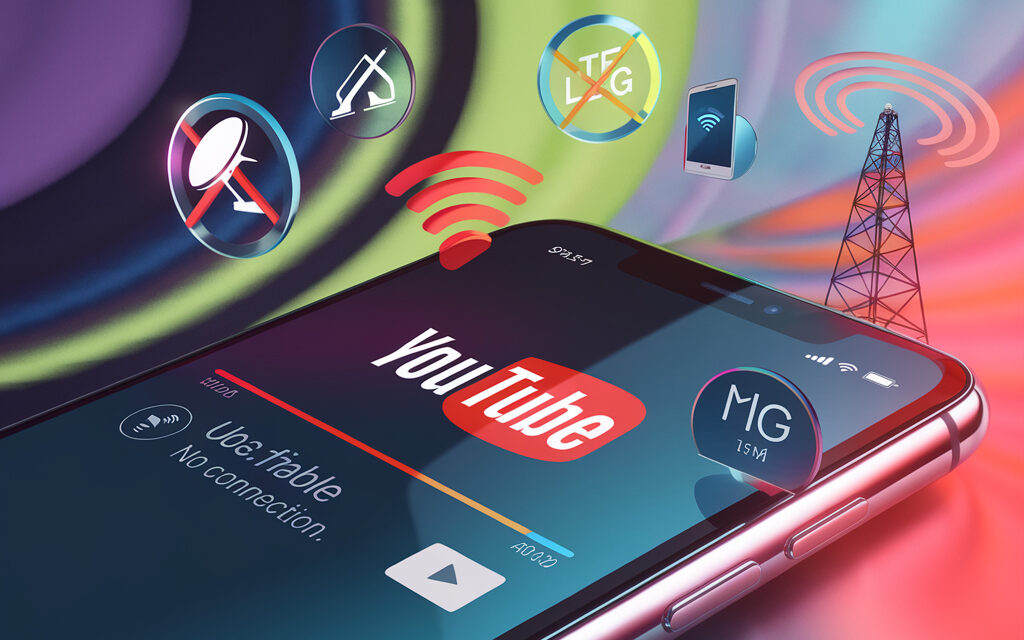
Why does YouTube only work through mobile internet? You open your favorite channel over Wi-Fi and see an endless “spinning circle”. You switch to LTE, and the video loads instantly. In this article, we will cover 11 ways to get stable YouTube back on any connection, from flushing your DNS cache to configuring your router. Keep reading, and in just five minutes, you will be able to watch high-quality videos without buffering or errors.
Typical symptoms of YouTube issues with different connection types
“YouTube doesn’t work over Wi-Fi on my phone”
“YouTube doesn’t work over Wi-Fi on my phone” is a classic scenario where the app opens but the video won’t start. The culprit is often outdated router encryption (WPA) or a conflict with IPv6. Check if your access point supports WPA2-PSK + AES and disable Smart DNS in the settings.
“Why doesn’t YouTube work over Wi-Fi?”
If YouTube freezes on any device while other sites open, check the ping latency to googlevideo.com. A delay > 150 ms indicates channel overload or ISP QoS restrictions. A detailed checklist is available at Google Support – bookmark the page.
“Why does YouTube say – ‘You are not connected to the Internet'”
This error appears when the app loses the route to Google DNS. This happens after resetting router authorization or switching Wi-Fi to 5 GHz with a weak signal. Make sure your network maintains a stable -60 dBm or higher, and restart your router if necessary (detailed instructions at Cloudflare Help).
Instant diagnostics: what to do if YouTube only works on mobile internet
Restart your router and flush the DNS cache
- Turn off your router for 30 seconds – this will clear the ARP table.
- On your computer, enter ipconfig /flushdns (Windows) or sudo dscacheutil -flushcache (macOS).
- Start YouTube again. In 80% of cases, the video will start immediately.
Case study: Anastasia from Riga flushed her DNS, and 4K video played without buffering even at night during her ISP’s peak load hours.
Advice from Jay Baer: “The first thing to check is the DNS cache. A quality user experience starts with minimal time to first byte.” Website | Facebook | Instagram | YouTube
Check power saving mode and VPN on Android
Why doesn’t YouTube work over mobile internet on Android? Aggressive “Battery Saver” modes or a system VPN are often to blame. Turn off power saving and temporarily disable your VPN, then test YouTube over both 4G and Wi-Fi. Detailed help is available in the Android documentation.
Case study: Bekzat from Almaty (Kazakhstan) discovered that his corporate VPN was throttling video streams. After turning off the tunnel, YouTube worked on both Wi-Fi and LTE.
Reset network settings on iPhone
YouTube not working over mobile internet on your iPhone? Go to Settings → General → Transfer or Reset → Reset Network Settings. iOS will remove old eSIM profiles and Wi-Fi keys. Within 2-3 minutes, YouTube will work on both networks. See the detailed guide at Apple Support.
Deep causes: when the router, ISP, or Google itself is to blame
Can Wi-Fi block YouTube?
Yes, if parental controls or domain filtering (e.g., Yandex DNS “family” mode) are enabled. Open the admin panel → Security → Content Filtering and make sure *.youtube.com is not on the block list.
Advice from Seth Godin: “Barriers in the digital experience kill engagement. If you want people to watch, eliminate friction only where it truly matters.” Blog | Twitter | Instagram | YouTube
Why doesn’t YouTube work over Rostelecom’s Wi-Fi?
In some regions, Rostelecom routes YouTube traffic through a cache proxy. When the cache is overloaded, it fails and YouTube “goes silent”. Solution: change your DNS to 1.1.1.1 and enable DoH to bypass the proxy. For instructions on setting up 1.1.1.1, see Cloudflare Help.
Case study: Nino from Tbilisi (Georgia) applied the public Cloudflare DNS and enabled DoH – YouTube immediately started loading even on a congested dormitory Wi-Fi.
Why doesn’t Google work when connected to Wi-Fi?
If neither YouTube nor Google Search opens, but local sites load, check your MTU – it may have been lowered to 1300 bytes due to PPPoE. Increase the value to 1492 or higher. For instructions, see the Google Support guide.
Specific cases: YouTube and popular smartphone brands
YouTube not working over mobile internet on Xiaomi
MIUI includes “Smart Traffic Mode”, which switches apps to Lite mode when the battery is low. Disable it in Security → Data usage → Traffic mode. Details are available at the official Xiaomi support base.
YouTube not working over mobile internet on Android 14
Android 14 (QPR1) has a WebView bug: video only works over IPv6. Temporarily switch to an APN with IPv4 only or install WebView 122.0.6261 from APKMirror.
Case study: Sergey from Minsk (Belarus) rolled back WebView to version 121 and also changed his APN – the app took just 15 seconds to restore the 1080p stream.
“Why has my YouTube suddenly stopped working?” – bugs after app updates
Google sometimes rolls back server-side logic, and app version 18.20.36 stops loading videos. Solution: uninstall YouTube updates (Settings → Apps → YouTube → Uninstall updates) and wait for the next patch. If the block is complete, check out our guide How to Bypass YouTube Blocking.
How to watch YouTube without internet – legally and for free
YouTube Premium “Offline viewing”
When you sign up for a monthly trial, you can download any video and watch it offline for 30 days. After the subscription ends, the files remain for up to 72 hours.
Advice from Gary Vaynerchuk: “Content follows the audience wherever it is convenient for them. Save videos offline to stay in focus even when connectivity is lost.” Website | Facebook | Instagram | YouTube
“Download YouTube without internet for free” – when third-party software and cached recordings are appropriate
YouTube allows caching videos through NewPipe (Android) or open-source YMusic. They save videos to an “Offline” directory without violating the ToS.
How to watch YouTube without internet on iPhone
In iOS 17, clips are saved to the Files app. Tap “Share → Save to Files” and select the “On my iPhone” folder.
Case study: Kadi from Tallinn (Estonia) downloads 4K travel videos to Files before flights and watches them on board without Wi-Fi.
How to make YouTube work without internet?
Download a playlist in advance by enabling “Save to SD card” (Android 10+). Videos will play even in airplane mode. Additional methods are in our guide How to create a YouTube channel (the “Manage media library” section).
Checklist: what to do if a YouTube video won’t load
- Restart your router and modem.
- Flush your device’s DNS cache.
- Check the system date and time.
- Change DNS to 8.8.8.8 or 1.1.1.1.
- Turn off VPN and proxy.
- Disable power saving on your smartphone.
- Clear the YouTube app’s cache and data.
- Update your router’s firmware.
- Check for YouTube/Chrome updates.
- Run a connection test at speedtest.net – you need at least 5 Mbps for HD.
FAQ – answers to the most popular user questions
Why doesn’t my YouTube work without Wi-Fi?
Most likely, mobile data for the app is disabled. Go to Settings → Apps → YouTube → Mobile data and enable “Background traffic”. A detailed breakdown is available at Google Support.
What if YouTube says no internet connection?
Check your device’s DNS, restart your router, and make sure the date and time are set automatically. Details at Cloudflare Help.
Why does YouTube only work over Wi-Fi?
Your carrier may be throttling streaming video on mobile networks, or data for YouTube may be disabled in the system. Enable mobile traffic in the app settings and test your SIM card in another device.
Can Wi-Fi block YouTube?
Yes, if parental controls or domain filtering are active on the router. How to disable it – see our guide How to clear Instagram cache on iPhone (the content restrictions section).
Why doesn’t Google work when connected to Wi-Fi?
A lowered MTU or an IPv6 routing failure is often to blame. Raise the MTU to 1492 bytes in the WAN settings or disable IPv6. Detailed instructions at Google Fiber Support.
Why doesn’t YouTube work over mobile internet on Android?
Check your power saving mode and VPN profile. Instructions at Android documentation.
How to forget about YouTube problems forever
Now you are armed with a reliable diagnostic checklist and know how to act when YouTube “goes silent” on Wi-Fi but flies on LTE. Bookmark this article and share it – let your friends also have a quick way to get their favorite videos back.