This is a calm and simple guide on how to connect TikTok with other ByteDance products to reduce manual work and see better results. I’ll paint a clear picture: where CapCut is useful, why you need TikTok Pixel, when Lark is appropriate, and what to do with all this if you’re in Ukraine.
No complex formulas or pressure. Just steps, observations, and a couple of short real-life stories.
The Short Answer
The typical setup is this: create and publish content from CapCut, manage analytics and ads in TikTok Ads Manager, install TikTok Pixel or Events API on your website, use Lark for collaboration and notifications, and communicate with creators through the Creator Marketplace. If you have a mobile app, you can also look into Pangle. In Ukraine, all this generally works in that order, while TikTok Shop isn’t available everywhere yet.
Which ByteDance Services Can Be Connected to TikTok and Why
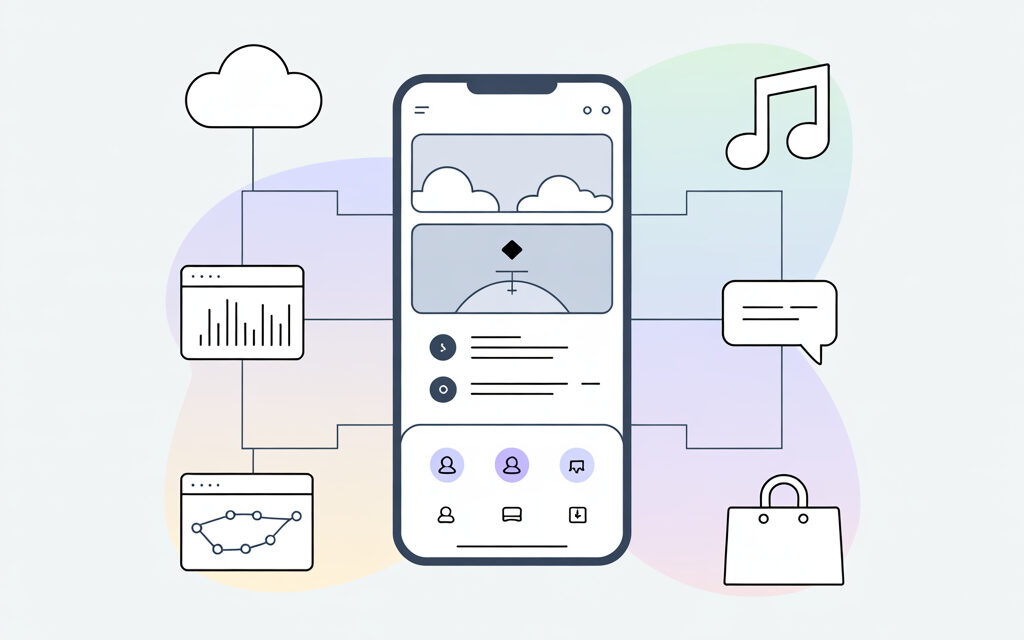
Most people first look at CapCut for editing, TikTok Ads Manager and TikTok Pixel for analytics and optimization, Creator Marketplace for collaborating with creators, Lark for notifications and tasks, and developers sometimes add Pangle for app monetization. These integrations help simplify publishing, organize data, and prevent losing leads from ads.
A Quick Ecosystem Overview
CapCut – editing and quick export to TikTok. TikTok Ads Manager and Pixel – for campaigns, audiences, and tracking website events. Creator Marketplace – for finding and paying creators. Lark – for documents, chats, and automatic reports. Pangle – an ad network for apps. This set is enough for most people to handle daily tasks.
How to Figure Out What You Really Need
If you’re just starting, CapCut + a TikTok account + Pixel is enough. When leads start coming in, add Ads Manager and Creator Marketplace. Teams with several people usually find it convenient to integrate Lark. Mobile app developers most often use Pangle when they already have stable traffic.
How to Integrate TikTok with Other ByteDance Services: A Simple Plan
Basic integration revolves around three things: content from CapCut, data from TikTok Pixel or Events API, and campaign management in Ads Manager. It’s important to connect everything calmly: link accounts, check permissions, and run tests to ensure events and tags are tracked without gaps. Below are short steps that usually work.
Step 1. Prepare Accounts and Roles
Log into TikTok and TikTok Ads Manager, check who has access. In Ukraine, people often work with personal accounts plus a brand business account. In my opinion, it’s better to assign a backup admin right away to avoid dependency on one person.
Step 2. Connect CapCut with TikTok
In CapCut, authorize via TikTok and enable direct export to the account. This saves time and preserves quality. I’ve noticed that beginners often have issues with cover images – just check the preview on your phone before publishing.
Step 3. Install TikTok Pixel on Your Website
If you have a website or landing page, install TikTok Pixel via your tag manager or manually. Mark key events: page view, add to cart, form submission. This is the foundation for retargeting and measurements.
Step 4. Add Events API for Unstable Tracking
When the browser pixel gets blocked by ad blockers, Events API helps – it’s server-side event transmission. It’s not magic, but stability improves significantly. It’s important to sync identifiers and respect user consent for tracking.
Step 5. Connect Creator Marketplace for Collaborations
If you plan to work with creators, go to Creator Marketplace, set up your brand profile, and create a brief. It’s also convenient to view metrics and negotiate terms there.
Step 6. Check Feature Availability in Your Region
Some features, like TikTok Shop, don’t work in every country. In Ukraine, many get by with the standard funnel: content on TikTok, redirect to website, lead processing.
How to Integrate TikTok with Other ByteDance Services via Ads Manager and Pixel
Everything here revolves around TikTok Ads Manager, TikTok Pixel, UTM tags, and retargeting. I’d start with simple campaigns and clean event settings, then move on to fine optimizations. The main thing is not to chase perfect numbers, but to maintain a clear picture.
Pixel Setup and Verification
Install the base code, mark events. Test it in debug mode and via a test form on the site. A separate test page usually helps avoid interfering with real data.
UTM and Data Matching
Add UTM tags to links to compare clicks and leads with analytics. A small discrepancy is normal. Watch the trend, not every single number.
Retargeting and Audiences
Build audiences of people who visited your site, watched a video, or sent a direct message. Create simple chains: cold audience -> warm-up -> reminder.
Privacy and Consent
If you install a pixel, show users a clear cookie banner. This isn’t just about laws – it builds trust. I’ve noticed that honest explanations reduce support questions.
How to Connect CapCut and TikTok to Save Time
CapCut helps maintain a consistent style, templates, and quick export to TikTok, and it also adds subtitles and music. It’s especially convenient when more than one person creates videos.
Templates and Captions
Create one template for titles and format for your channel. Save caption and hashtag drafts so you don’t have to type the same thing. A small time-saver that helps in the long run.
A Real-Life Story
A friend had this: the team filmed on a phone, edited in CapCut, and published directly to TikTok. Once they added a unified template and a final checklist review, unnecessary edits stopped and they stopped losing cover images.
How to Link TikTok and Lark for Notifications and Teamwork
Lark is convenient when you need a shared content calendar, tasks, and notifications about video performance. You can receive simple reports and reminders so you don’t forget anything.
What People Usually Do
Create a folder with a content plan, a publishing spreadsheet, and a team chat in Lark. Send short reports via a bot or webhook: video published, metrics for the first 2 hours are such-and-such. This reduces anxiety on publishing day.
A Small Story
A reader wrote that they added reminders in Lark for preparing cover images and text templates for responding to comments. The result was less hassle and fewer missed items.
Do You Need Pangle and When Is It Appropriate?
Pangle is ByteDance’s ad network for mobile apps. It’s appropriate when you have an app and clear monetization, and TikTok digital already drives traffic. If you don’t have an app, you can safely skip it.
How to Know If You’re Ready
You have stable traffic to the app, you calculate user cost and retention. Then Pangle adds another source of monetization and installs. If you only have videos and a website for now, it’s better to focus on Pixel and content.
How to Check If Everything Works
Below is a short checklist. It’s enough to catch 80 percent of typical mistakes and avoid burning out.
- Publication from CapCut goes to the correct TikTok account, cover and caption are in place.
- TikTok Pixel captures basic events: view, click, lead. The debug tool shows your own tests.
- UTM tags are readable by analytics, campaign names are clear and not chaotic.
- Roles and access are verified: there’s a backup admin, no one holds all the keys alone.
- If you’ve enabled Events API – events aren’t duplicated with the pixel, identifiers match.
- Notifications about publication and a short report on initial metrics arrive in Lark.
- The website has a clear cookie banner and a privacy policy.
What’s Right for Whom: A Short Service Table
| Service | Task | How to Connect | What to Check | Where to Look |
|---|---|---|---|---|
| CapCut | Editing and export to TikTok | Authorization via TikTok, direct export | Cover, captions, video quality | Preview in the TikTok app |
| TikTok Ads Manager | Ads and audiences | Business account, link with pixel | Campaign goals, attribution, budgets | Reports in Ads Manager |
| TikTok Pixel / Events API | Website tracking | Code on site or server-side transmission | Events, duplicates, UTM matching | Pixel diagnostics |
| Creator Marketplace | Collaborations with creators | Brand profile, briefs, agreements | Creator metrics, content rights | Internal Marketplace reports |
| Lark | Teamwork and notifications | Chats, spreadsheets, bots or webhooks | Access, notification text, schedule | Chats and documents in Lark |
| Pangle | App monetization | SDK and network settings | Traffic quality, profitability | Pangle dashboard |
Practical Links to Keep Handy
If you want to check the source, here are the official sections where I most often find answers:
- TikTok Business Help Center – about the pixel, Ads Manager, and policies.
- CapCut Support – about export, templates, and updates.
Micro-FAQ
Do I need to set up Events API right away? You can start with the pixel. If you see significant data loss, add server-side transmission.
What to do if CapCut doesn’t publish to the right account? Log out of your account in CapCut and TikTok, log back in, and check which profile is selected during export.
Does TikTok Shop work in Ukraine? At the time of writing, access is limited, but content + website is still a working combination.
Is Creator Marketplace mandatory? No. But it simplifies finding creators and handles legal aspects.
Can I manage without Lark? Of course. If the team is small, notes and a calendar are enough. Lark is convenient when there are many tasks.
Key Takeaways from the Article
- Start simple: CapCut for content and TikTok Pixel for data.
- Connect Ads Manager when clear goals and budgets appear.
- Lark helps the team not to drown in details, and Creator Marketplace helps work with creators safely.
- Pangle is needed by those who already have an app and retention numbers.
- Check yourself against the checklist and don’t chase the perfect metric – the trend and stability are more important.
Final Thoughts
Integrations aren’t about magic, but about small, calm steps and clarity. I’ve noticed that with a clear plan and verification, frantic stress decreases and results become more predictable. If you want, share how it went for you and what was most useful.
Glossary
- TikTok Pixel – code on a website that tracks events and helps optimize advertising.
- Events API – a way to send events from a server if browser tracking is lost.
- TikTok Ads Manager – the dashboard for setting up ad campaigns and reports.
- CapCut – a video editor from which it’s convenient to publish to TikTok.
- Creator Marketplace – a platform for brand and creator collaboration.
- Lark – a service for teamwork: chats, documents, notifications.
- Pangle – an ad network for monetizing mobile applications.
- UTM tags – parameters in links that help break down traffic in analytics.
- Webhook – a way to automatically send an event from one service to another.
- Retargeting – showing ads to people who have already interacted with you.