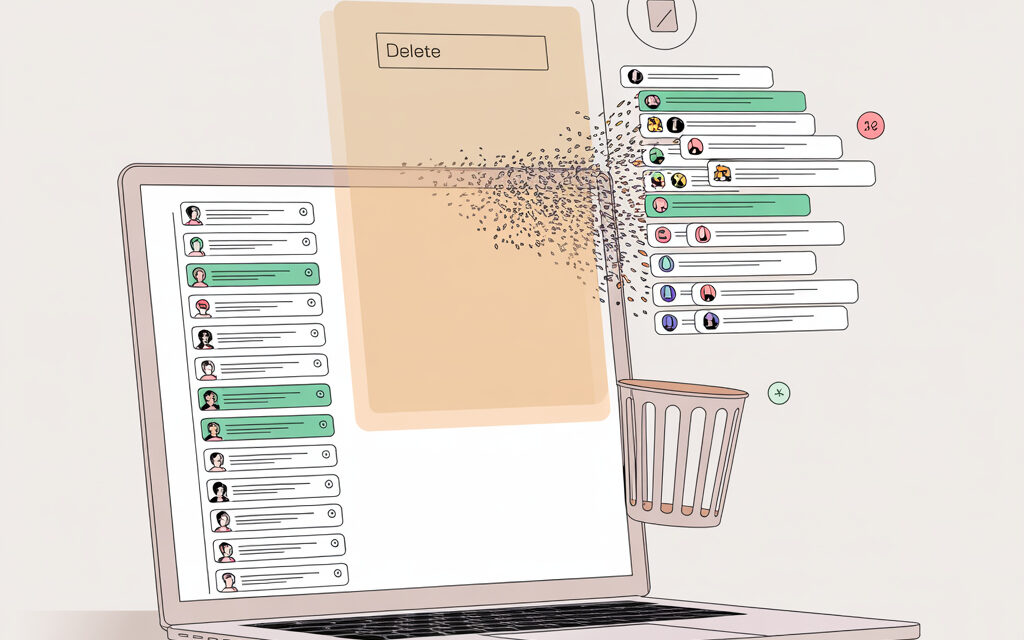
There’s a strange feeling sometimes: you open the sidebar – and there are so many old conversations that you no longer remember why you even needed them.
I’ve noticed that for many people, the issue isn’t where to click, but what exactly will disappear afterward. How to delete all chats in ChatGPT, whether you can get anything back later, and how this is even different from clearing memory – that’s usually where the confusion starts.
The short version: what’s the point
In short, you can delete all chats in ChatGPT through history settings or one by one in the conversation list – it depends on what exactly you want to remove. Can you delete chats in ChatGPT? Yes, it’s usually pretty simple, but people don’t always immediately grasp the difference between the chat itself, memory, and account data.
How to delete conversations in ChatGPT? Most often, you either delete a single conversation or clear the entire history at once, if that option is available in your interface. What happens if I delete all chats in ChatGPT? Your conversation history in the account disappears, but that’s not always the same as fully clearing all associated data.
| What you want to do | Where to usually look |
|---|---|
| Delete one chat | Conversation list on the left |
| Delete all chats | Account settings |
| Clear memory | Personalization settings |
| Understand what is stored | Data controls and OpenAI help |
Where to look for deleting the entire history and how does it usually work?
When someone types “How to delete all chats in ChatGPT?” into a search engine, they usually want not theory but a clear path without unnecessary detours. How to delete all chats in ChatGPT at once? People typically look for this in profile settings, not in the conversation feed itself.
The interface changes from time to time, and that throws people off. It happened to me once – I started deleting chats one by one, and then noticed that the option I needed was deeper in the settings, just not where I expected it to be.
What people usually click
- Open ChatGPT and go to the profile
- Look for the Settings section
- Navigate to the section related to Data Controls or history
- Find the option to delete all chat history
- Confirm the action
Why it sometimes doesn’t work on the first try
Interestingly, some people look for the button right next to the conversation list. That’s logical, but it doesn’t always work. How to quickly delete all chats in ChatGPT? It usually works like this: first into settings, then into the data management section.
A friend of mine had this situation: he wanted to remove old work conversations before giving his laptop to someone else. He started deleting them one by one, got tired, and closed the tab. Later he came back, found the clear-all option – and said it felt at least visually cleaner, although he still checked the memory settings separately afterward.
| Method | When it’s convenient |
|---|---|
| Deleting one by one | If you want order without a full cleanup |
| Deleting entire history | If you want to start with a clean list |
| Clearing memory | If personal hints and remembered data matter to you |
If you’re less concerned with the history in the sidebar and more with individual messages and queries, the topic How to quickly delete all queries from ChatGPT? is similar in meaning.
Are chats in ChatGPT deleted forever, or does something remain?
This is where the anxiety usually starts. Are chats in ChatGPT deleted? Yes, they usually disappear from the interface for the user, but the question of data storage is a bit broader, and how long chats are stored in ChatGPT depends on the service’s policies and specific settings.
In my opinion, it’s better not to guess but to check the official OpenAI help and the Data Controls section. At least there you can see what relates to chat history and what relates to other account data.
What you see and what the service might store
When a chat is deleted from the sidebar, it doesn’t always mean that absolutely everything disappears that same second. Many people confuse deletion from the interface with internal storage retention periods on the service’s side.
I’m not sure this works for everyone, but I’d follow this simple logic: if the conversation isn’t displayed in your account, it’s already deleted as far as you’re concerned. And if your question is about archives, backup processes, or retention periods, you need to look at OpenAI’s documentation: https://help.openai.com/ and general information about data storage can also be checked at https://en.wikipedia.org/wiki/ChatGPT
What usually worries people
| Question | What it usually means |
|---|---|
| The chat disappeared from the list | It is no longer accessible in the regular interface |
| Will the data remain somewhere else | Retention periods may apply according to service policy |
| Can deleted items be restored | Usually not, when it comes to the chat itself |
If your question is specifically about recovering history, it makes sense to check out the topic can you restore ChatGPT chat history.
What is the difference between clearing and deleting a chat?
This is perhaps the most underestimated point. What’s the difference between clearing and deleting a chat? To put it simply, deleting a chat means removing a specific conversation or the entire conversation history, while clearing sometimes refers to a different layer, such as memory, cache, or temporary data.
How to delete conversations in ChatGPT? That’s about the conversations themselves. How to permanently delete data from ChatGPT? That’s broader and may affect not only the history but also settings, memory, and other traces of usage.
Three things people often confuse
- Chat history – the list of conversations in your account
- ChatGPT memory – what the system might remember about your preferences
- Browser cache – local data on your device
A simple real-life example
Once I tried clearing only the browser – that didn’t work. Then I understood why: the conversations themselves aren’t stored in the browser cache, but in the account. The cache mainly affects loading, login, and display, but doesn’t replace history deletion.
Someone once wrote to me that they deleted all their chats but still saw that ChatGPT remembered their communication style. I suggested checking the memory settings then – I don’t know if it helped everyone, but the logic is this: history and memory can live separately.
| Action | What changes |
|---|---|
| Delete a chat | A specific conversation disappears |
| Delete all chats | The conversation list is cleared |
| Clear memory | Personalization is reduced |
| Clear cache | Local browser data is refreshed |
If you’re stuck specifically on personal settings, the question How to clear ChatGPT memory? is relevant.
What happens if I delete all chats in ChatGPT?
A person usually expects either complete relief or a hidden catch. What happens if I delete all chats in ChatGPT? Most often, the conversation list becomes empty, and old conversations are no longer accessible in the sidebar.
But here’s a nuance: if ChatGPT had previously remembered something through the separate memory feature, that might not disappear automatically. Can you delete chats in ChatGPT? Yes, but it’s useful to understand in advance which part of the traces you want to remove.
What usually changes immediately
- The interface becomes cleaner
- It’s easier to start a new conversation without the old clutter
- Less risk of accidentally opening an old conversation
- Saved topics and phrasing in the history disappear
What might not change
I’ve noticed myself: when someone has accumulated many old conversations, it becomes easier to navigate after deletion. Although it varies. If memory is enabled, the response style might still feel familiar.
A friend of mine had this situation: he deleted all his chats before a new project to start as if from scratch. Then he was surprised that the service still took past preferences into account in some places. It turned out the issue wasn’t history but personal settings.
| After deleting all chats | Typical result |
|---|---|
| Left sidebar | Empty or nearly empty |
| Old conversations | Not accessible from history |
| Memory | May remain if not cleared separately |
If after deletion you want to check whether you can see the old stuff again, How to view deleted chats in ChatGPT? overlaps with this topic.
How to permanently delete data from ChatGPT if you want to clean more deeply?
This is no longer just about How to delete all chats in ChatGPT, but about a broader question – How to permanently delete data from ChatGPT? Many people encounter the desire to remove not just conversations but everything related to account usage: history, memory, local traces in the browser.
I’m not sure this works for everyone, but it usually helps to go layer by layer rather than looking for one magic button.
What you can check step by step
- Have you deleted the chats themselves from the history
- Is memory turned off or cleared
- Has the browser cache been cleared, if the issue is local traces
- Have you checked the data management section in your account
- Do you actually need to delete the account, not just the history
A small checklist before cleaning
- Make sure there are no important notes or texts in the chats
- If something is valuable – save it separately
- Check the memory in settings
- Refresh the page after deletion
- If you logged in from someone else’s device – log out of your account
- If the issue is the browser – clear local data
Sometimes people think the problem is with the service itself, but in reality, old login data just remains in the browser. In that case, it makes sense to look at the topic How to clear ChatGPT cache?
And if you need a more general path without details about memory and cache, the question How to quickly delete all chats? is similar in meaning.
Frequently asked questions
If I delete all chats, will the account remain?
Yes, usually only the conversation history is deleted, not the account itself.
Can I delete one chat and leave the others?
Yes, this option is usually available right in the conversation list.
How long are chats stored in ChatGPT?
The exact period is best checked in the current OpenAI help documentation, because rules and interfaces can change.
Will ChatGPT forget everything about me after deleting chats?
Not necessarily. If memory was enabled, it sometimes needs to be cleared separately.
Can I see deleted conversations later?
Usually no, so it’s better to save anything that might be useful in advance.
What to remember from this
Deleting all chats in ChatGPT is usually easy if you go through settings rather than trying to clean everything manually. But chat history, memory, and browser cache are different things, and that’s where confusion most often arises.
I’ve noticed that it’s most calming to first understand what’s bothering you: visual clutter, privacy, or the desire to start from scratch. Then the solution comes faster.
If you have important texts, it’s better to save them in advance. And if after deletion it feels like the service still remembers something, you should probably check the memory separately.
In my opinion, it’s better to go through the settings carefully once than to wonder later whether everything was actually deleted. For you, is this more about order in your chat list or about privacy?
Glossary
Chat history – the list of your past conversations in the account.
Deleting a chat – when a single specific conversation disappears from the history.
Deleting all chats – clearing the entire conversation list at once.
ChatGPT memory – a feature through which the service can remember your preferences or details of communication.
Browser cache – temporary data on your device that helps pages load faster.
Data controls – the section of the account where options related to history and data management are usually located.
Personalization – tailoring responses to your style, interests, or past settings.
Account – your user account, which exists separately from the chat history.
If you try it – write in the comments how it went for you. I’m genuinely curious.