It’s a strange thing: the internet seems to be there, other sites open, but YouTube on your phone just spins a circle and acts like it’s stalling on purpose. Many people run into videos that won’t start, quality that suddenly drops, or everything working only every other time.
I’ve noticed that in those moments, you want to find one magic fix. But usually, it’s not one trick that works – it’s a few simple checks in a row. Here’s what generally helps if YouTube on your phone starts lagging or opens noticeably worse than before.
In short: what’s the core issue
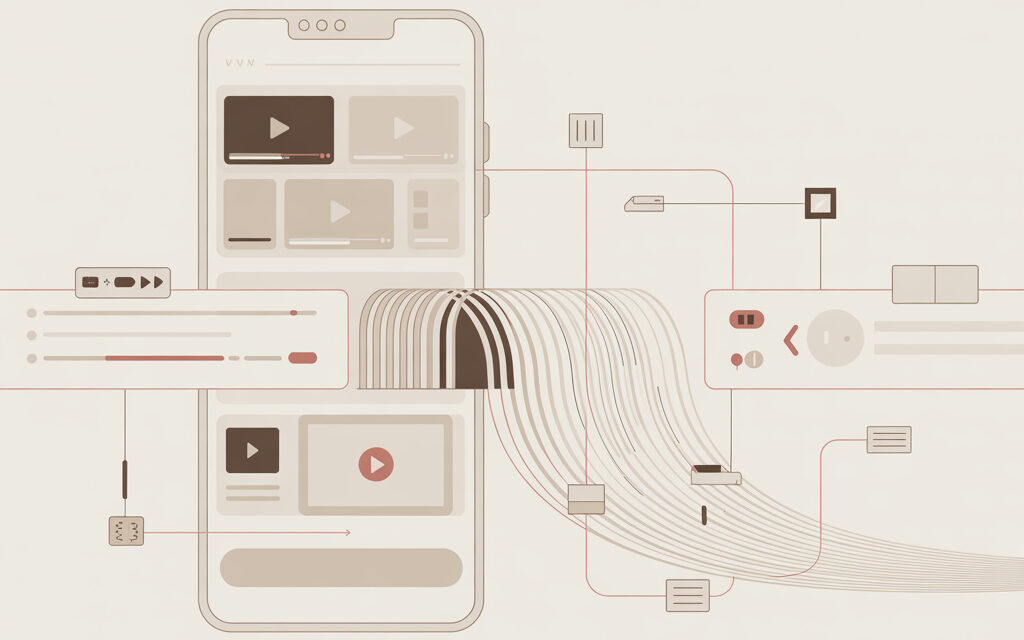
In short, slowing YouTube on your phone is usually bypassed like this: switch networks, check DNS, try a VPN, clear the app cache, and see if data saver or battery saver mode is getting in the way. How to bypass YouTube slowdown on a phone? You usually start with the simplest steps, because the problem isn’t always with YouTube itself.
In my opinion, it’s better to go from easy to more noticeable: first check if YouTube works the same over Wi-Fi and mobile data, then start tweaking settings. The simplest way to bypass YouTube slowdown? For many, it’s changing DNS or using a decent VPN, but it doesn’t work the same for everyone.
| What to check first | Why |
| Switch Wi-Fi/mobile network | See if the problem is with your ISP or your phone |
| Clear YouTube cache | Remove app glitches |
| Try DNS | Sometimes helps bypass unstable routing |
| Check VPN | If traffic is being throttled, this can bypass restrictions |
Why does YouTube lag on my phone even when the internet seems fine?
Interestingly, YouTube can lag even when everything else flies. How to bypass YouTube slowdown on an Android phone? First, figure out where the bottleneck is: in the app, the network, the connection route, or the phone’s settings.
This once happened to me – news loaded fine, maps loaded, but a YouTube video only started on the third try. Turns out the problem wasn’t speed itself, but how traffic reached the servers. After changing DNS, it got noticeably calmer, though not perfect.
What usually breaks playback
- overloaded or unstable Wi-Fi
- restrictions from your ISP or network route
- corrupted app cache
- battery saver that cuts background activity
- outdated app or old Android version
How to quickly figure out the problem
A simple test usually helps: open the same video over Wi-Fi, then over mobile data. If it works fine on one network but not the other, your search area shrinks immediately.
You can also open YouTube in a browser instead of the app. Someone once told me the video freezes in the app but plays tolerably in the browser. I suggested comparing both options – I’m not sure it works for everyone, but the logic is this: if the browser works better, the issue is often in the app itself, not the network.
| Symptom | What it suggests |
| Video takes a long time to start | Issue with routing or DNS |
| Quality drops to minimum | Unstable network or data saver |
| App freezes but browser doesn’t | YouTube or cache glitch |
| Mobile data works better than Wi-Fi | Problem with home router or ISP |
If you’re specifically into speed topics, I have a related post here How to speed up YouTube loading on your phone – that’s more about loading and quality itself, not just bypassing slowdown.
What to try first without too much fuss?
If the question is literally – How to bypass YouTube slowdown on a phone? – I wouldn’t start with complex setups. Usually, a couple of simple actions work, take a few minutes, and break nothing.
Switch networks and restart the app
Yes, it sounds basic. But a friend had this situation: at home, YouTube barely opened, but outside on mobile data, videos started right away. He just restarted the router, reconnected his phone to Wi-Fi – and it got better, though it still dipped occasionally.
Many skip this step because it seems too simple. But in my opinion, it’s better to first understand where the problem is than to immediately try everything at once.
Clear YouTube cache
On Android, this often helps if the app starts acting strange. Not account data, just the cache. After this, the app might take a little longer to open the first time, but sometimes freezes and endless loading disappear.
| Step | What happens |
| Close YouTube completely | App restarts fresh |
| Clear cache | Removes temporary glitches |
| Check for updates | Sometimes an old version glitches more |
| Open video in browser | Shows if the issue is in the app |
See if your phone is choking the app
Battery saver, background optimization, and mobile data limits sometimes interfere more than you’d think. I once tried ignoring this – didn’t work out. Then I realized why: the phone was aggressively limiting app activity, and YouTube would start lagging after a few minutes.
If you’re also looking for workarounds using third-party tools, the topic of Which app speeds up YouTube? might help. But I’d still check the phone’s built-in settings first.
Does a VPN help, and what’s the point anyway?
When people ask, What’s the simplest way to bypass YouTube slowdown?, many immediately think of VPN. And that makes sense: if traffic to YouTube is being throttled or taking a bad route, a VPN sometimes just changes the path. How to bypass YouTube slowdown on an Android phone? For some people – yes, that’s exactly how.
But no magic here. A VPN doesn’t speed up the internet by itself. It can just route your traffic a different way, and sometimes that way is smoother.
When a VPN can actually help
- if YouTube only lags with one ISP
- if the difference between mobile data and Wi-Fi is huge
- if video loads in jerks with no clear reason
- if you already tried DNS and it barely helped
When a VPN can make things worse
That also happens. Especially if the service is overloaded, far away, or free and slow. I’ve noticed myself: when you pick the first random VPN, it usually doesn’t always help, and sometimes it’s worse than no VPN.
Someone once told me they turned on a VPN – and YouTube came back to life, but the battery started draining noticeably faster. I suggested comparing 2-3 servers and watching how the phone behaves. Not sure if it helped everyone, but the logic is simple: sometimes the issue isn’t just access, but the stability of a specific server.
| Scenario | What usually happens |
| Good VPN and nearest server | Video plays more smoothly |
| Overloaded free server | Picture buffers even longer |
| Poor mobile network | VPN rarely saves it completely |
| Problem is only in the app | VPN changes almost nothing |
If you’re digging deeper in this direction, it makes sense to separately look into Which VPN should I download for YouTube to work? There, you need to look at stability, not just the word “free”.
Is it worth changing DNS on your phone?
DNS is mentioned less often, though sometimes it’s the quietest and most reasonable option. How to bypass YouTube slowdown on a phone? You can try changing DNS instead of a VPN, if the internet seems alive but the path to services behaves weirdly.
To put it simply, DNS is what helps your device figure out exactly where to go for a website or service address. Sometimes changing DNS doesn’t make the network faster, but removes strange delays.
When DNS often helps
I’ve noticed DNS is especially useful when YouTube works sometimes and doesn’t work other times, with no clear logic. Not a constant drop, but a floating feeling that the service is being finicky.
A friend had this situation: in the morning videos played, in the evening they barely opened. He tried a public DNS – and it became more stable. Not perfect, but without that feeling that the app had permanently broken.
What to choose and how to test
You could try public DNS that major companies often recommend themselves. For example, Google Public DNS or Cloudflare. Google has a setup page, and a basic explanation of how DNS works is also on Wikipedia.
In my opinion, it’s better to test simply: change DNS, open a couple of long videos, scroll through Shorts, watch how the quality behaves. If there’s no difference, then your cause is likely elsewhere.
| Option | When to try |
| Default ISP DNS | By default, no changes |
| Public DNS | If services open with delay |
| DNS over secure connection | If you want a more stable and private option |
Sometimes these settings affect other services too. For example, if you’ve also looked into How to recover recently deleted story?, you know that some app weirdness isn’t just about the apps themselves, but how the phone stores and pulls data.
What to do if YouTube lags specifically in the app on Android?
How to bypass YouTube slowdown on an Android phone? If the browser shows videos better but the app does worse, then you should dig into Android settings and YouTube itself. This isn’t rare.
What to check in the YouTube app
- app update via the store
- clearing cache
- auto video quality setting
- background activity restriction
- data saver mode
- background permission
What to check on the phone itself
Many encounter Android being too aggressive about saving battery. The result is that the app seems alive but works in spurts. Usually, it helps to remove strict battery optimization specifically for YouTube and check if general data restriction mode is on.
I once tried leaving everything “as is”, thinking the phone knows better. Didn’t work. Later it turned out the system was choking several apps at once, not just YouTube.
Along the way, people often look into neighboring topics. For example, when you need not to watch but to save content, the question arises How to pull a video out of TikTok? The point here is similar: first figure out if the problem is with the platform, the app, or the device itself.
| If this | Then try this |
| Only the app lags | Clear cache, update, reinstall |
| All video on the phone lags | Check network and battery settings |
| Browser works better | Look for a glitch in the YouTube app |
| Got worse after update | Wait for next fix or reinstall |
What’s usually the calmest sequence of actions?
If you don’t want to jump between tips, it’s better to follow a short path. How to bypass YouTube slowdown on a phone? I’m not sure this works for everyone, but I’d do it like this: from the simplest to things that change the network more deeply.
My usual check sequence
- compare Wi-Fi and mobile data
- restart YouTube and clear cache
- turn off battery saver and data saver
- check the video in a browser
- try a public DNS
- if that didn’t help – test a VPN
What to watch after each step
Not just “is it better or not”, but specifically: how fast does the video start, does quality hold, do freezes appear in the middle of the video. This is a small thing, but it helps avoid confusion.
Interestingly, similar logic works in completely different apps too. For example, when people figure out When you block someone on Instagram, does the chat delete?, often the problem isn’t one answer but checking details step by step.
If multiple media apps slow down on your phone, not just YouTube, you could indirectly cross-check with a topic like How to watch old videos on TikTok? Sometimes similar lag isn’t platform-related but tied to phone storage, network, or outdated app versions.
Frequently asked
If YouTube only lags in the evening, what does that mean?
This often looks like network congestion from your ISP or home Wi-Fi. Compare with mobile data at the same time.
Does VPN have to be paid?
Not necessarily, but free options are often overloaded. So sometimes they don’t help, they just add delay.
Is it safe to change DNS?
Usually yes, if it’s well-known public DNS. But it’s better to get settings from official sources, not random screenshots.
Why is the browser better than the app?
This is often a sign of a cache glitch, a bad update, or overly aggressive battery optimization for the app.
If nothing helped, then what?
Then I’d check another device on the same network. If that device also has the same issue, the problem is likely not with your phone.
What to remember from this
YouTube slowdown on your phone doesn’t always mean you just have “bad internet”. Sometimes the app gets in the way, sometimes the traffic route, sometimes your phone’s own settings. More often than not, it’s not one perfect method that helps, but a calm step-by-step check.
In my opinion, it’s better to first compare networks and open YouTube in a browser, then go to DNS and VPN. That saves time and causes less confusion. Also – not everything that worked for one person will work the same for another. And when does YouTube start lagging the most for you?
Glossary
DNS – a service that tells your phone which address to look for a website or service.
VPN – a way to route your internet traffic through another server and sometimes bypass a bad route.
Cache – temporary app files that speed things up but can sometimes get in the way.
Buffering – when the video loads in chunks and you see a loading circle.
Routing – the path data takes from your phone to the server and back.
Battery optimization – Android settings that may restrict apps to save battery.
Public DNS – a DNS server from a major company, not your ISP’s default.
Mobile network – internet through your carrier, not home Wi-Fi.
Background activity – an app working when you don’t have it open on the screen.
Sometimes, alongside technical questions, completely everyday ones pop up. For example, why an image is perceived differently – hence the interest in Why we look different in photos and in the mirror. In digital services, oddly enough, it also often comes down to perception nuances and checking details.
If you try any of this, write how it went. I’m genuinely interested.