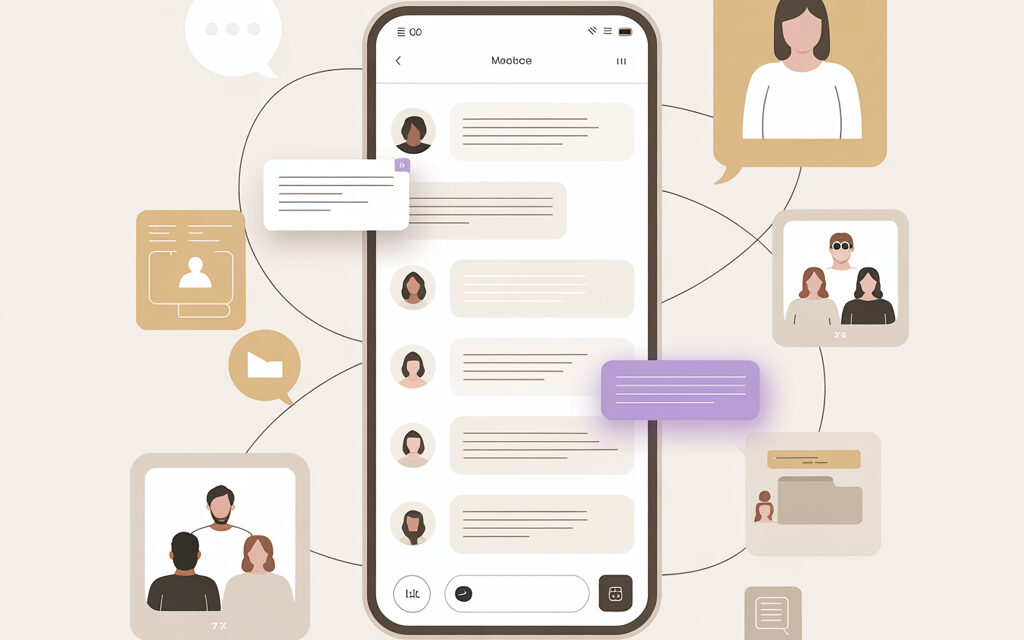
It happens that everyone around you has the app, but no one can really explain in plain terms what it actually is. Some say it’s just a messenger. Others mention calls, chats, channels, and work correspondence. And some still call it simply Viber and don’t think about where the word Rakuten came from.
I’ve noticed that the question seems simple only at first glance. In reality, it mixes regular communication, brand history, personal life features, and even things related to business. Below I’ll try to explain it in a human way, without dry formulations.
In short: the gist of it
What is Rakuten Viber? In a nutshell, it’s a messenger for messages, calls, group chats, communities, and channels. The word Rakuten appeared because the service is owned by the Japanese company Rakuten.
As many people feel, Viber is one of those apps that have just been on their phone for a long time. It’s used for family chats, work matters, correspondence with stores, schools, delivery services, and more. The convenience is that it’s familiar, and the interface is usually understandable even to those who don’t like to spend a long time figuring out settings.
Is it just a messenger or something more?
When someone asks what Rakuten Viber is, most often they want to understand not the company’s history, but a practical thing: why do they need this app at all. And here the answer is not a one-liner. Formally it’s a messenger, but in reality it has long been more than just a window for messages.
People usually use it for several scenarios at once. Even if they don’t articulate it themselves.
What people open it for most often
- send personal messages
- make audio and video calls
- participate in family and work chats
- receive notifications from brands and services
- read channels and communities
- send photos, files, voice messages
Interestingly, different generations perceive the app differently. For some, it’s a replacement for regular SMS. For others, it’s the main work chat. And for some, it’s even where messages come from banks, schools, clinics, or online stores.
Why it has such a long name
An acquaintance had this situation: he saw the name Rakuten Viber in the settings and thought he had downloaded the wrong version. In reality, nothing strange happened – it’s just that not everyone notices the full name of the service right away.
Rakuten is a Japanese company that bought Viber back in 2014. You can see this, for example, in the company’s history on Wikipedia and on the official pages of the service itself. That is, Viber is the product name, and Rakuten is the name of the group that owns it.
| What the user sees | What it means |
|---|---|
| Viber | Familiar app name |
| Rakuten Viber | Full brand name after being bought by Rakuten |
| Rakuten | Japanese technology company |
How is Rakuten Viber different from other communication apps?
If you compare calmly, without arguments about “which messenger is better,” then what Rakuten Viber is becomes clearer precisely against the background of other services. It doesn’t try to be everything for everyone, but it has its own character: simplicity, a large familiar user base, and a focus on everyday communication.
I’ve noticed that many people don’t specifically choose Viber. They just stay where family, colleagues, neighbors, or the school chat already are. And that, in my opinion, is a perfectly normal reason.
Where it feels convenient
Most often it works like this: if a person already has many contacts on Viber, they don’t want to switch somewhere else. Not because the other is worse, but because it’s a hassle to readjust. Especially when it comes to everyday things – “send a photo,” “5-minute call,” “who’s picking up the child,” “where’s the receipt.”
Someone once wrote to me that their parents stubbornly don’t want to learn new apps, but they reply on Viber immediately. I advised them not to fight it but to keep one familiar messenger for the family. I’m not sure it works for everyone, but the logic is simple: sometimes convenience isn’t new features, but predictability.
Where it has limitations
Of course, the app doesn’t have a perfect reputation in the eyes of all users. Some complain about excessive notifications. Others are annoyed by messages from companies. Some have rare problems with registration or moving their account to a new device – in such a case, the article Why doesn’t Viber let me register? might come in handy.
| Situation | How Viber is usually perceived |
|---|---|
| Family chats | Convenient and familiar |
| Work correspondence | Works if the team is already there |
| Too many notifications | Sometimes tiring |
| Switching to a new phone | May require separate setup |
How does it work on a basic level?
When someone first asks what Rakuten Viber is, behind it there is often a very simple interest: what do you need to do after installation. Not everyone wants to read instructions, especially for a daily communication app. On a practical level, it’s quite simple.
The service is linked to your phone number. After confirming the number, the app looks for contacts who already use Viber and shows who you can start messaging or calling right away.
What happens after installation
- enter your phone number
- confirm it with a code
- add your name and photo if you want
- allow access to your contacts
- see who from your list is already using the app
I’ve noticed myself: when someone just needs to start communicating, it usually helps not to dig through all the menus at once. It’s enough to check your profile, notification sound, backups, and contact list. The rest can be learned along the way.
What often raises questions
An acquaintance had a story: he changed his device and thought his account was “lost.” In fact, the problem wasn’t with the app itself, but with the login and synchronization process. In such cases, people usually find it helpful to first understand the mechanics of moving – for example, look at How to log into Viber from another phone?
Another common little thing: a contact seems to be in your phone, but doesn’t appear in the messenger. From the outside, it looks strange, although there could be several reasons: number format, synchronization, hidden permissions. If this is exactly your case, you can check out Why can’t I add a contact in Viber?
| Step | What to check |
|---|---|
| Registration | Phone number and confirmation code |
| Contacts | App access to address book |
| Chats | Is there internet and are notifications turned on |
| Moving to another phone | Is login and data transfer done correctly |
What’s in Viber besides messages and calls?
This is where it becomes clear that Rakuten Viber is not just a “say hi” messenger. Over the past few years, quite a few features have accumulated inside the app, and not everyone uses them equally. Some only open personal chats, while others live in communities and channels.
Many people find that half of the possibilities pass them by. Simply because the interface is familiar and there’s no time to dig deeper.
Communities, channels, files, reactions
In short, inside there are group formats for large discussions, channel subscriptions, photo and document sharing, voice messages, stickers, and reactions. In essence, it already looks more like a communication ecosystem, not just a “chat with mom.”
Interestingly, the habit of reacting to messages with emojis has migrated to almost all apps. And when some small thing doesn’t work in one service, people often think that all communication on their phone has broken down. I’ve heard this about other platforms too – for example, Why reactions don’t work in Instagram direct is asked no less often than about similar features in messengers.
Brands and official accounts
A separate story is messages from stores, delivery services, banks, and other companies. Some find it convenient because everything comes to one place. Others, on the contrary, are annoyed. In my opinion, it’s better to go through notifications once and turn off what you don’t need.
Once I tried leaving all notifications on “just in case” – it didn’t work. Later I understood why: when family, work, and service messages are all in one app, the noise accumulates very quickly.
| Feature | What it’s usually used for |
|---|---|
| Personal chats | Regular one-on-one correspondence |
| Groups and communities | Communicating with multiple people |
| Channels | Reading news and updates |
| Voice messages and calls | Quick communication without typing |
| Messages from brands | Notifications, confirmations, order information |
How secure is it and what can you check yourself?
When discussing what Rakuten Viber is, a second question almost always arises – is it safe to use. I think it’s useful here not to fall into either panic or blind trust. Any messenger is a story about settings, habits, and user attention as much as about the platform’s own technology.
On Viber’s official pages and help materials, you can see how privacy, blocking, hidden chats, two-step access, and so on work. And if you want a general background on messengers and encryption, Wikipedia and the service’s own support sections are a good start.
What usually helps you feel more at ease
- enable app lock if available on your device
- check which notifications are visible on the lock screen
- don’t open suspicious links from questionable chats
- periodically check the list of connected devices and sessions
- set up backups deliberately, not at random
- understand how to change your number and what happens to your account
By the way, confusion with changing a number happens more often than it seems. Someone once wrote to me that they were afraid to click anything in the settings so as not to lose their chats. I advised them to first read a clear explanation of the process and only then change their information. If this is your case, How to change your phone number in Viber? might come in handy.
Can you check everything without anyone’s advice?
Yes, and in my opinion, that’s the most normal way. Go through your privacy settings, who can message you, whether your status is visible, whether message previews are on, whether you have a backup. When you go through these points yourself, the app no longer seems so “unfamiliar.”
Many people find that what worries them is not a real vulnerability, but the unknown. As soon as you see where things are turned on and off, there’s usually less stress.
Why is Viber still so often used by people in Ukraine?
If you look not at technical details but at everyday life, then what Rakuten Viber is is best explained by one thing – the habit of the environment. The app often remains where all the necessary people already are: family, neighbors, school parents, small teams, local sellers, building chats, and services.
This happened to me once – I wanted to move some of my communication to another messenger, but quickly realized that half of my everyday issues still live on Viber. Not because it’s objectively the best, but because its own communication infrastructure has long been established there.
Habit is often stronger than features
This is also visible on other platforms. People rarely choose a service based on a long list of features. Usually, they go where their loved ones, colleagues, or audience already are. That’s roughly why some study How to open archive in Telegram, others look at How to get views on TikTok: Working strategies for growth, and others just keep writing on Viber because mom, the handyman, the teacher, and the courier reply there.
When Viber is especially convenient
| Scenario | Why Viber is chosen |
|---|---|
| Family | Everyone is already in one chat |
| Home and daily life | Building, HOA, neighbors, local announcements |
| Small work | Quick messaging and calling without extra setup |
| Services and stores | Easy to get confirmation, photo, address, order details |
Interestingly, the issue of children’s safety and the digital environment is increasingly being discussed not only around messengers but more broadly. Against this background, I found the news Instagram launches series of videos featuring celebrities to draw attention to online dangers interesting – just as a reminder that the tool itself is neutral, but the usage scenarios depend on us.
Frequently asked questions
Are Rakuten Viber and Viber the same thing?
Yes. Just Rakuten Viber is the full name of the service, and Viber is the short, familiar one.
Do you need to pay for Viber?
The app itself for regular messages and calls over the internet is usually free. But certain paid features or service options may vary depending on the country and usage format.
Can you use Viber without a phone number?
In the usual scenario, no, because the account is linked to a number. That’s the basis for login and user identification.
Is Viber suitable for work?
Yes, many people do this. But most often it’s convenient for small teams and quick everyday matters, not for everything across the board.
If all my acquaintances use a different messenger, is there any point in installing Viber?
It depends on why. If you need to communicate with specific people or receive messages from services, you can try. If almost no one in your circle uses it, the need may be small.
What to remember from all this
What is Rakuten Viber? Essentially, it’s a familiar messenger for messages, calls, groups, channels, and everyday tasks, and the word Rakuten is related to the owning company. It is often chosen not because of grand promises, but because it is already embedded in everyday life. It has convenient sides, it has debatable points, and that’s normal.
In my opinion, it’s better to treat it without extremes: not expect magic, but also not write it off just because it’s been on the market for a long time. If you try to understand the settings and features, much becomes clearer. And for you, is Viber still a living working tool or already just a “just in case” app?
Glossary
Messenger
An app for messaging, calling, and sharing files over the internet.
Account
Your user profile in the service, usually linked to a phone number.
Contacts
People from your phone book that the app can show inside the messenger.
Community
A large group communication format that can have many participants.
Channel
A feed of messages or updates that readers subscribe to.
Backup
A saved version of chats and data that can help when moving to another device.
Notifications
Messages from the app that appear on your phone screen.
Privacy
Settings related to who sees your data and how your chats are protected.
Stickers
Images and sets of emotions for communicating instead of plain text.
Synchronization
The process by which data is synced between the app, contacts, and device.
If you try to look at Viber not as an “old messenger” but as a familiar tool, write later whether your feeling changed. I’m genuinely interested.