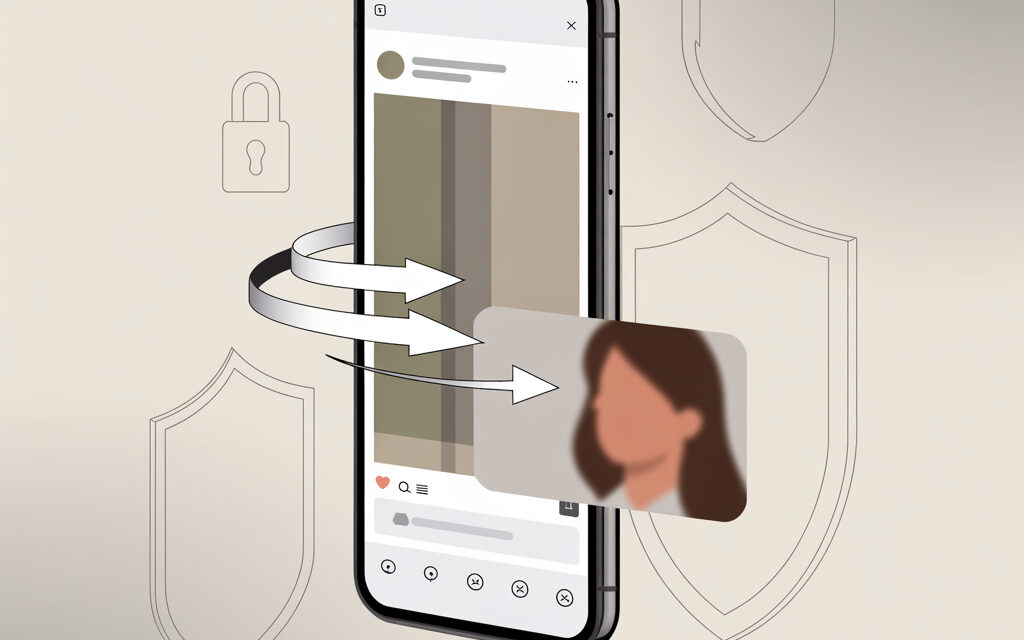
Yes, in short. If the profile is open and the story is still available, it can be saved via online services or bots without installing apps and without logging into your account. In practice, that’s 2-3 clicks and the file is on your phone or laptop.
Remember copyright. Save for personal use. Only publish with the author’s permission. This way it’s calmer and without surprises.
What are Instagram Stories and Their Features
Definition and Story Lifespan (24 hours)
Stories are short photos or videos that live for 24 hours. After that, they disappear from the feed unless the author added them to Highlights. Watching and saving is easiest while the story is active.
Difference Between Temporary Stories and Highlights
A temporary story is visible for 24 hours. Highlights are collections of stories pinned to the author’s profile. Highlights contain stories that have already passed, making them convenient to catch up on and save later.
How Highlights Affect Downloading in 2026
Most services have learned to fetch both regular stories and Highlights. But here’s the nuance. Sometimes a service pulls the Highlight cover instead of the original. If you see a square picture instead of a vertical story video, open the Highlight itself and try downloading the specific element from the list.
Is it Legal to Download Someone’s Story on Instagram?
Instagram Rules and Copyright in Ukraine
Saving for yourself is allowed. Publishing others’ stories on your social media, in ads, or on a website without the author’s permission is not allowed. Copyright protection applies in Ukraine. If you need to use someone else’s fragment in your material, ask for written consent or at least explicit permission in a chat.
In such situations, it’s logical to first understand How to save a photo from someone else’s Instagram?, in order to not violate copyright and avoid complaints or blocks. The safest option is to get the file directly from the author or use embedding via embed without copying the source.
Risks of Account Blocking and Legal Consequences
You don’t get banned for downloading, but for suspicious logins to third-party services and phishing pages. Therefore, don’t use your login and password for downloads. Legal problems begin when you publish others’ content without rights or distort the context. For a personal archive, the risks are minimal.
Personal Experience: Cases from Practice 2025-2026
- Marketing snippet. A client asked to save a competitor’s story with a promotion. We took it from Highlights via a web service, attached it to the report. Didn’t republish it, no conflict.
- Loss of quality. The service delivered a square cover. Simple solution: open the Highlight, select the specific story, and save that one.
- Fake downloader. A colleague tried to log in via a third-party site with their Instagram login and lost access. The right approach is not to log in anywhere that asks for your password.
Methods for Downloading Stories Without Apps (Online Services)
TOP-10 Services 2026: SSSInstagram, StoriesIG, Instashpion
- SSSInstagram – saves stories by username, fast direct links to files.
- StoriesIG – convenient viewing and saving of stories and Highlights without login.
- SaveFrom.net – simple username input and anonymous viewing of active stories.
- IQSaved – universal downloader for photos, videos, reels, and stories.
- Instashpion – anonymous viewing service, useful for quick checks.
- StorySaver.app and similar – minimalist interface, one input field.
- Inflact and similar paid solutions – if you need mass downloading.
- StoriesDown – mirrors for when the main service is overloaded.
- PostMyPost – guides with current working methods and links.
- VC and DTF reviews – lists of working services, convenient to check what’s still alive.
Step-by-Step Guide for SSSInstagram
- Copy the profile username without the @, e.g., username.
- Open sssinstagram.com and paste the username into the field.
- Click Download or a similar button and select the desired story.
- Save the file. On a phone, it goes to Downloads or Photos; on a PC, to the Downloads folder.
Anonymous Viewing on SaveFrom.net
- Go to savefrom.net in the Stories section.
- Enter the profile username. The service will show active stories and Highlights if available.
- Click Download next to the desired element. No account login needed.
Mobile Apps and Telegram Bots for Ukraine
Best apps: Fastdl.app, Instasaved (4K support)
When you need to download in bulk and frequently, apps are more convenient. But there are constant purges in app stores, so it’s better to have 1-2 alternatives and a web service as a backup.
Bots like Anonimobot for Ukrainian Users
Telegram bots are good for one-time tasks. You insert the username or link – you get the file. Make sure the bot doesn’t ask for your login, password, or access to your account. That’s a red flag.
| Tool | Platform | Capabilities | Where more convenient | Note |
|---|---|---|---|---|
| Fastdl.app | iOS Android Web | Stories Reels Photos | Mobile downloads | Keep an eye on version updates |
| Instasaved | Android Web | Stories Highlights Videos | Batch downloading | Sometimes has ads |
| @SaveAsBot | Telegram | Links to files | One-time tasks | Doesn’t require login |
| @SaveZBot | Telegram | Stories Reels | When you need a quick response | Check limits |
Installation and Use Without VPN Risk
- If a service won’t open on your network, enable a trusted VPN and choose an EU server.
- Don’t log into Instagram through third-party sites and bots. This is not needed for downloading.
- Turn off VPN after downloading to avoid extra captchas.
Step-by-Step Process for Downloading Any Story
Step 1: Getting the Profile URL or Username
- In the app, open the profile, tap the three dots, and select Copy Profile URL.
- Or simply note the username without the @. Most services accept the username.
Step 2: Choosing a Tool and Anonymous Access
- For a quick, one-time download, use a web service like SSSInstagram, StoriesIG, SaveFrom.
- For a series of stories, a Telegram bot is convenient. For archives, use desktop programs and paid solutions.
Step 3: Saving in High Quality (Full HD/4K)
- If the service offers quality options, choose original or HD.
- On iPhone, check that the photo format saves as .mp4, not .mov, if you plan to send it to Android or a browser.
Handling Private Profiles (Open Only)
Third-party services can only see open profiles. Private stories can be saved if you are a follower and the owner allowed viewing, but that’s screen recording on your device and only with the author’s consent. You cannot bypass profile privacy.
| Tool | Anonymity | Quality | Free | Example Link |
|---|---|---|---|---|
| SSSInstagram | Yes | HD | Yes | sssinstagram.com |
| StoriesIG | Yes | Up to original | Yes | storiesig.info |
| Instashpion | Yes | HD | Yes | review |
| SaveFrom | Yes | HD | Yes | savefrom.net |
| IQSaved | Yes | HD | Yes | iqsaved.com |
Mistakes When Downloading Stories and How to Avoid Them
Common Problems: Watermarks, Low Quality
At this stage, many wonder, Why can’t I save photos in Instagram?, although the reason is usually simple – the service delivers a preview instead of the original, or you’re using an app with watermarks and quality limitations.
- Watermarks appear in some mobile apps. Solution: use a web service without watermarks.
- Low quality is often due to downloading a preview. Solution: open the specific story and save the original.
- Incompatible format on iPhone – convert to .mp4 via the built-in Photos export with Quality set to Maximum.
Protection from Spam and Data Leaks in 2026
- Don’t enter your Instagram login and password on downloader sites – it’s not required.
- Close pop-ups offering extensions and suspicious plugins.
- Use a separate browser profile for such tasks to not expose your main cookies.
| Problem | Cause | What to do |
|---|---|---|
| Service says Nothing found | Profile is private or story already disappeared | Check Highlights or ask the author for the original |
| Downloaded a square instead of video | Downloaded the Highlight cover | Open the element in the Highlight and save the specific story |
| File won’t play on PC | Rare codec or corrupted file | Redownload from another service or re-encode to .mp4 via VLC |
| Suspicious authorization | Phishing login form | Close the site. Change password if you entered data |
Safety Checklist for Ukrainian IPs
- I only save by username or link. I don’t log in anywhere.
- I enable VPN only if the site won’t open. EU server.
- I check the service domain and HTTPS certificate.
- After downloading, I clear History and Downloads if working on someone else’s PC.
For the same reason, users often ask, Why won’t my Instagram photos save to my Android?, although the problem is most often related to missing storage permissions, full storage, or saving files to a system folder that the gallery doesn’t index.
Alternatives to Downloading: White Hat Viewing Methods
Notifications and Partner Apps (InSpy)
If the goal is analysis, not storage, use monitoring apps that simply record the fact a story was posted and provide screenshots. For reports, this is sufficient and safer than chasing files.
Screenshots and Screen Recording Without Risk
- iOS: Settings – Control Center – Screen Recording. Pull down the Control Center, tap record, open the story.
- Android: Swipe down – Screen Recording. If not there, add the button to quick settings.
- Mac: Shift + Command + 5 – Record selected area.
- Windows: Win + G – Record via Xbox Game Bar or Win + Alt + R for quick start.
Tool Comparison by Speed and Safety (Ukraine)
Table: Free vs. Premium (2026 Statistics)
| Parameter | Free | Premium (359 rub.) |
|---|---|---|
| Limits | Usually unlimited or moderate | Unlimited + batch downloads |
| Anonymity | High, login not required | Complete, plus protective proxies |
| Speed | About 5–15 seconds per file | Faster during queues and high load |
| Format Support | Stories Highlights | Stories Highlights Reels Posts |
| Ads | Yes | No |
FAQ
Do I Need to Log In to Download?
No. Working services accept a username or link and deliver the file without login and password.
Can I Download a Private Profile’s Story?
No. Services can only see open profiles. Do screen recording only with the author’s consent.
What to Do if the Story Disappeared After 24 Hours?
Check the Highlights on the profile. If it’s not there, ask the author for the original or a screencast.
Is it Legal in Ukraine to Save Stories for Personal Use?
For a personal archive, yes. For publication and commercial use, get the author’s permission.
Which Service is Best for Mobile in Kyiv?
For a one-time task: StoriesIG or SSSInstagram in a mobile browser. If you use it often, keep a Telegram bot as a backup option.
Checklist: Topic Summary
- Profile is open
- Username or link copied
- Anonymous tool selected: SSSInstagram, StoriesIG, SaveFrom
- Downloaded without logging in
- Checked file quality and .mp4 format
- Using only for personal tasks or with author’s permission
The conclusion is simple. We save stories without apps, without login, and without risk if we use a verified service and don’t chase gray methods. For private profiles, we don’t bypass restrictions, but work only with screen recording and author consent.
When we need to quickly grab one story, we use a web service. When results and long-term archives matter, we connect a bot or a paid tool. Before publishing someone else’s frame, always ask for permission and sleep peacefully.
What’s your current scenario – save a story for a report, show it to a colleague, or insert a fragment into a presentation?