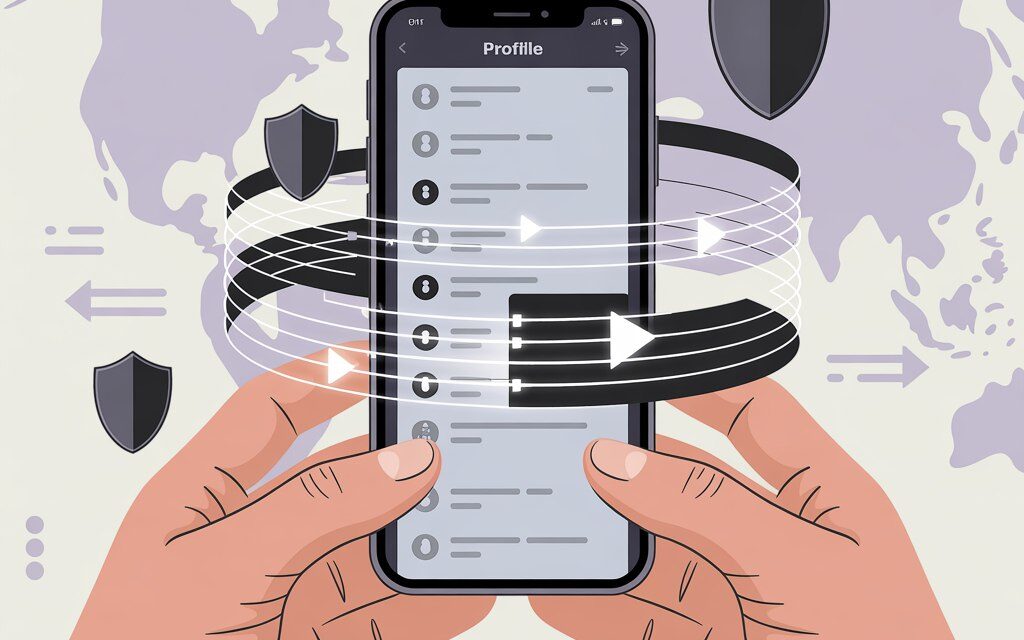
This is a calm guide on how to gently nudge TikTok into understanding which country you’re in right now. No mysticism, no complicated words. I’ll explain what really affects your feed, how to set up a VPN, and how to check yourself.
I’ve noticed that most often, people are just missing a couple of simple steps and a bit of patience. Below is my personal method, plus a few everyday stories.
The Short Answer
The simplest path is this: turn on a VPN for the country whose videos you want to see, clear the app’s cache, change the language and interests in TikTok, let the feed watch new clips for 10-15 minutes, and like relevant content. If you’re asking “How to change region for TikTok?” or “How to change region in TikTok via VPN,” this is usually how it works.
Important: TikTok doesn’t just look at your IP via VPN, but also at your language, geolocation, SIM card, and your activity. So we change not just one thing, but several at once.
Why change your region and what you’ll actually see
Many ask: “Can I change my region to download TikTok?” and “How to change region for TikTok?”. Changing your region via VPN is usually needed to see local trends, ads, shops, and creators from a specific country, not to “break” the app. Creators from the chosen location will start appearing more often in your feed, and recommendations and hashtags will become noticeably closer to the selected language.
A quick story
A friend of mine experienced this: they were preparing to launch a small brand for another country. He turned on a VPN, changed the interface language, subscribed to 20 local accounts, and within a day, his feed was already half “local.” Nothing magical – the system just saw new signals.
How to quickly check yourself
Go to Search and type in a couple of local hashtags, subscribe to 10-20 creators from the target country, and then refresh your feed. If you’ve done everything correctly, the first changes will be noticeable within a few hours.
| What influences the “region” | Where to change it | Comment |
|---|---|---|
| IP address | VPN | The main technical signal. Changes immediately upon connection. |
| App and content language | TikTok and phone settings | Helps the algorithm better understand your interests. |
| GPS and location permissions | Phone settings and permissions | If precise geolocation is on, a VPN won’t help. |
| SIM card and mobile network | Physical SIM or eSIM | Sometimes hints at your region. Effect is lower on Wi-Fi. |
| Interaction history | Your likes, follows, watch time | A strong behavioral signal. It’s worth “retraining” it. |
Step-by-step: how to change region in TikTok via VPN
If you’re thinking “How to change VPN location for downloading TikTok?” or you’re just relocating your feed for some reason – here’s a gentle step-by-step guide. It also helps when you’re searching for “How to change region in TikTok via VPN.” There are no complex settings here – just clear steps.
Step 1. Prepare your phone and the app
Update TikTok to the latest version. Go to the language settings in the app and add the language of the country you need. You can temporarily set the same language on your phone – it makes it easier to send a clear signal to the algorithm.
Step 2. Turn on the VPN for your target country
Launch your VPN and select a specific city or at least the country. In my opinion, it’s better to choose a server closer to your actual location to avoid speed issues. If you have a choice of protocols, leave it at default – it’s usually more stable that way.
Step 3. Clear traces to avoid confusing the algorithm
Clear the TikTok cache in the app settings. Restart your phone. Turn off precise geolocation for TikTok or grant access “only while using,” and don’t open any maps during this time. If you’re on mobile data, switch to Wi-Fi – SIM cards sometimes pull in your “home” region.
Step 4. The first 10-15 minutes inside TikTok
Open Search and type in local hashtags. Watch 10-15 videos all the way through, like 5-7 of them, and subscribe to 10-20 local creators. This is the most important moment: you’re showing interest not just in a country, but in its content.
A mini-story from a reader
A reader mentioned he kept forgetting about the interface language and would blame the VPN. As soon as he changed the language in the app and started watching local clips for longer, by evening his feed had noticeably shifted in the right direction.
Checklist: how to change region in TikTok via VPN in one go
Short and to the point, this checklist answers “How to change region for TikTok?” and “How to change VPN for TikTok for free?” in a practical sense. Save it so you don’t have to run back and forth.
- Update TikTok and add the desired language in settings.
- Turn on the VPN for your chosen country and check your IP on any verification site.
- Clear the TikTok cache, restart your phone.
- Turn off precise geolocation for TikTok while setting up.
- Go to Search, watch and like local clips, subscribe to creators.
- Give the system time – at least a few hours of active viewing.
What to do if nothing changed after using a VPN
This happens, and the question “How to change region for TikTok?” pops up again. Sometimes just waiting it out helps, but there are also checkable things. If it’s not working, a logical question is – How to make TikTok work with a VPN? Check if the country selected in the VPN matches the app’s language, if precise geolocation is disabled, and if you’re not using mobile data with your “home” SIM. These signals shouldn’t conflict with each other. If you want, you can try a different server or ask your VPN’s support – that’s normal practice.
Check the sources of “real” location
Make sure TikTok doesn’t have access to precise geolocation, and that you’re not using mobile data from your SIM at that moment. Try Wi-Fi and a different server in the same country.
Reset behavioral cues
For a few days, stop actively liking content from your “old” country. Focus on local hashtags and new creators so the algorithm doesn’t waver.
VPN speed and stability
If videos load slowly, the algorithm might show “closer,” familiar content. Switch to a faster server. Sometimes a protocol labeled “fast” in your client’s settings helps.
Can you download TikTok via VPN and how does it work
This question comes up often: “Can I change my region to download TikTok?” and “How to change VPN for downloading TikTok?” Theoretically, if TikTok isn’t available in your app store, a VPN and changing your store’s country might help. But it’s better to stick to the official stores for your actual country – it’s more reliable for updates and security.
Separately, people often ask, How to download a video on TikTok if you can’t? If the creator has disabled downloads, there’s no official way around it – it’s easier to save the clip using the “Favorites” feature or share the link. Any third-party services should be used cautiously and only in line with the platform’s rules.
If the app is not available in your store
Try turning on the VPN, restarting the store, and checking your account’s region in the store. Remember that changing your store’s country might be restricted by rules and payment methods. Be mindful of your App Store or Google Play policies.
Alternative stores and APKs
I wouldn’t recommend installing APKs from untrusted sources – it’s risky. In my opinion, it’s better to wait for official access or ask the store’s support. Security is more important.
Free or paid VPN: how to choose calmly
Many ask: “How to change VPN for TikTok for free?” Free solutions exist, but they often have fewer servers and limited speed. The question “What is the best 100% free VPN?” comes up regularly, but the honest answer is: completely free services are almost always limited in speed, traffic, or countries. Basic versions are okay for testing, but for stable video performance, it’s better to look at trusted paid options with a trial period. If stability and privacy are important to you, paid options are usually more predictable.
What to check before installing
- A transparent privacy policy and a clear service owner.
- Availability of servers specifically in your target country.
- Speed test – try watching a couple of videos and uploading a story.
- Support and easy setup on your device.
If you’re wondering, Which VPN is best for downloading TikTok, look for services with servers in the desired country, stable speed, and no sudden connection drops. For video, speed and connection reliability are the most important factors.
Security and platform rules: what to pay attention to
A VPN is a regular tool, but always respect the service’s rules and your country’s laws. TikTok publicly states that recommendations are formed by multiple signals, not just location. You can read about recommendations in the TikTok Help Center: How TikTok recommends content. Mozilla explains the basics of VPNs in simple language: What is a VPN.
Simple precautions
- Don’t enter passwords on suspicious sites, even if your VPN is on.
- Don’t download apps from dubious sources.
In short: Can I change my region to download TikTok? Sometimes yes – by changing your country in the app store and connecting via VPN. But keep in mind that stores might require a new payment method and adherence to their regional rules.
- If something lags, don’t panic – turn off the VPN and check your connection.
How to switch everything back to your “home” region
If you want to go back, simply turn off the VPN, revert the interface language, turn on geolocation, start watching local content, and subscribe to creators from your own country. After some time, your feed will become familiar again. An evening of actively watching “home” videos usually helps.
Mini-FAQ
How long does it take for the feed to change to a new region?
From a couple of hours to several days. It all depends on your activity and the clarity of the signals.
Do I need to turn on the VPN every time before using TikTok?
If you want to keep the feed targeted to a specific country – yes. Otherwise, the algorithm will start reverting to “home” cues.
Can I manage without a VPN?
Sometimes yes: language, follows, and behavior also play a big role. But a VPN speeds up the process because it changes your IP.
Will this affect ads?
Most often, yes – ads also rely on IP and behavior. But I can’t promise 100% “localization.”
Does this violate TikTok’s rules?
Using a VPN itself is common practice. The main thing is not to violate other platform rules or your country’s laws.
Key takeaways from this article
In my opinion, the best way is to act calmly and consistently. A VPN changes your IP, but the algorithm looks at a broader picture: language, geolocation, SIM card, your likes, and views. If you carefully align all of these, the desired region appears without stress.
If you’d like – share how it went for you
I’m curious which steps worked fastest for you.
Write down what exactly helped and how long it took for your feed to change.