What is Downloading Photos from Instagram and Why It’s Relevant in 2026
Definition and Platform Limitations
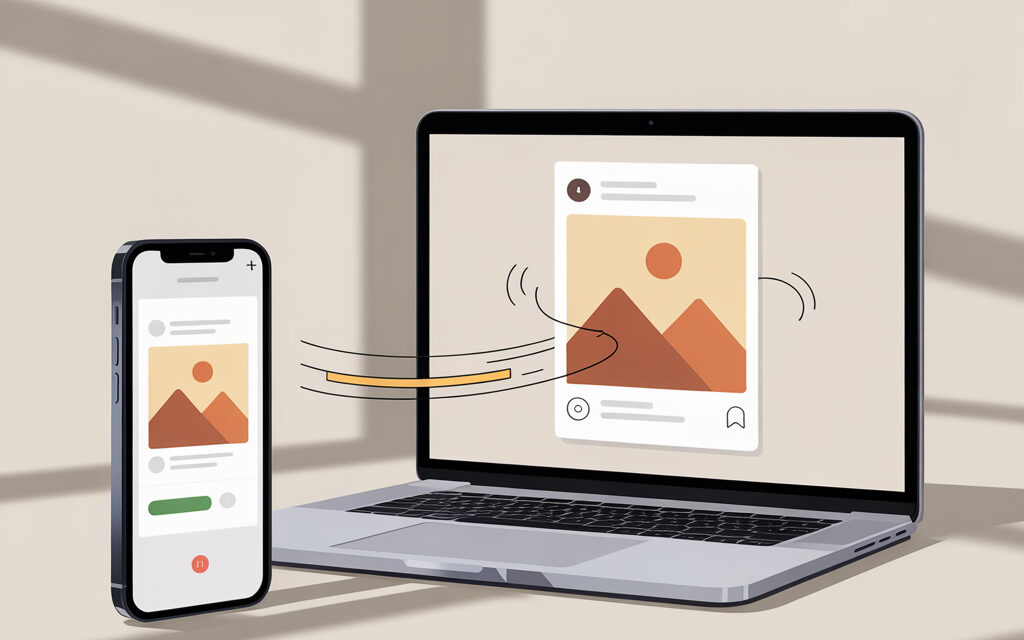
Downloading photos from Instagram means saving images from public posts to your phone or computer. There’s no direct download button in the app – Instagram protects authors’ content. Therefore, in practice, people use online services, Telegram bots, and desktop applications. Important: the methods below are only suitable for public posts and do not remove responsibility for copyright.
Content Download Trends in Ukraine
In 2026, people more often save content from their phone – it’s faster and without file management hassles. The most popular scenario is to copy a post link and send it to a Telegram bot. In second place – online services in a mobile browser. For large volumes, desktop programs with batch downloading are more convenient.
Why Can’t I Save Photos in Instagram?
Blocking Direct Saving in the App
The app doesn’t allow saving the original – you can only add it to “Saved” within your profile. Long-pressing on the photo and the context menu also won’t help – this is copy protection. It’s impossible to bypass this protection without third-party tools.
Impact of 2026 Algorithms on Content Access
Third-party services periodically break – Instagram changes page markup and link schemes. If a site downloads today, it may return an error tomorrow. In practice, keep 2-3 backup tools and switch when one fails.
Step-by-Step Downloading Instructions
Downloading on PC: Via Web Services
Method with instasave and Copying the Link
- Open the post in the web version of Instagram.
- Tap the three dots – Copy Link.
- Open any of these services: SnapInsta, iGram, SaveFrom, sssInstagram, IGDownloader.
- Paste the link – click Download – select quality – save the file.
In the same scenario, many search for how to download video from Instagram without a watermark, as web services most often deliver a clean file without logos, unlike the platform’s built-in tools.
- Check the filename and extension .jpg – sometimes services deliver .webp, then open it in a viewer and save as .jpg.
When suitable: to download 1-10 photos once without installing software. Common mistake: pasting a profile link instead of a post link – the service returns empty.
Batch Downloading with 4K Stogram
- Download and install 4K Stogram or a similar tool.
- In the search bar, enter the account username or hashtag.
- Select the save folder – click Subscribe/Download.
- Wait for the download – check the folder structure, dates, and file captions.
When suitable: archiving many posts, backing up your own account, downloading by hashtag. Important: the tool won’t help for others’ private profiles – respect privacy.
How to Download Photo from Instagram to iPhone Gallery?
Via Telegram Bot @creoscanbot
- Copy the post link: Share – Copy Link.
- Open Telegram – bot @creoscanbot – click Start.
- Send the link – receive the photo – save to Photos.
- If there are multiple photos in a carousel – the bot will deliver all, scroll up.
Plus: no need to install apps. Minus: popular bots can have queues – if it takes long, try another bot with similar functionality.
A frequent user question is can Reels be saved to the phone?, and Telegram bots solve this task just as simply as with regular posts, if the content is public.
Online Services SnapInsta and iGram for iOS
- Open the post link in Safari.
- Go to the service’s website, paste the link, click Download.
- In the results, tap on the photo – Save to Photos.
- If the file opened in a new tab – long-press the photo – Save Image.
Common mistake: Safari sometimes saves .webp. Solution: enable Settings – Safari – Downloads – iCloud Drive or Locally, then convert from the Files app using the standard Share – Save Image command.
How to Download Photo from Instagram Online Without Apps
sssInstagram and IGDownloader
- Copy the post link.
- Open the service’s website – paste the link – Download.
- Select JPG – save.
Suitable for a quick one-time task. If the service asks for a captcha – refresh the page or use an alternative.
This is precisely how the question how to download photo from Instagram online is solved, without installing programs or logging into an account.
SaveFrom and InstaFinsta as a Bookmark
- Save the service page to your browser bookmarks.
- When you need to download – open the bookmark, paste the link, download.
- For InstaFinsta, there’s a bookmarklet – add it to bookmarks, open a post and click the bookmarklet to get the media link.
Plus: always at hand. Minus: bookmarklets sometimes break after Instagram updates.
How to Download Photo from Instagram if the Profile is Private?
Possibilities for Private Accounts
The short answer is – not legally, if you’re not a follower and don’t have permission. Services cannot see the content of private profiles without authorization. Even with authorization, it’s a violation of platform rules and risks a ban.
Risks and Alternatives in Ukraine
- Ask the author for the file – the fastest and safest path.
- If it’s your profile – use the data archive download in Instagram settings.
- Don’t give your login and password to third-party services – high risk of account theft.
Top Tools Comparison Table for Downloading 2026
| Tool | Platform | Downloads | Batch | Login Needed | Ads/Captcha | When to Use |
|---|---|---|---|---|---|---|
| SnapInsta | Web | Photo, video, carousels | No | No | Sometimes | One-time & fast on phone or PC |
| iGram | Web | Photo, video | No | No | Sometimes | Alternative when SnapInsta fails |
| SaveFrom | Web | Photo, video, Reels | No | No | Yes | Simple scenario without install |
| sssInstagram | Web | Photo, video | No | No | Rarely | When other services are overloaded |
| IGDownloader | Web | Photo, carousels | No | No | Rarely | Backup option |
| Telegram bot | iOS/Android/PC | Photo, stories, carousels | Limited | No | No | Fastest way from phone |
| 4K Stogram | Windows/macOS/Linux | Photo, video, by accounts/tags | Yes | No for public | No | Archive many posts, back up own profile |
| Instaloader | Windows/macOS/Linux | Photo, video, metadata | Yes | Optional | No | Advanced tasks, scripts & automation |
Common Mistakes When Downloading Photos
Incorrect Link Copying
- Copying a profile or hashtag link instead of a specific post link.
- Taking a link from a preview without opening the post – results in empty output.
- Solution: open the post on a separate page – copy the link via three dots.
Ignoring Service Limits
- Downloading dozens of links in a row – triggers captcha or IP block.
- Solution: alternate between services or take 1-2 minute pauses, use desktop apps for large volumes.
| Error | How to notice | Quick Fix |
|---|---|---|
| Saved .webp instead of .jpg | File won’t open in editor | Open in browser – Save as .jpg or convert in any viewer |
| Service says Link not valid | Error message immediately after paste | Check the link leads to a post, not a profile or story |
| Photo saved in low quality | Blurry image | Select original/HD on result page or switch service |
| Only 1 image downloaded from carousel | Missing photos | Scroll down the results list or use a bot – it delivers all slides |
Risks and Legal Aspects of Downloading in 2026
Violating Instagram ToS and Getting Banned
Mass downloading of others’ content and publishing without permission is a direct path to complaints and blocks. Copyright remains with the creators, even if the post is public. Don’t give your login and password to third-party sites – it’s unsafe.
Recommendations for Ethical Use in Ukraine
- For reposts, ask for permission and give credit.
- Create your own archive using desktop apps or Instagram data download.
- Don’t download or distribute content from private profiles.
| Scenario | Allowed | Not Allowed | Comment |
|---|---|---|---|
| Personal saving of public post | Yes | Publish without permission | Storing for yourself is OK, publishing – needs author’s permission |
| Backup of own account | Yes | – | Better via data download or PC apps |
| Downloading private profile | No | Yes | Respect privacy – request file from author |
| Mass downloading others’ posts | No | Yes | Risk of complaints and blocks |
For account owners, the question is also relevant: how to make stories save to the gallery, and this is configured directly in Instagram settings without third-party services.
Optimization for Mobile Devices: Android and iPhone
Saving to Gallery Without Developer Tools
- Android: use a mobile browser with downloads set to Gallery by default or a Telegram bot.
- iPhone: save via long-press on the image – Save. If a preview opens – use Share – Save Image.
- If you see .webp – save to Files and convert via Share – Save Image.
At the same time, users wonder, can video reels from Instagram be saved to the gallery without posting?, and the answer here is simple – yes, if you use bots or online services, not the app’s built-in functionality.
Mass Downloading Stories and Profiles
- From a phone – it’s inconvenient. Better to use a PC app with batch download.
- If you specifically need your smartphone – make a batch of 5-10 links with pauses to avoid captcha.
Alternatives: Extensions and Apps
Instaloader for Advanced Users
- Suitable for automation and downloading with metadata.
- Run from the command line, can filter by dates or tags.
- Use on your own content or with the author’s permission.
Local UA Solutions and Bots
- Telegram bots are popular – fast and no app installation.
- If a bot is busy – switch to another with a similar command.
- Don’t send your login and password to anyone – bots work with links, that’s enough.
| Scenario | Fastest | Best Result | Comment |
|---|---|---|---|
| Download 1-2 photos to phone | Telegram bot | Online service in browser | Bot – instantly, service – quality control |
| Download carousel to iPhone | Bot | Service with all slides selection | Check that all images were downloaded |
| Year archive from a profile | – | 4K Stogram or Instaloader | PC will handle it faster and more reliably |
| Backup of own account | IG data download | 4K Stogram + sorting | Combo gives both media and structure |
FAQ
Can I Download Photos from a Private Profile?
No, if you are not a follower and don’t have permission. Respect privacy and request the file from the author.
Which Services Work on iPhone in 2026?
Any web services via Safari – SnapInsta, iGram, SaveFrom. From messengers – Telegram bots via link.
Is Downloading via Telegram Bots Free?
Yes, basic functions are free. Some have speed limits – then wait or use an alternative.
How to Avoid a Ban During Mass Downloading?
Don’t mass download others’ content, don’t log into suspicious services, take pauses, and work via desktop applications.
Does the Method Work on Reels and Stories?
Yes, many services and bots support Reels and stories from public profiles. For stories, it’s important to act before they disappear.
This logically leads to the question, how to save video from someone else’s Instagram story, and the answer depends on whether the profile is public and if the story’s lifetime hasn’t expired.
Checklist: Topic Summary
Main Steps for Quick Downloading
- Open the post – copy the link via three dots.
- Paste into a service or send to a bot – download JPG.
- Check file quality and extension.
Checking Tools Before Use
- Keep 2-3 alternative services ready in case of failures.
- Don’t enter your login and password on third-party sites.
- If you need volume – use a PC application.
Monitoring Instagram Updates in 2026
- If your favorite service stops working – switch to a backup.
- Check that the service delivers the original, not a preview.
- Regularly update desktop programs.
Summary. For single tasks, a Telegram bot or any online service is enough – it’s fast and no installation. For large volumes and neat structure, 4K Stogram or Instaloader on PC is more convenient. Remember authorship and privacy – this saves time and nerves.
In short: copy the link, paste into a service, download JPG – that’s it. In case the first service doesn’t work – use a backup.
What’s your scenario – save a couple of photos to your phone once or collect a profile archive on your computer?