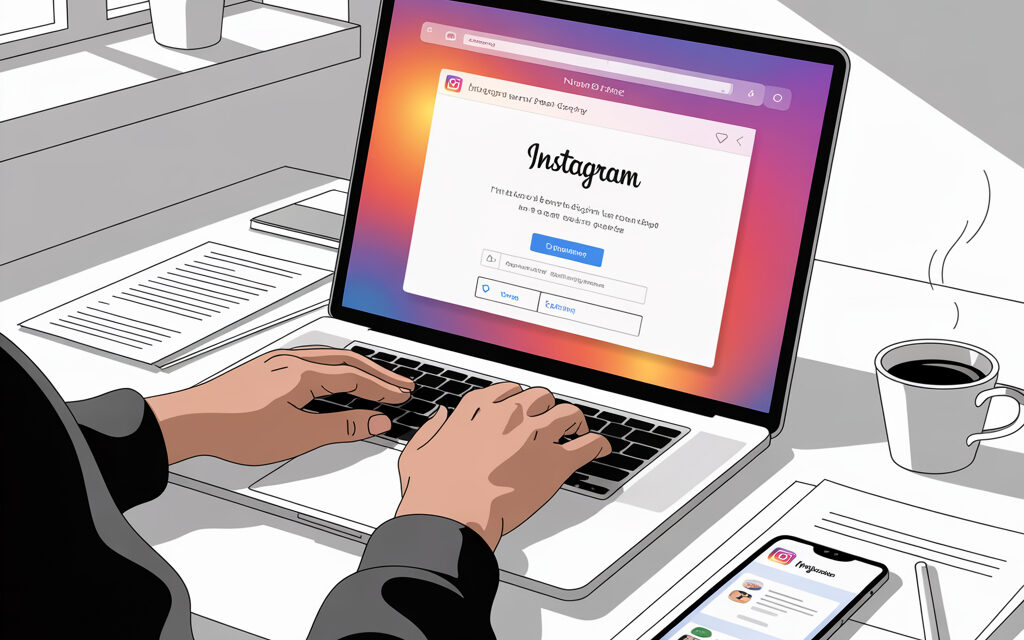
An article for account owners, SMM managers, and small businesses who need to quickly regain access or get a complaint resolved. We break down the working methods for 2026, cutting out the runaround and empty forms. You’ll get specific steps, ticket templates, and an understanding of when to pay for chat support versus when free tools will suffice. Includes a checklist and comparison tables at the end.
In a Nutshell
The fastest way to get a response from Instagram Support in 2026 is a Meta Verified subscription with access to live chat, or chat via the Ads Manager with an active campaign. For free accounts, the realistic path is the in-app form and the instagram.com/hacked service if it’s a hacking issue. If you need guaranteed contact and want to understand how to get a response from Instagram Support without weeks of waiting, consider paying for a month and simultaneously submit a request via /hacked.
Where to Find Help if Your Account is Blocked or Stolen?
If your goal is to get a response from Instagram Support for a hacking case, don’t waste time on general forms. The direct link instagram.com/hacked bypasses general queues and immediately leads to the recovery flow. When you need results, start with /hacked and only then duplicate in “Report a Problem”; this increases your chances of getting a faster response.
- Go to https://www.instagram.com/hacked/ from your phone or computer.
- Select the reason: I’ve been hacked, I forgot my password, I lost access to 2FA, or my email/phone was changed.
- Enter your username, linked email, or phone number and follow the on-screen instructions for video selfie verification.
- Check your email and SMS, confirm the steps within 24 hours, or the link will expire.
| Where to Go Based on Your Situation | ||
|---|---|---|
| Situation | Route | Comment |
| Hacked and email/phone changed | instagram.com/hacked | Video selfie is almost always requested |
| Lost access to 2FA | instagram.com/hacked | Keep backup codes and your SIM card handy |
| Account disabled by mistake | Help Center appeal + /hacked | Attach a screenshot of the disable notification |
Meta does not publicly disclose the success rate of recoveries via video selfie. According to open security updates in the Meta Newsroom 2024-2025, the accuracy of biometric verification has been improved and the process shortened to a few steps. Official guide: https://help.instagram.com/
Paid Path: How to Get a Response from Instagram Support via Meta Verified
If you need a quick answer and want to understand how to get a response from Instagram Support today, sign up for Meta Verified on your main account. In Settings – Accounts Center, a priority chat will open, where the first response is given within 2-5 minutes according to Meta Newsroom 2024 data. Below, we break down how to contact Instagram Support via Meta Verified chat and how it differs from the free form.
| Free Support vs Meta Verified | |||
|---|---|---|---|
| Criterion | Free | Meta Verified | Comment |
| First response time | 7-14 days or auto-reply | 2-5 minutes | Per Meta Newsroom 2024 |
| Type of contact | In-app form | Live chat + priority | In Accounts Center |
| Likelihood of resolution | Low for general complaints | Higher due to dialogue | You can attach additional materials |
| Access to a human | Rarely | Regularly | After a short bot survey |
Practice: Getting a subscription for 1 month to solve a specific issue is justified if downtime costs more. Often, one chat session and a couple of ticket updates are enough. Many businesses and creators do this for one-off cases.
Business Hack: How to Get a Response from Instagram Support via Ads Manager
If you’re running ads, this is the shortest path to get a response from Instagram Support without a subscription. In Meta Business Suite, there’s a chat with ads support; they respond faster and can escalate a general ticket. This is a real way to get a response from Instagram Support within an hour if you have an active campaign.
- Open https://www.facebook.com/business/help in your browser, log into Business Manager.
- At the bottom of the page, click Contact Support, select Accounts and Access.
- Describe the problem, attach screenshots, provide the account ID and Business Manager ID.
- Launch a low-cost campaign if the chat isn’t available. Chat often opens up with active spending.
| What Ads Support Can Do | |||
|---|---|---|---|
| Request Type | Solves in Chat | What to Attach | Comment |
| Issues with spending limits and billing | Yes | Screenshot of invoice, BM ID | Quick limit adjustments |
| Access to ad pages | Yes | List of users, roles | Can restore a role |
| Unblocking a personal profile | Partially | Screenshots of errors, ticket ID | They escalate to general support |
Warning: The ads team often doesn’t have direct rights to unblock personal profiles. But a well-described case and the number of an existing ticket speed up internal escalation.
Why the Standard “Report a Problem” Button Doesn’t Work (and How to Fix It)
Short complaints without screenshots go into the general queue and are closed with an auto-notification. To get a response from Instagram Support via this button, write narrowly and use a template. If you want to get a response from Instagram Support faster, use key phrases and attach proof.
| Phrases and Attachments That Help Get a Ticket to a Human | ||
|---|---|---|
| Wording | When to Use | What to Attach |
| My account was compromised. Email and phone were changed without my consent. | Hacking and contact changes | Screenshots of change emails, video selfie request |
| I lost access to 2FA. I can confirm identity with original photos. | Lost 2FA | Backup codes, selfie with ID |
| My account was disabled by mistake. No policy violation. Please review. | Disable by mistake | Screenshot of notification, link to policies |
| Impersonation: someone is using my photos and name. | Impersonation | Links to clone accounts, original photos |
A common mistake is generic text like “help, it’s not working.” Write a specific fact, action, and desired outcome. Example: “I can’t log in due to a lost SIM, please reset 2FA via video identity confirmation.”
Specifics for Ukraine: Features of Contacting Meta in 2026
Ukrainian users receive support in Ukrainian for ads, while technical unblockings are often handled in English. To get a response from Instagram Support on sensitive topics, rely on partner organizations and official channels. This helps get a faster response on information security issues.
| How to Write from Ukraine | ||
|---|---|---|
| Issue | Communication Language | Channel |
| Ads and billing | Ukrainian or English | Meta Business Help |
| Hacking and account recovery | English more often | instagram.com/hacked |
| Content related to war | Ukrainian | Via partners and in-app reports |
See official updates on Meta Newsroom: https://about.fb.com/news/. Basic instructions and forms are in the Help Center: https://help.instagram.com/
Common Mistakes When Trying to Reach Moderators
In practice, people often do this: send duplicates, get angry in tickets, and believe “helpers” in the comments. This reduces the chance of getting a response from Instagram Support and lengthens the review. If your goal is to get a response with minimal losses, avoid the mistakes below.
| Common Mistakes and Their Consequences | ||
|---|---|---|
| Mistake | What Happens | How to Fix |
| 3+ tickets per day on the same topic | Silent ticket blocking | Wait 48 hours, update the old ticket |
| Wrong request category | Auto-rejection without review | Resubmit in the correct category |
| Aggression and threats in text | Risk flag, communication freeze | Write facts and attach evidence |
| “Connections in support” from comments | Phishing, data theft | Only use official channels |
From my account recovery practice: the winner is the one who provides one clear case with dates, screenshots, and a clear request. Short, polite, and specific text saves days.
Checklist: What to Prepare Before Contacting Support
If your goal is to get a response from Instagram Support on the first try, gather identifiers and evidence in advance. This helps get a response without extra rounds of clarification.
- Profile ID or @username – so the moderator can quickly find the account.
- Registration email and phone – confirms ownership.
- Account creation date – at least month and year.
- Originals of 3-5 photos from your feed – for comparison with video selfie.
- Screenshot of the error or block notification – key to the correct category.
- Ticket number, if you already have one – for escalation.
- Copy of ID if requested – passport or ID card, you can partially hide data.
Check Yourself
- Ticket text fits in 4-5 short sentences and is emotion-free.
- You’ve attached at least 2 screenshots of the error with dates.
- The request category matches the screenshot content.
- The same contact email is used in the message and the account.
- You don’t send duplicates for 48 hours after the first ticket.
- You have 2FA backup codes or proof of lost SIM.
- You’ve indicated the time of the last successful login.
- You’re ready to do a video selfie if requested.
| What Support Asks For and Where to Find It | ||
|---|---|---|
| Data | Where to Find | Comment |
| ID or @ | Profile, old Instagram emails | Copy without errors |
| Email and phone | Account settings, email inbox | Check email accessibility |
| Original photos | Device gallery | Don’t edit metadata |
| Ticket ID | Email or Support section | Needed for escalation |
| Wait Times by Channel in 2026 | ||
|---|---|---|
| Channel | First Response | Note |
| Meta Verified chat | 2-5 minutes | Meta Newsroom 2024 |
| Meta Business Help chat | 5-60 minutes | Faster with active ads |
| “Report a Problem” form | 7-14 days or auto-reply | 12% of emails reach a human per market reviews |
| instagram.com/hacked | Immediate flow | Resolution depends on verification |
FAQ: Live User Questions
Below are short answers to the most common searches when people want to get a response from Instagram Support without spending weeks on correspondence. These formulations are suitable for quick solutions and clarifications.
Is there a phone number to call Instagram Support?
No, there is no inbound phone line for users. Use the Help Center, Meta Verified, or Meta Business Help.
How long to wait for a response from Instagram Support in 2026?
From 5 minutes in Meta Verified chat to 30 days via free forms. For clarity, check your scenario and recall how long to wait for a response from Instagram Support using the wait time table above.
What to do if support sends an automatic rejection?
Submit an appeal after 48 hours. Add new evidence: screenshots with dates, ticket ID, video selfie if requested.
Do official Facebook forms help restore Instagram?
Yes, the ecosystem is unified via the Accounts Center. Submitting via Meta Business Help often speeds up review.
Summary: The Shortest Path to a Solution in 2026
When you need speed – Meta Verified or ads chat. When the budget is limited – /hacked plus one well-crafted ticket with evidence. This is the basic toolkit if the goal is clear and you want to get a response from Instagram Support without delays.
Official instructions and forms: Instagram Help Center https://help.instagram.com/ and Meta Newsroom https://about.fb.com/news/. What’s your task: regain access, remove a block, or solve an ad issue? This determines the first step and the contact channel.