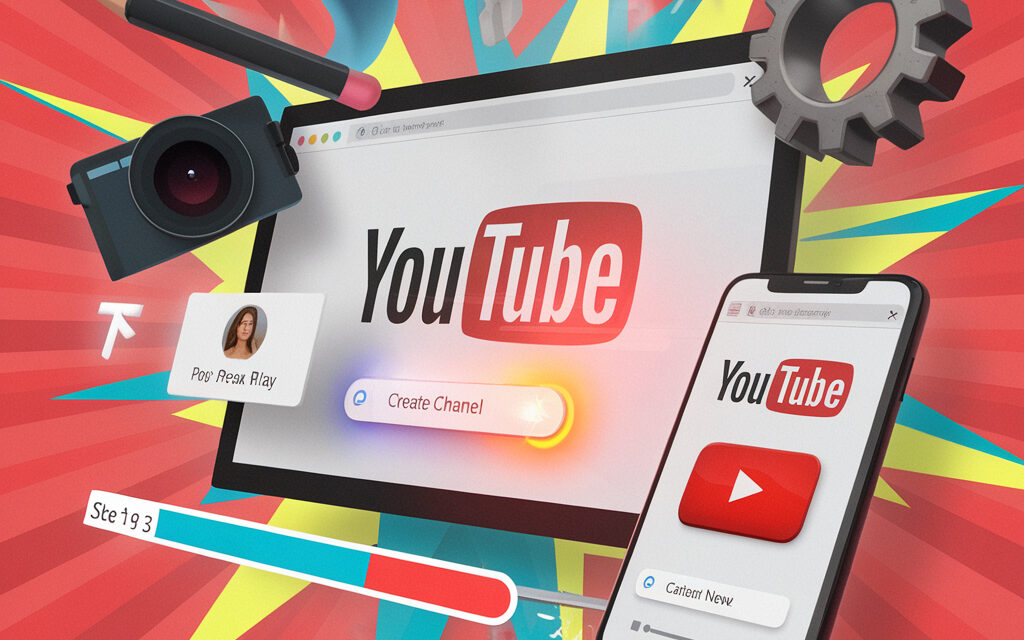
The complete 2026 guide: how to create a YouTube channel from scratch, set up your brand, upload your first video, reach 1,000 subscribers, and monetize your content – tips.
Why starting a YouTube channel in 2026 still makes sense
Is it even worth starting: platform advantages
YouTube remains the world’s largest video hosting platform and the second largest search engine after Google. The platform gives channel owners free access to a global audience, built-in analytics with YouTube Studio, stable recommendation algorithms, and various monetization paths. In 2026, viewers consume content not only on smartphones but also on smart TVs: one video simultaneously reaches living rooms, offices, and public transport. For businesses, this is a “long tail” of sales: videos work for years, building trust, and thumbnail CTR directly impacts traffic from search.
Should you create a YouTube channel if the niche is crowded
Competition is a signal that demand is confirmed. Narrow specialization, deep expertise, and high-quality presentation will help you win. Even if there are hundreds of blogs in a niche, it’s enough to choose a perspective that addresses an unfulfilled audience need. Example: in the “fitness” segment, channels with workouts “to 80s music” gathered a million subscribers in six months. The viewer map in YouTube Studio shows where people drop off, and video SEO gets your videos into Google while competitors argue about editing transitions.
Minimum costs and requirements to start
How much does it cost to create your own YouTube channel
Formally, launching is free: you just need a Google account. Costs involve equipment and branding. A basic setup in 2026: a smartphone with a 1080p camera (from $150), a lavalier microphone ($20), and a tripod ($15). Platform tools like YouTube Studio, the built-in editor, and the audio library cost $0. This is enough for your first videos: audio quality is more important than “cinematography.”
Advice from Eric Siu — singlegrain.com / @ericosiu / Instagram / YouTube Leveling Up: “Spend your first budgets on sound and editing, not on expensive cameras – content decides, gear is secondary.”
Do you have to pay for a YouTube channel and are there monthly fees
YouTube does not charge a subscription fee: the channel is part of the Google ecosystem. Money is only needed for additional services: a YouTube Premium subscription (ad-free viewing) and Google One for backups.
Is it worth spending money on a private YouTube channel
Private (unlisted) channels are used by companies for employee training or selling courses. Costs include a payment gateway, third-party site hosting, and “off-YouTube” marketing. It’s simpler to keep a public showcase channel and private playlists by subscription: you save money and gain social proof through public comments.
Preparation: Google account, security, and parental controls
How to create a YouTube channel with parental controls
Create a Google account for your child through Family Link, enable two-factor authentication and age restrictions. When creating the channel, mark “Made for Kids” – YouTube will disable personalized ads and comments. Parents can see reports in YouTube Studio and delete videos.
FAQ for parents: can a child run a channel
Officially – from age 13 with parental consent. Risks: toxic comments and data collection. Solution: filming against a neutral background, no last name in the description, manual moderation.
Creating a channel on a computer: step-by-step instructions from scratch
How to make a YouTube channel from scratch in 10 minutes
- Sign in to your Google account.
- Click on your avatar → “Create a channel”.
- Choose a “brand channel” for joint management.
- Enter a name, upload an avatar 800×800 px.
- Click “Create” – YouTube Studio opens.
Initial brand settings: name, description, URL
Name – concise; description – 2-3 paragraphs with keywords. After 30 days and 100 subscribers, you can set a custom URL. Add an email for collaboration.
How to create a YouTube channel from your phone (Android / iOS)
Can you create a YouTube channel from your phone: complete checklist
— Install the YouTube app.
— Avatar → “Your channel” → “Create channel”.
— Fill in the name, photo, description.
— Save your 2FA backup codes.
How to create a YouTube channel on your phone and not lose access
Set up Face ID / fingerprint scanner, enable Google password sync. If you lose your device, log in with backup codes.
Kids’ channel: how to create a YouTube channel for a child and protect content
Choosing a topic and setting up YouTube Kids
Themes like “DIY toys” and “learning through play” consistently get recommended. Mark videos as “Made for Kids” – they will only be available in the Kids app.
Control steps: comments, age restrictions, moderation
Disable comments or enable strict filtering. Each video goes through auto-checking; parents can delete a video with one click.
Branding: design, trailer, playlists, tags
Quick guide to banners and avatars in 2026
Banner – 2560×1440 px (safe zone 1546×423 px). An avatar with a contrasting face or logo can increase thumbnail CTR by up to 8%.
How to set up a channel trailer to keep viewers
Trailer 30-60 sec: problem → solution → call to subscribe. 85% of mobile views are without sound – subtitles are needed. Logo in the first 5 sec = +15% retention.
Creating your first video: script, filming, editing
How to start filming videos for YouTube and avoid common mistakes
Script: hook → value → conclusion. Record audio with a lavalier mic: bad audio is the main reason for unsubscribes.
Life hack from Ann Handley — annhandley.com / Facebook / Instagram / YouTube: “A script is an article spoken aloud. The first sentence should promise a benefit.”
Optimizing title, description, and thumbnail
Title ≤ 60 characters, keyword at the beginning. Description – 1-2 paragraphs + hashtags. Video SEO: key phrase in the first 100 characters. Thumbnail – a large face + a trigger word.
Monetization: requirements of 1,000 subscribers and 4,000 watch hours
What does 1,000 subscribers on YouTube give you
This threshold opens up YPP, Super Chats, channel memberships, the merch shelf; the channel starts sharing ad revenue.
Do you need 1,000 subscribers to earn money
For direct YouTube payments – yes. Sponsorships and affiliate links can work earlier.
Does YouTube pay for 500 subscribers and how much is 1 million views worth
YouTube pays for ad views, not subscribers. 1 million RU views ≈ $400-$800, US views – $2,000-$4,000.
How many subscribers are needed for a stable income
Minimum – 1,000 subscribers + 4,000 watch hours or 10 million Shorts views in 90 days. Serious money starts from 10-20k subscribers.
Advice from Joe Pulizzi — joepulizzi.com / Facebook / Instagram / CMI YouTube: “Don’t wait for YPP: sell consultations and digital products from day one.”
Audience growth and promotion
How to get more subscribers without cheating
Consistent schedule, replying to comments within the first 24 hours, end screens, playlists, content series.
Is it worth investing in YouTube Ads or collaborations
Ads are fast (CPC $0.05-$0.12) but costly. Collaborations can give a +15% subscriber boost without a budget.
Life hack from Mari Smith — marismith.com / Facebook / Instagram / YouTube: “Post a collaborative Shorts teaser – the algorithm promotes it faster.”
Frequently Asked Questions (short answers)
— How much is 1 million views worth? $400-$800 (RU), up to $4,000 (US).
— Is there a monthly fee for a channel? No.
— How many subscribers are needed to earn? Minimum 1,000 + 4,000 hours.
— Can you create a channel from a phone? Yes.
— Do you have to pay for a channel? No.
— Does YouTube pay for 500 subscribers? No, it pays for views.
— Is a private channel worth the money? Only if you sell exclusive content.
🌍 Real-life success stories of YouTube channels: USA, Europe, Africa, Asia
1. 🇺🇸 Ryan’s World (USA) – a kids’ channel that became a multi-million dollar business
The “Ryan’s World” channel started with simple toy reviews by little Ryan Kaji. Today it’s a multimedia empire with billions of views and licensed products in major chains like Walmart and Target.
🔗 YouTube Channel
🔗 Article: Ryan Kaji Is the Most Popular 10-Year-Old in the World
2. 🇬🇭 Wode Maya (Ghana) – positive Africa without clichés
An engineer by education, Wode Maya creates vlogs about entrepreneurs, startups, and positive changes in African countries. His goal is to break stereotypes about “poor Africa.”
🔗 YouTube Channel
🔗 Wikipedia Profile
3. 🇩🇪 Kiki’s Kitchen (Germany) – a recipe vlog that grew into a brand
Kiki is a blogger from Germany creating accessible and visually appealing recipes. She used YouTube as a springboard to open her own bakery and collaborate with European brands.
🔗 YouTube Channel
🔗 About Kiki on the YouTube Blog
4. 🇳🇬 Tayo Aina (Nigeria) – a documentarian filming Africa as it is
Tayo Aina creates mini-documentaries about life, business, and tourism in African countries. He also actively discusses investments and digital opportunities on the continent.
🔗 YouTube Channel
🔗 Interview and Profile
5. 🇬🇧 GeoWizard (UK) – geography, challenges, and straight-line adventures
Tom Davies, aka GeoWizard, gained popularity through his “straight-line country crossing” challenges and his skill at the game GeoGuessr. His content is unique – a blend of adventure and geography.
🔗 YouTube Channel
🔗 Wikipedia Profile
These channels illustrate how people from diverse countries and backgrounds – from children to professionals, from Europe to Africa – build powerful projects on YouTube. The key is an idea, passion, and a willingness to experiment.
Summary and channel launch checklist
- Create a Google account and enable 2FA.
- Launch a brand channel in 10 minutes.
- Design your banner and trailer.
- Shoot your first video, optimize for SEO.
- Publish on a schedule, analyze with YouTube Studio.
- Reach 1,000 subscribers and apply for YPP.
- Expand income: merch, Shorts, sponsors.
By following these steps, you’ll create a channel that grows organically and generates profit without unnecessary expenses.