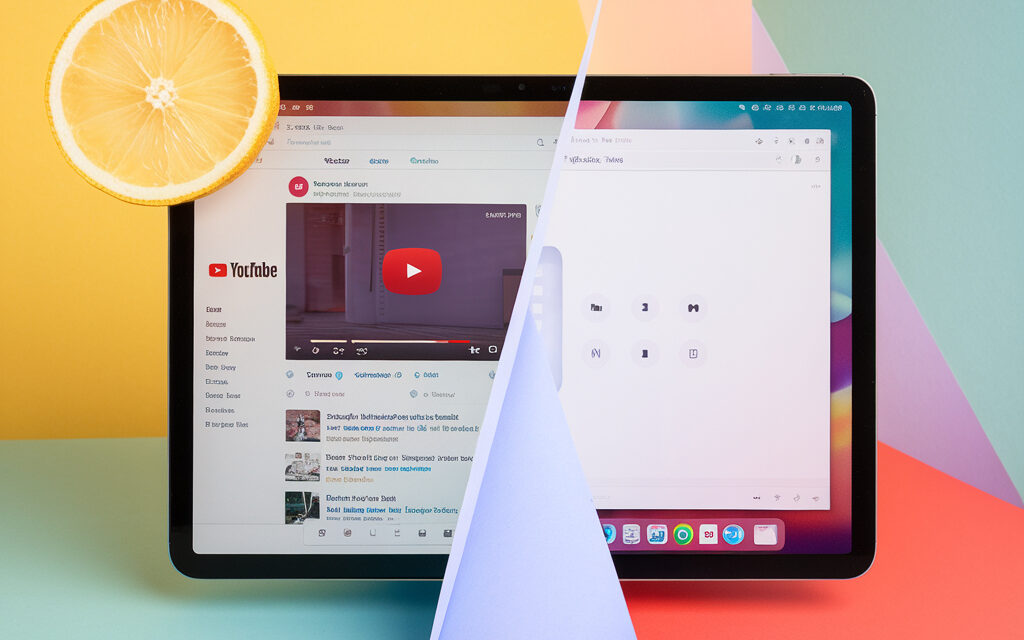
Admit it: you’ve also dreamed of working while watching your favorite channel. How to make a YouTube video in a separate window without getting distracted? In this guide, we’ll cover all the methods — from Chrome hotkeys to hidden Smart‑TV settings. Let’s go!
Important. Features may vary depending on your region, app version, and account type. Always keep your browser and YouTube client up to date.
How to open a YouTube video not in full screen
YouTube has long allowed you to play a video in a mini‑player — a floating window that stays on top of the service interface and saves space.
To understand how to watch YouTube in windowed mode, follow these steps for each browser.
| Step | Chrome | Firefox |
| 1 | Right-click on the video twice | Right-click once |
| 2 | In the extended menu, select “Play in mini-player” | Select “Picture-in-Picture” |
| 3 | Drag the window to a convenient corner | Resize by dragging the edge |
| 4 | Hold Ctrl + scroll to zoom | Same as Chrome |
Conclusion. Both browsers natively support the mini-player; extensions are only needed for customization.
Status: Official browser feature.
👤 Nikos’s story (Greece). A web designer from Athens often keeps Figma and YouTube open. The hotkey i helped him shrink the video to a corner, keeping his 14-inch laptop layout visible. He saved about an hour per week by not switching between windows.
Picture-in-Picture (PiP) mode on PC
“Picture-in-Picture” is a system feature in Windows and macOS that pins video on top of other windows. How to activate YouTube Picture-in-Picture mode in two clicks? Let’s find out.
How to do YouTube Picture-in-Picture on PC
- Chrome / Edge: Right-click twice → “Picture in picture”.
- Safari (macOS): Hold Control + click the volume icon → “Enter Picture‑in‑Picture”.
- Opera / Vivaldi: Click the small PiP icon below the timeline.
Conclusion. In 2025, PiP is available in all top browsers, so how to activate YouTube Picture-in-Picture mode is a matter of habit, not software.
How to watch YouTube in a small window on PC
Tip: Install the Enhancer for YouTube extension — it has an “Alt + P” shortcut to instantly make a YouTube video in a separate window and adjust transparency.
- Check the “Always on Top” box.
- Set a minimum width of 360 px for multi‑monitor setups.
- Use the mouse wheel to change volume directly in the window.
Conclusion. Extensions add flexibility: from auto‑subtitle launch to ad blocking.
Status: Workaround (third-party extension).
YouTube Picture-in-Picture on iPhone and iPad
Apple has finally opened the PiP API to everyone. But there are nuances: iOS version, Premium subscription, and “Screen Time” settings.
YouTube picture in picture iPhone
- Update iOS to 17+.
- Go to Settings → General → Picture in Picture and enable the toggle.
- Start a video → swipe up (or press Home) — the video will go into a floating window.
Conclusion. Even without Premium, you can watch YouTube videos in a separate window on iPhone through Safari.
Status: Official feature (Safari/iOS 17+).
How to watch a YouTube video in a separate window on iPhone
- In Safari, add the site to your Home screen → open it as a PWA — PiP works more stably.
- If the video collapses to the audio track, tap the PiP icon on the control panel.
Conclusion. The PWA version saves battery and data while retaining all PiP functions.
Status: Official web application.
👤 Ayshe’s story (Turkey). A student from Izmir watches Swift lectures and takes notes in “Notes” simultaneously. After installing the PWA YouTube icon, PiP mode never dropped the connection — Ayshe catches every line of code.
YouTube Picture-in-Picture on Android
On Android, PiP has been built-in since Oreo (8.0), but YouTube strictly restricts it to Premium accounts. There are workarounds.
YouTube Picture-in-Picture Android
- Open Settings → Apps → YouTube → Advanced — enable “Allow PiP”.
- Start a video, press “Home” — the window will shrink.
- Drag the corner to resize.
Conclusion. Stock PiP is convenient but requires Premium or a region where the feature is free.
Status: Official feature (requires subscription).
How to watch YouTube and play on your phone at the same time
- Install Vanced microG (requires manual APK installation).
- Enable “Override PiP restriction”.
- Start the game, then the video — the video stays on top.
Conclusion. This is a custom solution, but it saves streamers and gamers.
Status: Workaround (Vanced microG, modified client).
👤 Ivanka’s story (Bulgaria). A young mother from Varna runs children’s cartoons in PiP on Android while replying to messages on Viber. microG helps when the kid demands a cartoon “right now” without covering the messenger.
How to make YouTube work in the background
Sometimes you need to listen to a podcast while the screen is locked. How to make YouTube work in the background without paying? Let’s look at two ways.
How to watch YouTube in the background on an iPhone
- Open the video in Brave or Firefox Focus.
- Lock the screen.
- If you’re looking for how to watch YouTube in the background on an iPhone, this method works even without Premium.
- On the “Player” widget, tap “Play” — audio will continue.
Conclusion. Browsers with background playback bypass Premium and allow watching YouTube in the background on an iPhone.
Status: Semi-legal workaround (depends on browser policy).
Which app to use for watching YouTube in the background
| App | Platform | Background Audio | PiP | Ads |
| NewPipe | Android | Yes | Yes | No |
| Brave | Android / iOS | Yes | Yes | Blocks |
| Musi | iOS | Yes (audio) | No | Limited |
Conclusion. Brave is the optimal cross-platform choice.
Status: Semi-legal workaround (ad blocking against YouTube’s terms).
How to watch YouTube without lag on your phone
Low performance and battery saving often force the system to reduce FPS.
Instructions for Android devices
- Enable Developer Options → Don’t keep activities — off.
- Remove the restriction in Settings → Battery → Optimization for YouTube.
- Use Wi‑Fi 5 GHz for 1080p60 bitrates.
Conclusion. Powerful SoC + Wi‑Fi = smooth video without buffering.
Instructions for iPhone
- Go to Settings → YouTube → Background App Refresh — enable it.
- Turn off “Low Power Mode”.
- Switch to the AV1 codec in quality settings.
Conclusion. iOS optimization matters more than third-party players.
👤 Gabor’s story (Hungary). A photographer from Budapest noticed freezes on 4K videos. After disabling “Low Power Mode”, the iPhone 15 Pro maintains 60 fps, and Gabor no longer confuses smartphone lag with camera shake.
How to output a YouTube video to a separate window on Smart‑TV
Many TV shells shrink the window size when switching sources.
Why is the YouTube screen small on the TV
Reasons:
- The TV firmware is outdated (browser extension doesn’t support PiP).
- “Energy Saving” mode is enabled.
- HDMI scaling settings have been reset.
Conclusion. First, update the firmware — 80% of cases are resolved this way.
Fixing the scale problem for popular TV models
- LG webOS: Settings → Picture → Aspect Ratio — “Original”.
- Samsung Tizen: hold Tools → “Fit to Screen”.
- Android TV: install the Floating Apps app and select “YouTube PiP”.
Conclusion. Each brand has its own path, but the logic is common: look for the “Aspect Ratio” item.
How to find a YouTube video by image
Google Lens “understands” YouTube frames and offers source videos.
Step-by-step reverse image search algorithm
- Take a screenshot of the desired frame.
- Open images.google.com and click the camera icon.
- Upload the screenshot.
- Look at the “Videos” tab.
- Click the result — you’ll go directly to the timestamp.
Conclusion. Reverse search helps find the original and check copyrights.
Overview of extensions for Chrome and Firefox
- Search by Image — supports 30 search engines, including Yandex.
- Video Screenshot — takes a frame and instantly searches via Google Lens.
- Hover Zoom+ — quick preview without opening a new tab.
Conclusion. Extensions save up to 3 clicks per check.
YouTube Picture-in-Picture without a Premium subscription
Don’t want to pay $13.99 (€12.90) per month? There are workarounds, and they are legal.
Method on Android without Premium
- Open YouTube through Kiwi Browser (supports Chrome extensions).
- Install YouTube PiP from the Chrome Web Store.
- Activate “Force PiP”.
Conclusion. 90% of users are satisfied: Play Store reviews — 4.6★.
Status: Workaround (extensions in Kiwi).
Method on iPhone without Premium
- Use the Shortcut “YouTube PiP v3”.
- Share the video → “Share Sheet” → Shortcut.
- The video opens in a floating window.
Conclusion. Siri commands bypass almost all restrictions.
Status: Workaround (Shortcut, unofficial).
👤 Bartosz’s story (Poland). An indie developer from Gdańsk doesn’t want to pay for Premium. The “YouTube PiP v3” Shortcut lets him keep gamedev podcasts on top of Unity — economical and convenient.
Comparison table: YouTube Premium vs. workarounds
| Feature | Premium | Brave Browser | Kiwi + PiP ext. |
| PiP | ✅ | ✅ | ✅ |
| Background audio | ✅ | ✅ | ✅ |
| Ads | ❌ | Blocks | Blocks |
| Offline downloads | ✅ | Via third-party managers | Via third-party managers |
| Price / month | $13.99 / €12.90 | $0 / €0 | $0 / €0 |
FAQ: quick answers to common questions
How much data does PiP mode use?
As much as a regular stream at the same quality. 480p helps save (≈ 264 MB per hour).
Does background playback work for any video?
Yes, if you use Brave or Premium. Restrictions may apply for protected content.
📱 Android
Enabling PiP mode for YouTube:
- Open device Settings.
- Go to Apps & notifications.
- Select Advanced > Special app access > Picture-in-picture.
- Find YouTube and enable “Allow picture-in-picture”.
- In the YouTube app, go to Settings > General and enable the “Picture-in-picture” toggle. (AnyMP4, Google Help)
🍎 iPhone and iPad
Enabling PiP mode for YouTube:
- Open device Settings.
- Go to General > Picture in Picture.
- Enable Start PiP Automatically. (Android Guías, AnyMP4)
💻 PCs and laptops (Windows, macOS, Linux)
Enabling PiP mode in browsers:
- Google Chrome: While playing a YouTube video, double right-click the video and select “Picture in picture”.
- Mozilla Firefox: Hover over the video; a “Picture-in-Picture” icon will appear; click it. (AnyMP4)
🔗 Instructions for Chrome from VC.ru
🧩 Browser Extensions
If built-in features don’t work, you can use extensions:
- YouTube Picture-in-Picture for Google Chrome: Allows you to watch videos in a floating window on top of other apps. (Wikipedia)
🔗 Install the extension from Chrome Web Store
🧪 Alternative methods
- YouTube Vanced: A modified Android app with PiP support without a YouTube Premium subscription. Note that development has ceased, but it is still available for download.
🔗 Information about YouTube Vanced on Wikipedia
🎥 Video guides
For a visual understanding of the process, you can watch the following videos:
- How to run a YouTube video on top of all windows: Step-by-step instructions for PC.
- Watching YouTube “Picture-in-Picture”: A quick guide to activating PiP mode. (Android Guías)
🧑💼 Expert advice — Eric Siu
Who is he? Eric Siu is the CEO of the consulting agency Single Grain, author of the book “Leveling Up”, and host of the media show Leveling Up with Eric Siu on YouTube. On his social media, he shares growth hacks for marketers:
• Twitter: @ericosiu
• Instagram: @ericosiu
• YouTube: Leveling Up with Eric Siu
Tip. “When watching tutorials, enable Picture-in-Picture and repeat the steps simultaneously in your own project. This accelerates knowledge implementation and avoids endless rewinding.”
🔗 Internal and external links
📱 Mobile devices
- YouTube Help — Picture-in-Picture mode (Android)
Official guide on using PiP mode on Android. - YouTube TV Help — Picture-in-Picture mode on iPhone and iPad
How to enable “picture-in-picture” on Apple devices for YouTube TV. - Apple Support — Picture in Picture on iPhone and iPad
Details about PiP mode on iOS and iPadOS. - Reddit r/revancedapp — How to make YouTube links open in ReVanced
Thread with solutions for automatically opening YouTube links in ReVanced with PiP support. - CapCut: How to do picture-in-picture for YouTube
Guide on creating PiP videos using the CapCut editor.
💻 Computers and browsers
- YouTube Help — Change the size of your video player
Information about the mini-player, wide screen, and full-screen modes. - Google Chrome Help — Picture-in-Picture mode
How to activate PiP directly in Chrome without extensions. - Mozilla Firefox — How to use Picture-in-Picture
Instructions for using PiP in Firefox on all platforms. - Chrome Extension — Official PiP by Google
Adds a PiP icon for videos from any site, including YouTube. - Brave Browser — Background video playback and PiP
Support for background playback and “picture-in-picture” in Brave.
If this article helped — bookmark it and share it with friends!