This is a short, human-friendly note on how to open and organize your favorite videos on TikTok. Without complicated words, with simple steps, a couple of personal observations, and checks you can do yourself.
I’ve noticed that the question “Where to see favorite videos on TikTok?” pops up for many, especially when the interface changes a bit after updates. Below, I’ve gathered everything in one place.
Short answer
If you’re just looking for where to see favorite videos on TikTok, here’s the path: open your profile – tap the bookmark icon – go to the Favorites section – Videos tab. If you’re asking “How to open my favorites on TikTok?” on Android and iPhone, the steps are the same: profile, bookmark icon, then the needed tab. By default, all favorites are visible only to you. If you’re also looking for Where to see liked videos on TikTok? – open your profile and go to the tab with the heart icon. There you’ll find videos you’ve liked, if the list isn’t hidden by privacy settings.
Where to see favorite videos on TikTok on your phone
Briefly answering “Where to see favorite videos on TikTok?” – in your profile via the bookmark icon. And to the question “How to open my favorites on TikTok?” – go to Favorites and select the Videos tab or the desired collection. Below – step by step, without rushing.
Step on iPhone
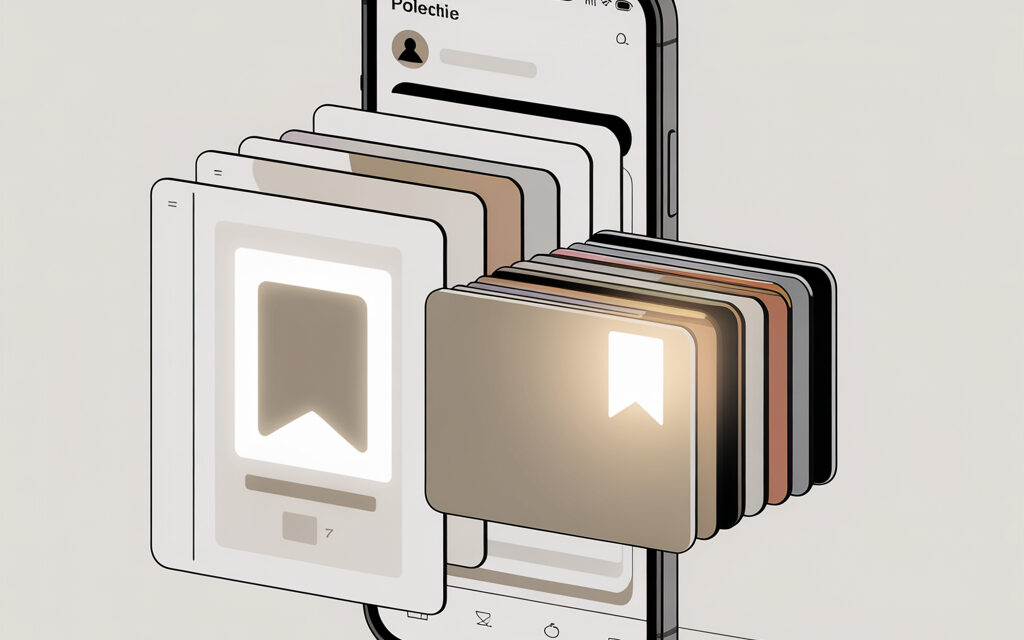
Open TikTok and go to Profile. At the top, you’ll see the bookmark icon – this is the entrance to Favorites. Tap it and select the Videos tab or open the desired collection if you’ve already sorted videos into folders.
Step on Android
Open Profile and tap the bookmark icon next to the Edit profile button. Then – the Favorites section and the Videos tab. The interface might differ slightly from iOS, but the logic is the same.
Mini-story: a friend’s experience
A friend of mine didn’t notice the bookmark icon at first – it was tucked away next to the edit button. He thought the section was missing, but then he spotted the small bookmark and found everything. Usually, just calmly scanning the screen from top to bottom helps.
How to open your favorites on TikTok on a computer
If you’re used to a laptop and ask “How to open my favorites on TikTok?” or “Where to see favorite videos on TikTok?” in a browser, there is an option, but not for all accounts. On the TikTok website, go to your profile – look for the section with a bookmark or the Favorites item. The feature sometimes rolls out in waves, so don’t worry if you don’t have it – the mobile app is more reliable for now.
Step-by-step in the browser
Go to the TikTok website and log in. Open your profile and check if the section with a bookmark or Favorites is available. If the item isn’t there – check the mobile app, it will definitely be there.
Why I don’t have the Favorites section and what to do
Sometimes people ask: “Where to see favorite videos on TikTok if the icon is missing?” and “How to open my favorites on TikTok if the section isn’t showing?”. Most often, this is due to an old app version, an experimental interface, or cache issues. People also frequently ask, Why is TikTok not showing liked videos? The reasons are usually the same: outdated app version, interface glitch, or enabled like privacy. Check your privacy settings and make sure the list of liked videos isn’t hidden. Below are calm steps that usually help.
Update and restart
Go to the app store and update TikTok to the latest version. Restart the app and check your profile again. Often after an update, the bookmark icon returns to its place.
Clear cache in TikTok
Open Profile – three-line settings – Settings and privacy – Free up space – Clear cache. This doesn’t delete your data, but helps the interface load the latest elements.
If it’s about account age
If you accidentally entered an incorrect date of birth during registration, some features might work with limitations. In that case, contact TikTok support through the Help section in the app or via the support center. Link to help: support.tiktok.com.
Mini-story: a reader’s letter
A reader wrote that the section disappeared after a major update. A simple combination helped: update, log out of the account and log back in, plus clearing the cache. It took about ten minutes – and the favorites returned.
How to organize: collections, folders, and convenient names
Once you’ve figured out where to see favorite videos on TikTok and how to open your favorites on TikTok, the next step is to sort videos into collections. This makes it much easier to return to recipes, shooting ideas, or editing tutorials.
Create a collection
Profile – bookmark icon – Favorites – Collections – Create new. Give the collection a simple name: “Evening recipes”, “Ideas for Reels”, “Yoga at home”. The simpler, the easier to find.
Add a video to a collection immediately
Open the video – Bookmark icon – Add to Favorites – select the collection. This way, the video goes not just into Favorites, but directly into the desired folder.
Rename or delete a collection
Go to Favorites – Collections – select the one you need – edit button. Rename, delete, or move videos. If in doubt, it’s better to rename than delete – you might need it later.
How to share favorites or hide them from everyone
The question “Where to see favorite videos on TikTok?” is usually followed by another: can others see this? And “How to open my favorites on TikTok for friends?”. By default, favorites are private. You can share individual videos from your favorites, but not the entire list.
Check privacy
Open Settings and privacy – Privacy and take a look at the general account settings. Favorites as a section remain visible only to you. This is convenient if you’re gathering ideas for future videos.
Share an individual video from favorites
Go to Favorites – Videos tab – open the video – Share button. Send the link in a messenger or copy the link. Collections are not revealed this way. Sometimes the question arises, How to find a liked video if you didn’t like it. In this case, try opening Watch history in settings, recalling the sound or hashtag from the video, and using search. Without a like or save, finding a video is harder, but history often helps.
By the way, TikTok has a section about privacy – you can check it out here: Privacy settings (English).
Checklist: if you can’t open favorites
For those still looking for where to see favorite videos on TikTok or how to open your favorites on TikTok, here’s a short checklist. You can go through the items calmly – usually one of them works.
- Check if the bookmark icon is in your profile.
- Update the app to the latest version.
- Clear cache: Settings and privacy – Free up space – Clear cache.
- Log out of your account and log back in.
- Restart your phone.
- Check account age and regional restrictions, contact support if necessary.
- Try logging in from another device to rule out a glitch.
Table: where to look for the bookmark icon
To quickly understand where to see favorite videos on TikTok on different devices, here’s a mini-table. It helps avoid confusion between iOS, Android, and the web. If your interface looks different – don’t worry, TikTok periodically updates icon locations.
| Platform | Path to favorites | Collections | Comment |
|---|---|---|---|
| iOS | Profile – bookmark icon – Favorites – Videos | Yes | Visible next to the edit profile button |
| Android | Profile – bookmark icon – Favorites – Videos | Yes | Sometimes the icon is slightly lower than on iOS |
| Web version | Profile – section with bookmark (if available) | Not always | Feature doesn’t appear for everyone – mobile app is more reliable |
Micro-FAQ
I’ve gathered answers to questions that usually follow “Where to see favorite videos on TikTok?” and “How to open my favorites on TikTok?”. Short and to the point.
Can others see my favorites?
No, by default this is visible only to you. Share individual videos manually.
Why don’t I have the Videos tab in Favorites?
Update the app, clear cache, and restart. Sometimes TikTok rolls out the interface in stages.
Can I transfer favorites from one account to another?
There’s no automatic transfer button. You can manually re-save them or share links to yourself.
Is there a search within favorites?
Sometimes, but not for everyone. In practice, short collection names save the day.
How to quickly add a video to the right collection?
On the video itself, tap the bookmark – Add to Favorites – select the collection. To summarize, How to open your favorites on TikTok? – go to your profile, tap the bookmark icon, and select the Videos tab or the desired collection. This is the fastest way to return to saved videos without unnecessary searching.
What to take away from the article
Favorites live in your profile behind the bookmark icon, and the Videos tab and collections help you quickly find the videos you need. If the section disappears – updating, clearing cache, and calmly checking settings usually helps. In my opinion, it’s best to sort videos into collections with simple names right away – it creates less confusion.
If you want – share how it went for you and what else should be added to this guide.