What are Instagram Stories and why save them
Definition of Stories and archiving in 2026
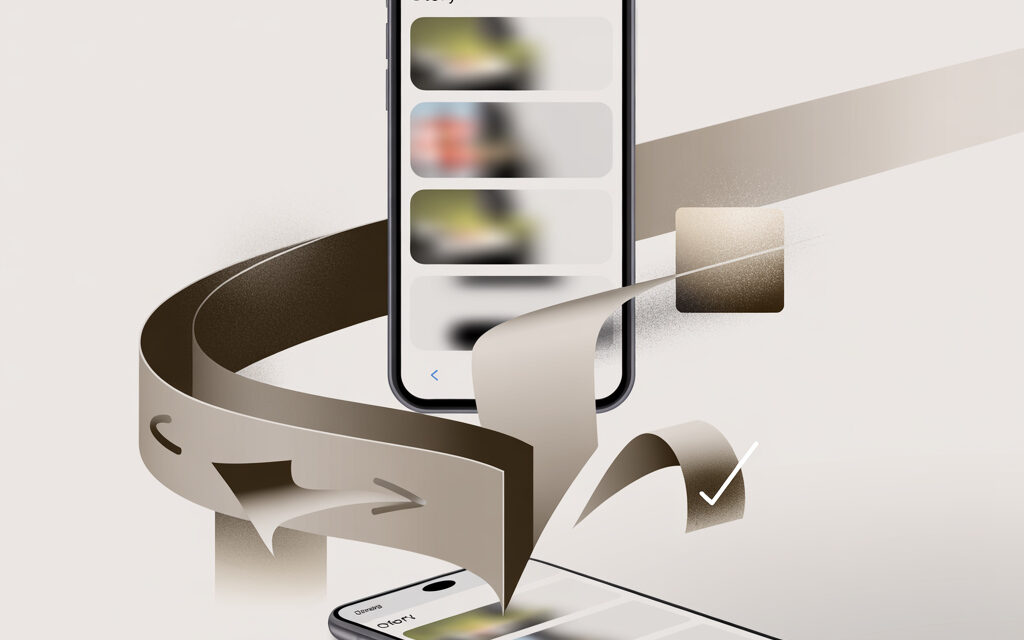
Stories last for 24 hours, after which they disappear from the profile. Your own stories automatically go to the Archive if this is enabled in the settings. From there, you can download them, add them to Highlights, or reuse them. You cannot officially save other people’s stories – only view them. For others’ stories, screen recording or third-party services remain, with caveats about risks.
Benefits of saving: statistics and trends for Ukraine
Saved stories are easier to analyze and refine for Reels and posts. Often these are quick reaction videos that work a second time if carefully edited and repackaged. For Ukraine, autonomy is also important – weak internet, blocks, temporary outages. When everything is at hand in the gallery and archive, publishing goes without interruptions and surprises.
Why stories disappear after 24 hours and how this affects content
The format is designed to be fast and casual. This helps avoid overloading the feed and encourages regularity. In practice, this means a simple rule: important stuff – save and move to Highlights or the content plan; secondary stuff – leave as is. This way you don’t lose strong clips and save time on filming.
Official ways to save Instagram Stories
How to save Stories from Instagram to phone gallery
Your own content is saved without additional apps. The shortest path:
- Publish a story – open it – three-dot button – Save Video or Save Photo.
- Or in the story creation mode – the download arrow on the editing screen before publishing.
- If you need several stories at once – go to Archive and download the needed items one by one.
Setting up automatic saving to gallery
- Open profile – menu – Settings and privacy – Story and archive.
- Turn on Save story to gallery and Save story to archive.
- Check app permissions for access to Photos and media – should be Allowed.
How to make stories save to gallery automatically
- iPhone: Device Settings – Privacy & Security – Photos – Instagram – Allow Access to All Photos.
- Android: Settings – Apps – Instagram – Permissions – Storage/Photos & Videos – Allow.
- In the story itself, don’t use licensed music – the music may be missing from downloads due to licensing. If preserving sound is important, use screen recording.
Saving to bookmarks and profile archive
Bookmarks work for posts and Reels. For stories, use two options: Archive (visible only to you) and Highlights on the profile (visible to all). These are official and safe ways not to lose important stories.
Step-by-step guide: from viewing to accessing “Saved”
- Archive: Profile – menu – Archive – Story archive – choose the needed story – Save button or Add to Highlights.
- Highlights: Open story in Archive – Highlight – Create Highlight – choose a name and cover.
- Quick access: keep most-used collections in the first positions of Highlights. This avoids re-assembling stories for new tasks.
How to save video from Instagram Stories with music
Built-in Instagram tools for video and audio
When downloading your own story, licensed music often doesn’t make it into the file. This is normal – the track rights belong to the rights holder. In practice, people most often do this: record the screen with system sound, or save the file before adding music, and then add the track in the phone’s editor.
Exporting audio tracks and Reels-like stories
- If a story can easily become a short clip – assemble it as a Reel and save the draft with original sound. Then publish from the draft.
This approach logically continues the question about further content use, as not everyone understands Can I save my Reel to my phone?, especially if it was created inside the app and contains built-in sound.
- Need the actual track – open any Reel with the needed music – Save audio. Then use the saved track in your next story or Reel.
- If audio is critical – use screen recording. This is the most predictable way to get a file with sound without surprises.
Screen recording isn’t always suitable, especially when it’s important to get a clean file without interface and platform logos. In such cases, it’s useful to consider alternative methods covered in the material How to save video from Instagram without watermarks?.
Free bots and services: Creoscanbot and InstaShpion
When you need to download someone else’s story, there is no official way. Bots and sites help. Remember the risks: don’t enter logins anywhere, frequent mass downloads can lead to access restrictions.
When working with such content, it’s important to consider not only the technical side but also platform limitations, so the question naturally arises, Is it possible to download others’ videos from Instagram?, and in which cases it’s acceptable.
Step-by-step download process on Android/iOS in Ukraine
Besides video, there is often a task to save individual images without installing apps. For this, web services are used, covered in more detail in the material How to download photos from Instagram online?.
- Via bot: find a bot by name, open it – send the link to the profile or the story itself – download the ready file. Do not give bots your passwords.
- Via site: copy the link to the profile – paste on the site – select the needed story – download the file. It’s better to do this in incognito mode.
- If the site asks for authorization – don’t use it. Look for an alternative, or record the screen.
When screen recording is inconvenient or doesn’t provide the needed quality, it’s necessary to consider other options, covered in more detail in the material How to save someone else’s story on Instagram for yourself?.
Step-by-step instructions by platform
Saving stories on Android and iPhone
The differences are minor, but nuances exist. Below are quick actions for typical tasks.
| Task | iPhone | Android | Comment |
|---|---|---|---|
| Save your own story before publishing | Download arrow on editing screen | Download arrow on editing screen | File without music from the library |
| Save your already published story | Three dots – Save | Three dots – Save | Or via Archive |
| Save with sound | Screen recording with sound mixing | Screen recording with system sound | The most reliable way |
| Auto-save to gallery | Instagram Settings – Story – Save to gallery | Instagram Settings – Story – Save to gallery | Check app permissions |
| Download someone else’s story | Site/bot or screen recording | Site/bot or screen recording | Consider service risks |
Videos created in the Reels format deserve special attention, as they are processed differently than stories. For such cases, it’s useful to understand in advance How to save a Reel from Instagram to gallery? to avoid losing the original video.
Troubleshooting: why my stories on Instagram don’t save to gallery
The reasons can vary – from app settings to music licensing issues, and that’s why it’s important to understand Why don’t my stories on Instagram save to gallery? before looking for workarounds.
- App lacks permissions. Grant access to Photos/Storage.
- Auto-save in Story settings is off. Turn on both options – to gallery and to archive.
- Music from the library. File saves without the track – this is not an error. Use screen recording.
- Low storage space. Free up 1-2 GB and try again.
- Old app version. Update Instagram and restart phone.
Exporting the entire story archive via settings
If you need to export everything at once – use the official data export. This is convenient for reports, backups, and moving to a new phone.
- Profile – menu – Settings and privacy – Accounts Center – Your data and permissions – Download your information.
- Choose ZIP format and media quality – request archive.
- The download link arrives via email. Usually within 48 hours.
Downloading data within 48 hours: photos, videos, messages
- The archive contains folders with photos, videos, stories, messages. Stories are in a separate directory.
- Open the ZIP on a computer or in a phone file manager – check dates and names.
- If the archive isn’t ready after more than 48 hours – repeat the request and check the Spam folder.
Table: Comparison of tools for saving stories 2026
| Tool | Free | Anonymous | With sound | Platforms | Risk of block |
|---|---|---|---|---|---|
| Save to device (built-in) | Yes | Not needed | Often without music | iOS, Android | No |
| Story Archive & Highlights | Yes | Not needed | As in original | iOS, Android, Web | No |
| Screen recording | Yes | Yes | Yes | iOS, Android | No |
| Account data export | Yes | Not needed | As in archive | iOS, Android, Web | No |
| Creoscanbot | Yes | Yes | Depends on source | Telegram | Low with moderate use |
| InstaShpion and similar | Partially | Yes | Depends on source | Web | Medium – possible restrictions |
Common mistakes and risks when saving
Why stories don’t save: top 5 reasons
- Forgot to enable Archive and auto-save.
- Denied the app access to storage.
- Saving someone else’s story via a dubious site – file is corrupted or has a watermark.
- Not enough storage space.
- Glitchy old app version or unstable internet.
Privacy settings and gallery permissions
- iPhone: Settings – Photos – Instagram – Allow Access to All Photos.
- Android: Settings – Apps – Instagram – Permissions – Storage/Photos & Videos – Allow.
- Instagram: Settings – Story and archive – turn on both saves.
Risks of third-party services: bans and data security
The main rule – do not enter login and password anywhere. Downloading via a profile link is still acceptable, but authorization on someone else’s site is not. Mass downloads of dozens of stories in a row can raise suspicions. Take pauses, don’t overdo it.
Recommendations for white-hat methods for Ukrainian users
- Your own stories – save via built-in methods, plus duplicate to Archive and Highlights.
- Others’ stories – screen recording. If you need the original file – look for a verified service without authorization.
- Export account data once a month. This is insurance against blocks and phone loss.
Alternatives for advanced users in Ukraine
Integration with SMMplanner and LiveDune for automation
When there are many stories, it’s more convenient to establish a routine. In practice, people most often do this: schedule publications in a planner, and view analytics and metric exports in a separate service. This reduces manual work and safeguards the archive.
| Task | SMMplanner | LiveDune | Comment |
|---|---|---|---|
| Planning stories | Yes, with reminders | No | Helps not miss slots |
| Backing up content | Scheduled export | No | Convenient to keep duplicates |
| Story analytics | Basic | Advanced | For reports and optimization |
Local UA services: Segmento and Feedspy
If you need competitive compilations and quick ideas for stories, connect local trackers. They collect examples, help you not miss trends, and save time on research. Take them as a supplement, not a replacement for basic saving methods.
| Goal | Segmento | Feedspy | When to choose |
|---|---|---|---|
| Tracking competitors | Yes | Yes | Need regular summaries |
| Finding content ideas | Yes | Yes | Quick brief for filming |
| Saving source files | No | No | Use archive and export |
FAQ
How to save Stories from Instagram to phone without third-party apps?
Open your story – three dots – Save. Or turn on auto-save in Settings – Story and archive – Save to gallery and Save to archive.
Why don’t my stories on Instagram save to gallery on iPhone?
Most often there is no access to Photos. Grant Instagram access to all photos in device settings. Check that auto-save is enabled in Story settings.
Is it possible to officially save video from Instagram Stories with music?
No guarantees – licenses restrict exporting tracks. The most reliable path is screen recording. Or assemble the material as a Reel and save the draft.
How long does exporting a story archive take?
Usually up to 48 hours. The link arrives via email. If longer delay – repeat the request and check the Spam folder.
Is it safe to use bots like Creoscanbot in 2026?
If you don’t enter login and password – relatively safe. Don’t do mass downloads and choose bots with a good reputation. There’s always the screen recording option without risks.
Checklist: Summary on the topic
- Turn on Save to gallery and Save to archive.
- Check app access to Photos/Storage.
- Important with sound – use screen recording.
- Assemble collections in Highlights, so you don’t lose key stories.
- Export account data once a month.
- Third-party services – only without authorization and without fanaticism.
- Before scaling up, test on 3-5 stories to understand what will work.
Saving stories shouldn’t take time. Set up auto-save, keep screen recording handy, and export the archive once a month. This is enough to not lose anything and quickly repackage successful clips into Reels and posts.
If you have to work with others’ stories, start with screen recording. Leave services as a last resort when you specifically need the file. This way you stay in the safety zone and don’t miss deadlines.
What’s your task now – quickly save a story with sound for a website, or gather an archive for half a year for a report?