What It Means to Add an Instagram Link to Your TikTok Profile
The Difference Between an Instagram Username and a Full Link
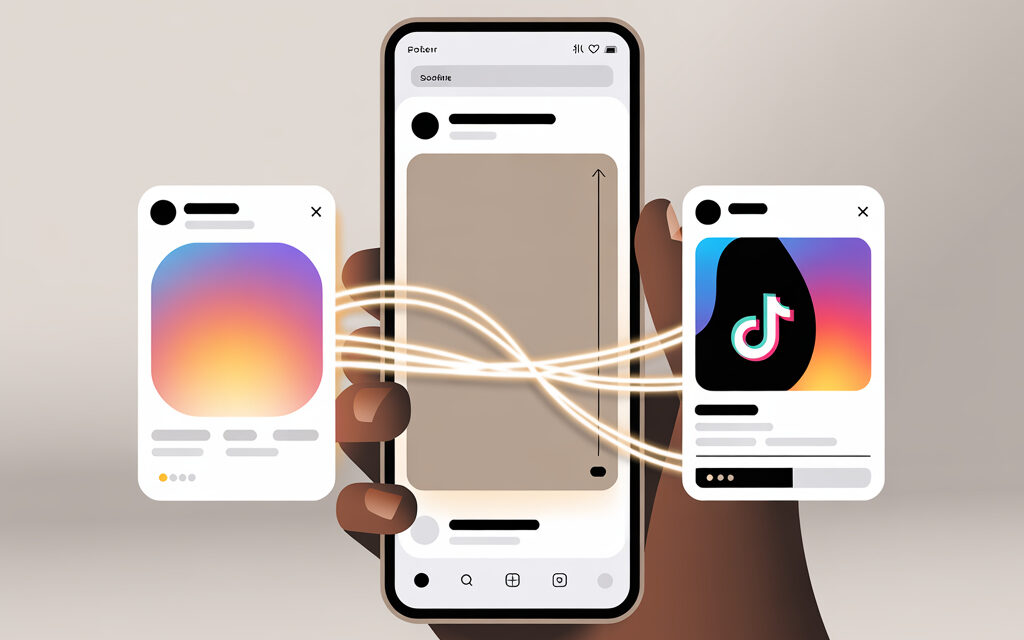
TikTok has a built-in Instagram connection feature – this isn’t a field for a full link, but an account linking process. You authorize via Instagram, and an Instagram icon appears on your TikTok profile. When clicked, the person goes to your Instagram profile in the app or browser.
The full link https://instagram.com/username can be added to the Website field, if it’s available on your TikTok profile. To quickly get the correct URL for insertion, see how to find the link to your instagram. It’s simple: open your Instagram profile, copy the username, and add it to https://instagram.com/. That’s already a clickable link like a regular website. In practice, people often use both the Instagram icon and the Website field with a multi-link.
Available Places for Links on TikTok: Profile, Videos, Bio
- Instagram icon in profile – via Edit Profile → Social Networks. Quick jump without manual input.
- Website field – clickable link in the profile header. Often available on business profiles.
For quick navigation, use the hint how to make an active link in instagram: paste the URL in the Website field or multi-link, and the button will become clickable on all devices.
- Video description – regular URLs are generally not clickable. Only @mentions and hashtags work.
To also provide a direct link from stories, check out the guide how to make a link in instagram stories. This is convenient for short campaigns, as users immediately land on the desired profile or channel.
- Pinned comment – a text URL is not clickable, but you can direct viewers to the profile header.
- Stickers and CTA in the video itself – visual prompts on where to go.
Limitations by Account Type in Ukraine
Instagram linking is available to most accounts in Ukraine. The Website field often appears on business profiles. If you’re under 16, some features may be unavailable – this is normal. Regional feature rollouts can be gradual, so don’t be surprised if a feature appears for a colleague earlier.
How to Add a Link to Instagram on TikTok: Account Requirements
Minimum Requirements: Business or Personal Profile
To properly link accounts, follow the instructions how to add a link to instagram on tiktok. Authorization via Instagram adds an icon, while the Website field allows placing a full link.
- For the Instagram icon, a personal profile is enough – login via Instagram and confirmation.
- For the Website field, it’s more reliable to switch to a business profile – Profile → Menu → Settings and Privacy → Manage Account → Switch to Business.
- Age 16+ – otherwise, some social network menu items may be hidden.
Regional Specifics for Ukraine (Android/iOS)
- On Android, the items are often called Edit Profile → Social Profiles or Links.
- On iOS it may be shorter – Edit Profile → Add next to Instagram.
- Update TikTok to the latest version – older builds sometimes don’t show the Social Networks section.
Do You Need VPN and How to Check Availability
In Ukraine, a VPN is usually not needed for linking Instagram. If the Social Networks section is missing or authorization fails, check quickly:
- Update the app via the App Store or Google Play.
- Log into TikTok from another device and on mobile data – rule out Wi‑Fi issues.
- Disable VPN if you have it active – TikTok may hide some features due to the VPN region.
How to Add a Link to Instagram on TikTok: Step-by-Step Guide
Step 1: Open the TikTok App and Go to Your Profile
- Launch TikTok and tap Profile at the bottom right.
- Make sure you’re logged into the correct TikTok account.
Copy Your Instagram Username in Advance
- Open the Instagram app, go to your profile.
- Tap Edit Profile and copy the username – without @ and without extra characters.
- Keep the username handy – we’ll insert it during authorization.
Step 2: Tap “Edit Profile” and Find the Social Networks Section
- In TikTok, tap Edit Profile.
- Find the Links or Social Networks block – the Instagram item or Add next to Instagram.
- Tap Connect or Add – an Instagram authorization window will open.
Authorization via Instagram: What to Do If Errors Occur
- Login error – check your Instagram login and password, turn off autofill, enter manually.
- Two-factor authentication – make sure you have access to the SMS or authenticator app code beforehand.
- Infinite loading loop – exit TikTok, clear the app cache, repeat on mobile data.
Step 3: Enter Username and Save Changes
- Confirm the Instagram login, allow TikTok to link the accounts.
- Return to the profile editing screen and confirm Instagram is linked.
- Save changes – tap Save at the top of the screen if the button is there.
Where the Instagram Icon Appears After Adding
The Instagram icon appears on your TikTok profile page under the description or next to the YouTube icon. Tap it yourself – it should open your Instagram in the app if installed, or in the browser.
Step 4: Check That the Link Works
- Ask a friend to open your profile from their device – test without your own access.
- If you have a second TikTok account, check from there, not being a subscriber.
Testing in Incognito and on Different Devices
- Open the profile in a browser in incognito mode – get the web profile link via Share Profile.
- Test on Android and iOS – the Instagram opening behavior may differ.
How to Add an Instagram Link to TikTok via Multi-Links
Top Services: Linktree, Taplink for Ukraine
When you need to place not one but several links, a multi-link is used. This is one link in the TikTok profile, leading to a page with buttons for Instagram, YouTube, website, messengers. Works reliably and isn’t dependent on the built-in icon.
| Service | Price, UAH/month | Advantages for TikTok |
|---|---|---|
| Linktree | 0 – 500+ | Quick setup in 5 min, themes, basic analytics, quick QR for videos |
| Taplink | 200 – 800+ | Good localization, forms, messengers, flexible contact page |
| Elfsight Bio Link | 300 – 1000+ | Widgets for Instagram/TikTok, fine-tuned design and button settings |
Prices are approximate – depend on the plan and promotions. For starting, a free plan is enough, the main thing is to neatly arrange buttons and order.
Multi-Link Setup Instruction with Instagram
- Choose a service and register.
- Create a page, add Instagram and other needed link buttons.
- Set clear button names – Example: My Instagram, Portfolio, Contacts.
- Copy the overall multi-link URL.
- In TikTok, open Edit Profile → Website and paste the link, save.
How to Leave an Instagram Link on TikTok Under a Video
Function Availability in Ukraine 2026
Clickable external links in regular video descriptions are limited. Typically, URLs there are not clickable. Exceptions are ad formats and some test features, not available to everyone.
Step-by-Step: Adding to Video Description
- During publishing, add text like “Link in profile” and mention your short username in the description.
- Add a sticker or on-screen text in the video saying “Go to profile” – so attention isn’t lost.
To additionally provide direct contacts, use the hint how to insert a whatsapp link in instagram. It works great in bio, multi-links, and text prompts under videos.
- After publishing, pin a comment with a prompt like “Link in profile header” – this is a working scenario.
Alternatives If the Feature is Blocked
- Use the Instagram icon in the profile – the fastest route.
- Put a multi-link in the Website field – the person lands on a page with an Instagram button.
- Add a QR code of the multi-link in the video itself for 1 – 2 seconds – helps on desktop.
Errors When Adding an Instagram Link to TikTok
Private Account: Why the Link Leads to an Error
If Instagram is private, the icon will still open it, but only followers will see content. An error more often appears not due to privacy, but due to incorrect authorization or an app glitch. Check your Instagram login separately and try re-linking.
Incorrect Username or Authorization Fails
Here, people usually make the same mistake – entering @username instead of the name without @ during manual linking, or confusing the Instagram password with the TikTok password. Another common case – two-factor is on, but the code isn’t at hand.
| Error | Cause | Solution |
|---|---|---|
| Instagram icon doesn’t appear | Old app version, temporary restrictions | Update TikTok, log out – log back in, test on another device |
| Infinite authorization loop | Cache, unstable internet, VPN | Clear TikTok cache, switch to mobile data, disable VPN |
| Link in video description doesn’t click | TikTok restrictions for external URLs | Place link in Website field and direct there from the video |
| Wrong app opens | System link opening conflict | Reinstall Instagram, reset link associations in the system |
Risks and Security: What to Consider in Ukraine
Data Protection When Linking Accounts
- Authorization happens via official OAuth – don’t enter your password on third-party sites.
- Two-factor protection in Instagram greatly reduces risk – enable it before linking.
- Regularly check Authorized Apps in Instagram – remove those you no longer use.
How to Disconnect Instagram from TikTok
If you need to temporarily disconnect or completely remove the link – it’s done in a couple of taps.
Step-by-Step Unlinking Without Data Loss
- In TikTok: Profile → Edit Profile → Instagram → Remove or Disconnect.
- In Instagram: Profile → Menu → Settings and Privacy → Apps and Websites → Active → Remove TikTok Access.
- Restart both apps – the icon will disappear, publications remain in place.
Transition Optimization: Statistics and Ukraine Case Studies 2026
Conversion +22% After Instagram Icon (Wondershare)
Numbers can vary from project to project – focus on your own analytics. In practice, the growth in clicks often comes not from the number itself, but from a combination of three actions: Instagram icon in profile, clear CTA in video, neat multi-link in the Website field.
68% of Ukrainian Users Click Weekly (Hootsuite)
Treat average metrics as guidelines, not norms. Do a simple A/B: use only the icon for a week, then the icon plus a multi-link the next week, measure clicks by day and device. This is faster than any third-party reports.
Tools and Alternatives for Links on TikTok
Official: Only Instagram/YouTube/Lemon8
- These are quick buttons under the profile header – visible to all, click natively.
- All other links – via the Website field or multi-links.
Comparison Table of Methods
| Method | Link Limit | When to Use |
|---|---|---|
| Direct Instagram Icon | 1 account | Need to quickly provide a jump to Instagram without extra clicks |
| Website Field with Multi-Link | Unlimited on the page | Need to place Instagram, website, messengers, and portfolio in one place |
| Text in Bio/Description | Text only | Only as a hint – direct to the link in the profile header |
FAQ
Can I add a full Instagram link instead of a username?
Yes, in the Website field. The built-in linking via Social Networks uses authorization and shows an icon – you can’t manually insert a link there.
What to do if the Instagram icon doesn’t appear on TikTok?
Update the app, log out and back into your account, test on another device and mobile data. If that doesn’t help – temporarily use the Website field with a multi-link.
Does adding a link work with a private account?
The icon works, but content on Instagram will only be seen by your followers. An error rarely appears and is more often related to an authorization glitch.
How to check the link from Android in Ukraine?
Open the profile from a second device on Android, then on iPhone – compare behavior. Also check in a browser in incognito mode.
Is a business account needed for integration?
For the Instagram icon – no. For the Website field, a business account is more convenient – the field appears reliably.
How long does account linking take?
Usually 1 – 3 minutes, if you have the login, password, and two-factor code at hand.
Checklist: Summary on the Topic
- Get your Instagram username without @ and without spaces.
- Update TikTok to the latest version.
- Profile → Edit Profile → Add Instagram → Authorize.
- Check that the icon appears under your profile header.
- Set up a multi-link and insert it into the Website field if needed.
- Test clicks from Android, iOS, and in incognito.
- Add a short CTA to your video: Link in profile.
- Check clicks weekly and adjust button order.
If you need it fast – connect the Instagram icon and add a simple multi-link. If results are important – test a couple of button and wording variants, keep the one that gives more clicks.
When the video is for a website or portfolio – put a full multi-link in TikTok, and add a text prompt in the video. This way the viewer won’t get lost and will find Instagram in two taps.
What’s your scenario – quickly provide a jump to Instagram or gather all contacts on one page?