A quick, down-to-earth article about where to get the link to your Instagram profile, how to copy it in the app and in the browser, and what to do if it doesn’t open. No complications or tricks—just step-by-step and in plain English.
I’ll share a couple of real-life observations, add a checklist and a table. If you want, you can check it yourself in 2 minutes.
The Short Answer
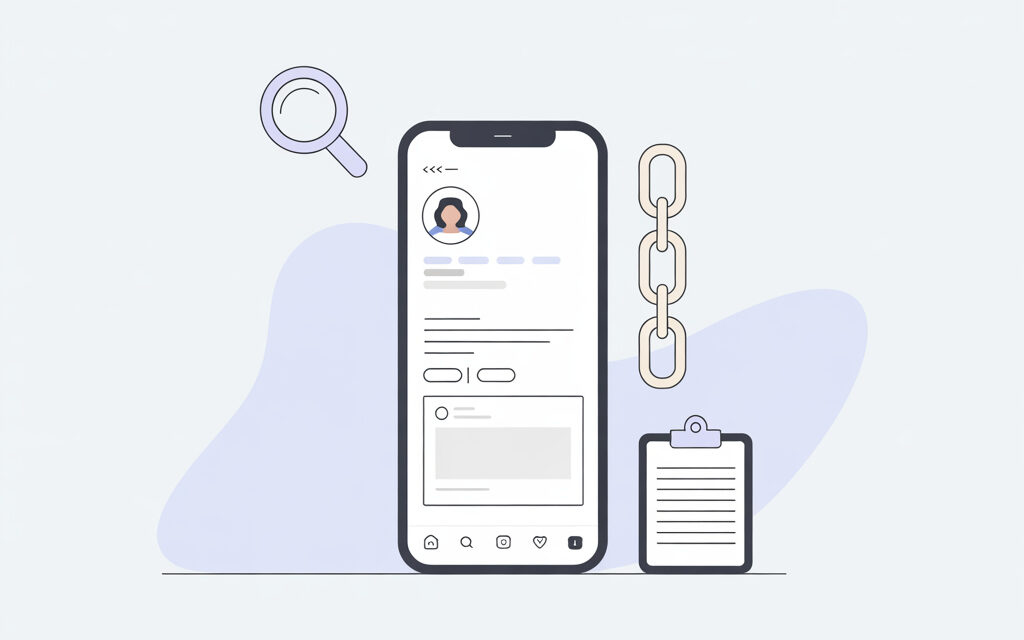
Your link looks like this: instagram.com/your_username. The fastest way is to open your profile, tap the “Share Profile” button, and choose “Copy Link.” In the browser, just copy the address from the top bar when your profile is open.
How to Find the Link to Your Instagram on Your Phone
The question usually sounds like this: where to see the profile address and how to copy a link to your account without unnecessary fuss. In Instagram on iPhone and Android, the path is very similar—open the profile, tap “Share Profile,” and get the URL. I’ve broken it down step-by-step below.
iPhone: The Quick Way
Open the Instagram app and go to your profile—the icon with your avatar at the bottom. Tap the “Share Profile” button. Choose “Copy Link”—it’ll go to your clipboard. Then you can paste the link wherever you need: into a messenger, notes, or the bio of another profile.
Android: Step-by-Step
Launch Instagram and open your profile. Tap “Share Profile.” Tap “Copy Link”—and you’re done. If you only see messenger options, scroll down—the link option is usually there.
If There’s No “Share Profile” Button
Sometimes the interface changes slightly, or the language affects the wording. In that case, you can build the link manually using the formula: instagram.com/your_username. See your username on the profile page under your avatar—it’s without spaces, in Latin letters, and can contain dots and underscores.
How to Find the Link to Your Instagram in a Browser
When you’re on a computer, it’s even simpler. The question usually is: where to get the page address on the web and how to make sure it’s the correct link to the profile. There are two options here—copy from the address bar or build it from the username.
Via the Address Bar
Go to instagram.com and open your profile. At the top in the address bar, you’ll see something like instagram.com/username. Highlight the address and click copy. That’s the working link to your profile.
Using the Formula If You Can’t Open the Profile
If for some reason you aren’t logged into the account but know your username, build the link like this: instagram.com/username. On Instagram, a username is Latin letters, numbers, dots, and underscores. Cyrillic and spaces aren’t used.
Where to Get a Link to a Post, Reels, or Story
Sometimes you don’t need the profile link, but a link to specific content. Many people face not seeing the copy button and get confused. Below are quick steps for a post, Reels, and Story.
Post or Reels
Open the publication. Tap the three dots … and choose “Copy Link.” It’ll go straight to your clipboard. In my opinion, it’s better to check the link in incognito mode—that way you see what a person without authorization will get.
Story
With Stories, there’s a nuance: an active Story is copied via “More” → “Share” → “Copy Link.” If the Story is already in the archive, open the Story Archive, find the one you need, tap “More.” Keep in mind, for private accounts, only followers will be able to open the link.
Why a Link Might Not Open
Usually, everyday reasons are at play here: privacy settings, a typo, or a username change. A friend of mine had this happen: he changed his username but left the old link in another service’s bio—naturally, it stopped leading to his page.
Common Reasons
– Private account—those who aren’t following might not see the profile fully.
– Typo in the username—one extra letter, and the link leads nowhere.
– Recent username change—old links die; update them everywhere.
– Blocker or cache—try mobile data and incognito mode.
How to Check if the Link Works
A simple self-check without complicated tools usually helps. I’ve noticed that three or four quick steps save a ton of time messaging with people who can’t open your profile.
One-Minute Mini-Check
– Open the link in incognito mode in a browser.
– Check it with mobile data and with Wi-Fi.
– Ask a friend to open the link from their device.
– Compare the username in the link and the username on your page—they should match.
Table: How to Copy the Link Faster
| Where You Are | Method | Quick Steps | Plus |
|---|---|---|---|
| iPhone | Share Profile | Profile → Share → Copy Link | Fewer clicks, no manual entry |
| Android | Share Profile | Profile → Share → Copy Link | Works steadily |
| Browser | Address Bar | Open profile → copy URL from top | See the final link immediately |
| Any Platform | Build with Formula | instagram.com/username | Saves the day if there’s no button |
Checklist: Is Everything OK with the Link?
- The username in the link matches the username on your profile page.
- The link opens in incognito and on mobile data.
- If you changed your username—you updated the links everywhere they were.
- The account is public, or you understand the privacy limitations.
- There are no extra characters or spaces in the link.
Small Stories from Life
A Friend’s Link in a Bio Didn’t Work
A friend had a link to her profile in another service’s bio, but when people clicked, they just loaded the Instagram homepage. Turned out there was an extra space at the end. Removed it—everything worked.
A Reader Wrote About Reels
A reader shared that they couldn’t forward a Reels to a colleague. They tapped “Share” and chose a messenger, but the recipient couldn’t open the video. Solved it like this: “Copy Link” via the three dots, check in incognito, only then send. It worked.
Where to Find Official Information
If you want to check the original source, look at Instagram’s help: help.instagram.com. It describes the “Share Profile” button and basic things about usernames and privacy.
Mini FAQ
Can you find a friend’s profile link the same way?
Yes. Open their profile, tap … or “Share Profile,” and choose “Copy Link.”
If I have a private account, does the link still work?
Yes, but only followers will see the content. Others will see a page with a follow request.
What if I changed my username?
The old link will stop leading to your profile. Update it everywhere you previously shared it.
How to make a nice short link?
Essentially, it already is short: instagram.com/your_username. The shorter the username, the shorter the link.
Can you copy a link to a Story from the archive?
Yes, open the Story Archive, find the one you need, tap “More,” and choose the share or copy option.
What to Take Away from This Article
- The basic formula always works: instagram.com/your_username.
- In the app, the fastest way is via “Share Profile” → “Copy Link.”
- In the browser, copy the address from the bar and check in incognito.
- If you changed your username—update old links.
- Problems are most often typos, privacy settings, or cache.
Finally
Nothing complicated, just a couple of habits—check the link in incognito and keep your username consistent. If you want—share how it went for you and where you use your link most often.
Glossary
- Username – the unique account name on Instagram, part of the link.
- URL – the web address of the page, what we copy and send.
- Clipboard – the place where what you copied goes.
- Incognito – browser mode without saving history and cache.
- Cache – temporary files that sometimes make things look wrong.
- Profile – your Instagram page with posts and description.
- Reels – short vertical videos on Instagram.
- Story – 24-hour posts or those in the archive.