In Short – What Works Right Now
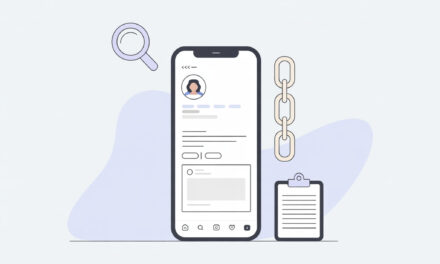
If you need to be quick – put a direct Telegram link in the profile’s Links section. It takes 2 minutes and is clickable at any time.
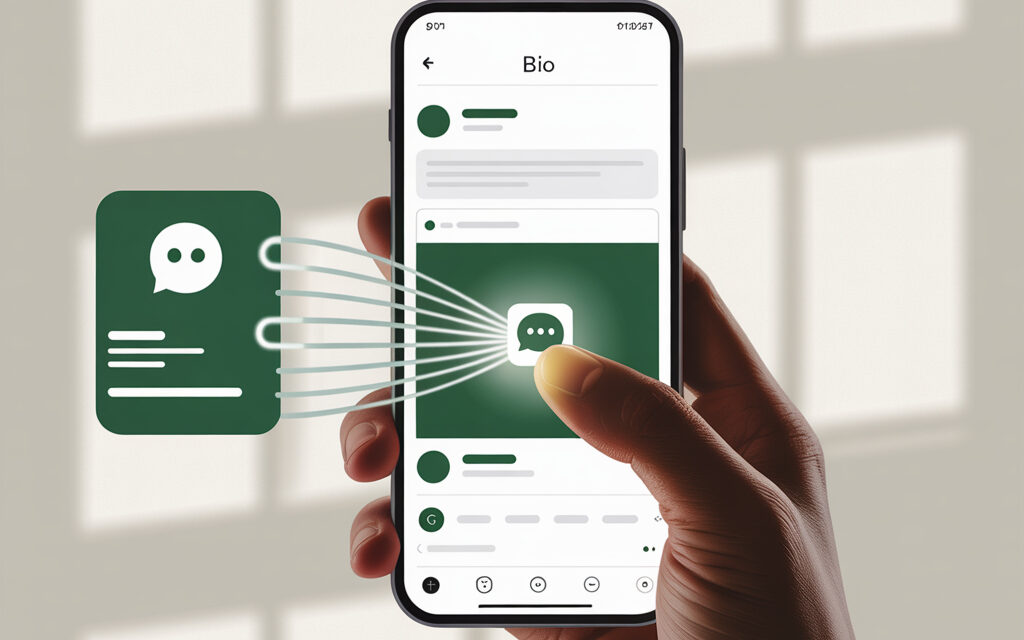
If reach here and now is important – use the Link sticker in Stories and pin it to your Highlights. That way people see the button immediately.
If your audience is offline or from business cards – generate a QR code to your channel and add it to stories, posts, and materials.
| Method | Where it’s Clickable | Setup Time | When to Choose | Pros | Cons |
|---|---|---|---|---|---|
| Link in Profile | Profile Header – Links | 1-2 minutes | Need a permanent spot | Always at hand, can add several | Need to visit the profile, not visible in the feed |
| Link Sticker in Stories | Stories and Highlights | 1-3 minutes | Announcements, launches, promos | Button is noticeable, can explain in video | 24-hour lifespan, unless pinned |
| QR Code to Telegram | Stories, posts, offline | 1-5 minutes | Offline audience, printed materials | Scans with camera, no address input needed | Needs a camera, small QR in stories is harder to read |
| Multi-Link Page | Profile – one button for everything | 5-15 minutes | Many links at once – channel, chat, website | One link – many options | Extra click, lower conversion if overloaded |
Telegram Link Formats – What to Paste
In practice, the short format https://t.me/name is most often used. For user convenience, always use the t.me link to telegram, it opens in the app and browser without extra steps. For invites to private chats – a link with a token. For bots – a format with a start parameter, if needed.
| Task | Example Link | Where to Find in Telegram | Comment |
|---|---|---|---|
| Public channel or chat | https://t.me/username | Channel profile – Username | The most stable option |
| Private chat or channel | https://t.me/+ABCDEFGH1234 | Profile – Invite Link | Can be disabled or token replaced |
| Bot | https://t.me/botname | Bot profile – Username | Opens a dialogue with the bot |
| Bot with a start parameter | https://t.me/botname?start=promo | Create manually | Convenient for tagging the source |
| Post in a channel | https://t.me/username/123 | Via post menu – Copy Link | Leads to a specific publication |
A group or private chat is easy to open and share with the right people if you know how to create a link to a group in telegram.
Method 1 – Link in Profile Header
How to Add
- Open your profile in Instagram.
- Tap Edit Profile.
- Go to the Links section – Add External Link.
- Paste your Telegram link like https://t.me/username.
- Specify a name – e.g., Telegram channel.
- Save and check that the link is clickable from the header.
Where Mistakes Are Often Made
- Paste @username – this is not a link. You need the full address with https.
- Leave spaces before or after the link – Instagram may not accept it.
- Forget to drag the needed link to the top – it hides as the second or third.
Check Yourself
- The link is visible in the header without clicking “More” – if needed, move it higher.
- Opens in the Telegram app or via browser – ok.
- The link’s name is clear – people understand where they’ll end up.
| Profile Field | What it is | When to Use | Comment |
|---|---|---|---|
| Links – External links | Clickable buttons | Main method | Can add several and change order |
| Website | Separate URL field | If you need 1 link always on top | Good for a multi-link page |
| Profile Bio | Text | Only for duplication | Not clickable, but can write a hint |
Method 2 – Link Sticker in Stories
How to Add
- Create a story – photo, video, or background with text.
- Tap the sticker icon and choose Link.
- Paste https://t.me/username and set a short caption – Go to Telegram.
- Change the sticker style – so it’s readable on the background.
- Place the sticker large and not at the edge – for easy tapping.
- Publish and add to Highlights – the plus sign on your profile avatar.
Where the Mistake is Usually Made
- Sticker is too small – hard to tap.
- The link is covered by UI elements – time, reaction buttons.
- No duplicate phrase – “Button just above.”
Check Yourself
- The sticker is clearly visible on any background – add an underlay if necessary.
- The story is pinned to Highlights – an icon with a clear name, e.g., Telegram.
- The link opens without warnings – ok.
| Where it’s Stored | Duration | How to Find | Comment |
|---|---|---|---|
| Regular Story | 24 hours | Stories feed | Good for urgent announcements |
| Highlights | No limit | Under profile header | Create a cover and a short name |
Method 3 – QR Code to Telegram
How to Make
- In Telegram, open the channel or bot profile – menu – QR Code – Save.
- If there’s no such item – generate a QR code for https://t.me/username in any generator.
- Add the QR to a story or post – write “Go to Telegram” next to it.
- For printing, use a size no less than 2.5 cm and a contrasting background.
Where Mistakes Are Often Made
- Tiny QR – camera doesn’t read it.
- QR on a busy background – contrast is lost.
- No text lead-in – people don’t understand it’s for Telegram.
Check Yourself
- QR scans with a standard camera from 30-50 cm away.
- There’s a 5-10 pixel margin around the QR without graphics – more reliable.
- There’s a caption nearby – Telegram channel and a duplicate short link.
| Scenario | QR in Stories | QR in Post | QR Offline |
|---|---|---|---|
| Quick transition | Yes – add an arrow and caption | Yes – but conversion is lower than with a link in stories | Yes – for banners and business cards |
| Long-term | In Highlights – yes | Yes – post remains in the profile | Yes – independent of Instagram |
| Simplicity | Medium – need to open camera | Medium | High – in printed materials |
Method 4 – Multi-Link Page – When You Need Several Entry Points
Quick Way
- Choose a multi-link service or make a simple page on your own website.
To promote your channel on external resources, add a button or link in text, following the recommendations How to place a link to Telegram on a website or blog.
- Leave 3-5 buttons – Telegram channel, chat, website, support.
- Place this multi-link in the Website field or as the first link in the profile’s Links section.
Important to Check
- Loading speed – the page should open instantly.
- First button – Telegram. Others – in descending order of importance.
- Contrasting design – large buttons, readable headings.
| Option | Pros | Cons | When to Choose |
|---|---|---|---|
| Direct link to Telegram | Maximum conversion, fastest | Only one goal | Need channel growth here and now |
| Multi-link page | Several directions from one screen | Extra click, some people get lost | You also have a website, chat, bot, etc. |
Where to Get Your Telegram Link – Channel, Chat, Bot, Personal
- Channel – Channel profile – Edit – Username – specify a name, save, get https://t.me/name.
- Private channel or chat – Profile – Invite Link – Create – Copy.
- Bot – The bot’s profile already has a name – use https://t.me/botname.
- Personal profile – Settings – Profile – Username – get https://t.me/name.
To share your channel or chat, use the tips from the guide how to get a link to your telegram and make sure it opens correctly in the app and browser.
What’s Clickable in Instagram – and What’s Not
| Place | Clickable | Comment |
|---|---|---|
| Links in Profile | Yes | Main option – add here |
| Website Field | Yes | Can use instead of or together with Links |
| Link Sticker in Stories | Yes | Works immediately on tap |
| Post Description | No | Text remains non-clickable, add to stories |
| Comments | No | Link will not become clickable |
| Direct Messages | Yes | Links are clickable in personal messages |
Besides channels, chats, and posts, there are also bots. How to create and use links to Telegram bots: the bot’s profile shows its username, use the format https://t.me/botname. To launch it with a specific command or promo tag, add the parameter ?start=promo – then the bot will immediately detect the traffic source and be able to personalize the message.
Testing and Typical Errors
| Symptom | Likely Cause | What to Do |
|---|---|---|
| Instagram says – link is invalid | Extra parameters, spaces, or non-standard characters | Leave a clean address like https://t.me/username |
| Link doesn’t open in the app | No Telegram installed or link opening settings | Check opening in a browser – that’s fine, main thing is the page is accessible |
| Clickable button disappeared from view | Incorrect link order in profile | In Edit Profile – Links drag the needed one up |
| QR doesn’t scan | Small size or low contrast | Increase size, add a white underlay, test with a camera |
Link doesn’t open in the app. When the transition doesn’t work, pay attention to the recommendations in the article Why a link doesn’t open in Telegram and what to do so users get to the channel or chat without problems.
How to Measure Clicks Without Complex Setup
- Quick option – shorten the link in a shortener service with basic click stats.
- Reliable option – set up a redirect on your own domain yoursite.com/tg – 301 to https://t.me/username and view traffic in the site counter.
- For bots, you can use the start parameter, e.g., https://t.me/botname?start=insta – the bot will see the source.
| Method | What You See | Pros | Cons |
|---|---|---|---|
| Shortened Link | Number of clicks, sometimes geo and devices | Very fast | Third-party domain, possible limitations |
| Redirect on Own Domain | Traffic in website analytics | Control and stability | Will need access to the site or hosting |
| Start Parameter for Bot | Source in bot’s logic | Precise per user | Only for bots |
Pre-Publication Checklist
- Link is in format https://t.me/username without spaces and extra characters.
- In the profile, the link is first in the list – visible without clicking “More”.
- In stories, the Link sticker is large, not at the edge, caption is clear.
- Highlights are created – cover and name “Telegram”.
- QR tested with two phones – camera reads it quickly.
FAQ Short
- Why isn’t the link in the post clickable – links in post descriptions are not active, use stories or the profile header.
- Can I add several links to the profile – yes, the Links section allows adding several and changing their order.
- Is a VPN needed – to open Telegram, the user might need their own access, but the link is added to Instagram without this.
For complete profile control, it’s useful to know exactly where the Official link for deleting a Telegram account is and how to use it on the official website.
Summary
When it’s important to just get it done – we put a direct Telegram link in the profile’s Links section and duplicate it with a sticker in stories. This covers 90 percent of tasks and doesn’t require preparation.
If you need more options – add a multi-link page, and for offline, make a QR. Before publishing, run through the checklist and check that everything clicks from two devices.
For effective audience attraction from TikTok, you can use proven instructions, so for transitions from TikTok, use the guide How to add a link to Telegram in TikTok so users immediately land on the right channel, and you control the clickability of links and correct display on different devices.
What do you want to do right now – quickly put a link in the header or design a story with a button and pin it to Highlights?