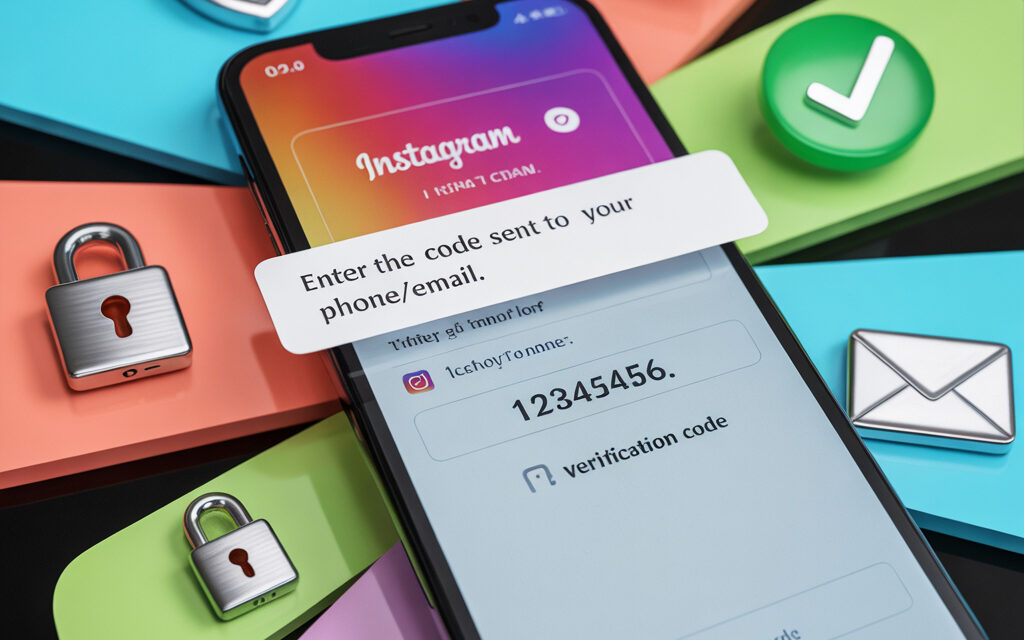
You’re sitting in a cafe, open Instagram, and there’s a request to enter a code on the screen. The first question that comes to mind: Why did I receive an Instagram confirmation code? But the main one is Why does an Instagram account confirmation code arrive? – after all, I didn’t do anything. The answer affects not only your peace of mind but also the safety of last year’s vacation photos. Let’s briefly break down why the service sends codes even without a request, and how to make sure it’s not a hack. By the way, if you want to check someone else’s profile without revealing your login, check out How to view Instagram anonymously – it’ll come in handy for a quick recon mission.
What is a confirmation code and why is it needed
A confirmation code is a one-time cipher that is activated when you try to prove that you are the owner of the profile. Instagram uses it in its two-factor authentication system to prevent an attacker from logging into your account, even if they know your password. According to Verizon DBIR-2026, 74% of successful attacks start with stolen accounts without a second factor. Troy Hunt (@troyhunt) notes: “A one-time code is the cheapest and most formidable shield against phishing.”
How two-factor authentication works on Instagram
After entering your password, the server requests a second factor: SMS, email, or a push notification. You can only log in when the digits from the message match a token generated less than 30 seconds ago. If time runs out, the code “expires,” and the system sends a new one. This way, the service filters out brute-force attacks and sniffing on open Wi-Fi, where passwords can be intercepted. Kyivstar expert Alexander Sidorenko notes that the short “lifespan” of the code breaks bot thieves.
Main types of codes: SMS codes, email codes, and backup codes
SMS codes come to the phone number linked to your profile and work even without internet. Email codes are sent to your email when your phone is out of network range or roaming. Backup codes are 8-digit strings that the owner downloads in advance and stores offline. Each backup set has 5 keys; they are only used in emergencies, such as losing your SIM card. According to investigative journalist Brian Krebs (@briankrebs), it’s better to print such codes and keep them away from your computer.
Why did I receive an Instagram confirmation code?
The most unexpected moment – you open your smartphone in the morning, and there’s already a six-digit code in your SMS. Most often, the service reacts to risk events: a new device, a strange IP, or a script parser. Sometimes the trigger is long inactivity on your account: Instagram decides to re-verify the owner. Elif from Turkey got a code while visiting his grandmother, whose ISP didn’t have an HTTPS filter. These are the kinds of scenarios that explain why did I receive an Instagram confirmation code?
Attempt to log in from a new device or IP address
Every gadget leaves a unique digital “fingerprint” – a combination of browser, model, and IP. When this parameter changes, Instagram plays it safe: the owner could have changed their phone or lost it. Radu from Romania logged in from a new tablet and instantly received an unsolicited code – a classic case. After confirming from the tablet, no further notifications came: the service remembered the device. The conclusion: every new IP is a potential trigger, so codes here are normal protection, not a bug. If you forget where your profile link is, refresh your memory with the guide How to find a link to your Instagram – it’ll come in handy when logging in from a new device.
Why did I receive a confirmation code without requesting it on Instagram?
So, why did I receive a confirmation code without requesting it on Instagram? The reason is almost always the safety automation. The algorithm noticed a new entry point and sent an SMS to filter out bots. If there was no login attempt, check third-party apps that sync Direct messages or statistics. Georgi from Bulgaria had an analytics service request a token, and codes started pouring in. He removed access – the messages stopped.
Automatic verification of suspicious activity
Instagram monitors patterns of likes, follows, and login attempts at anomalous speeds around the clock. When the number of requests exceeds a threshold, the algorithm forces verification to exclude bots. This raises the question: Why did I receive a random Instagram confirmation code? – because the user was silent, but a bot was trying. Instagram links such spikes to credential stuffing attacks and instantly blocks the IP. According to Cloudflare-2026 statistics, such attacks grew by 15% over the year.
System failure or delay in delivering a previous code
Sometimes the SMS gateway lags, and a code arrives an hour later, when the login attempt has already been forgotten. The user thinks the message is new, but it’s actually an old request. Anna from Moldova received such a late code and thought her profile was hacked. Check the SMS center timestamp and login log – the difference will show the real reason. If the discrepancy is more than 10 minutes, it’s not a hacker but network delay.
How to know if your Instagram has been hacked?
How to know if your Instagram has been hacked? First, check if the number of followers matches yesterday’s count. Sharp spikes in likes, new live streams without your participation – these are warning signs. Kaspersky Lab notes: 90% of hacks manifest as “minor anomalies” before actual takeover. At this stage, you need to export the login log and log out of all sessions using the mobile app. And if you want to pinpoint suspicious reactions, open the mini-guide How to see who liked your post on Instagram – you’ll quickly identify the source of strange hearts.
Typical signs of unauthorized access
The “Logins” tab shows logins from cities you’ve never been to. Suspicious Direct messages, new product tags, and a changed email are classic indicators. Maria from Odesa found someone else’s device on the list and saved her business account. Also, check if new ad accounts have been connected – scammers often steal ad credits. Any of these signs require an immediate password reset and logging out of all sessions.
Did someone log into my Instagram account?
If the thought “Did someone log into my Instagram account?” is already nagging you, follow this quick action algorithm. First, go to “Login activity” and click “Log out of all devices.” Then change your password and enable two-factor authentication via SMS, not WhatsApp. Remove third-party apps in the “Apps and websites” tab – parasitic scripts often hide there. Write down fresh backup codes offline and make sure your recovery email is up to date.
What to do if you’re receiving SMS with confirmation codes?
What to do if you’re receiving SMS with confirmation codes? Check your login log and activity. If there are no anomalies, check “Apps”: an analytics bot might be spamming requests. Emre from Turkey received codes for half an hour until he removed a clone client. Delete such services – and the problem “what to do if you’re receiving SMS with confirmation codes?” will disappear.
Disconnecting third-party apps and clone services
Go to the web version of Instagram to see the full list of apps with access. Revoke permissions for anything you don’t recognize by name. Vladyslav Kovalenko jokes: “If the name reads like a Wi-Fi password, hit ‘Remove’.” After cleanup, code SMS usually stop immediately. If not, proceed to changing your password and two-factor authentication.
Update your password, enable login only via SMS or email
Your new password should contain at least 12 characters, a mix of cases, and a symbol. NordPass-2026 shows: a complex password takes 45 times longer to crack. Right after changing your password, copy your profile URL and save it in your notes – I explain how to do it in three clicks in How to copy a link to your Instagram profile. Disable authorization via WhatsApp if you used it before: this method is updated less frequently. SMS and email codes are more reliable and easier to recover if you lose your phone. After saving your password in a manager, check that your backup codes are saved.
When to contact Instagram support
If repeated codes continue to come through after all settings, take a screenshot of your login log. Go to help.instagram.com and fill out the “Something’s Not Working” form. Describe the steps, indicate the time, and attach the screenshot; the more complete the info, the faster the response. On average, according to Reddit user reviews, support responds within 48 hours. Romania user Radu received a solution email in just 24 hours. And to ensure your request doesn’t get stuck in the queue, study How to write to Instagram support in advance – there are email templates and life hacks for quick escalation.
6-digit Instagram code not arriving
The situation “6-digit Instagram code not arriving” is familiar to subscribers with corporate plans and strict SMS filters. The algorithm blocks messages from short numbers, considering them spam. Check if SMS forwarding to eSIM is enabled – it slows down delivery. Maria from Ukraine inserted her SIM into another phone, requested the code again – the message arrived immediately. This resolves the “6-digit Instagram code not arriving” issue and restores your access.
Connectivity issues and carrier filters
Some carriers throttle traffic from short service numbers, especially in roaming. Ask them to temporarily disable the anti-spam filter or use an email code. A Swisscom test showed that after removing the filter, delivery improves by 30%. If you’re traveling, buy an eSIM with a local number – the code will arrive faster. Author Vladyslav Kovalenko carries a spare SIM precisely for codes – it saves nerves and business.
Email code going to spam or promotions
Instagram emails are often filtered by Gmail as “Promotions.” Create a filter “from:noreply@mail.instagram.com” and force them into “Inbox.” Radu from Romania found a code in spam a day later – it was too late. Also check the “All mail” tab if reading on mobile. After setting up the filter, code delivery sped up, and the problem disappeared.
Clear app cache and request code again
Go to your smartphone settings, clear Instagram’s cache, then force-stop the app. Restart it and request the code again – this helps in 70% of cases. Georgi from Bulgaria cleared 1 GB, and the SMS arrived instantly. It’s important to pause for 60 seconds between requests, otherwise the server starts to “get offended.” If all steps fail, switch to backup codes.
FAQ: quick answers to common questions
Why did I receive a confirmation code even though I didn’t request it?
Most likely, someone accidentally entered your email when creating a profile or a bot was cycling through addresses. If no more such SMS come, there’s no threat – just ignore it. Add two-factor authentication and make sure your number is linked to your account. For peace of mind, change your password and check your login log.
Why am I being asked to confirm my Instagram account?
The social network wants to verify that you’re real if sharp spikes in activity are detected. After changing your phone, mass follows, or ads, the system automatically starts verification. The process involves a code from SMS or email and takes half a minute. If codes have returned, ask again: why am I being asked to confirm my Instagram account?
What to do if someone has logged into your profile?
Immediately log out of all sessions via “Settings” -> “Security.” Change your password and enable two-factor authentication. Check your email for notifications about data changes and revert the changes using the link in the email. Tell your friends that the hack has been resolved so they don’t fall for phishing links.
What to do to prevent repeated code requests?
Leave only one verified two-factor authentication method: SMS or email. Remove apps you don’t trust and reset your backup codes. Periodically check your login log and clean out old devices. Don’t use a simple password – it’s the main reason for extra codes.
Now you know why Instagram sends codes and how to tell a bug from a hack. From now on, the question “Why does an Instagram account confirmation code arrive?” won’t scare you. An unexpected code is a reason to go through the checklist and close suspicious sessions. And share this article with friends: may their vacation photos also be safe.