When you need a flow of messages to WhatsApp from Instagram, it’s important not to overcomplicate things. The link should work with the first click, without strange redirects or “number not found.” Below, I’ve compiled short, ready-to-use options and clear steps that are actually used every day.
Quick Start: Ready-Made WhatsApp Link Templates
In practice, people most often do this: create a link in the format wa.me with the number and, if necessary, add a ready-made text. There’s one key rule: the number must be in international format, digits only, without the plus sign, parentheses, or spaces.
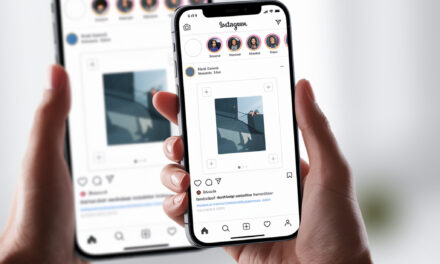
There’s one key rule: the number must be in international format, digits only, without the plus sign, parentheses, or spaces. Through the “Share” function, it’s easy to see, how to view the link to your Instagram.
| Scenario | Template | Example (Russia) | When to Use |
|---|---|---|---|
| Direct link to chat | https://wa.me/Number | https://wa.me/79001234567 | Fastest. Suitable for a link in the profile header and Stories. |
| Link with a pre-filled message | https://wa.me/Number?text=Text | https://wa.me/79001234567?text=Hello%2C%20interested%20in%20an%20order | Convenient if you need to get the right data immediately. Text must be encoded. |
| Pre-filled message only (no number) | https://wa.me/?text=Text | https://wa.me/?text=Need%20a%20consultation | Rare. The user chooses the chat in WhatsApp themselves. |
| Alternative format | https://api.whatsapp.com/send?phone=Number&text=Text | https://api.whatsapp.com/send?phone=79001234567&text=Hello | Works the same. Used if wa.me gets truncated somewhere. |
- How to encode text quickly: replace spaces with %20 and check the link on your phone.
- If you need long text, first assemble the phrase in your notes, then encode it in any URL-encoder.
How to Add a WhatsApp Link to Your Instagram Profile
Option 1. Via the “Website” Field in the Profile Header
- Open your Instagram profile and tap “Edit Profile.”
- In the “Website” field, paste a link like https://wa.me/79001234567 or with text.
- Save. Check the link from another device and in the in-app browser.
For user convenience, it’s important to understand, how to add a link to your Instagram profile, so it’s clickable and opens immediately when tapped.
This option is the fastest. Suitable for personal and business profiles. If you already have a multi-link in the header, think about what’s more important: going straight to WhatsApp or to a landing page first.
Option 2. The “Contact” Button and WhatsApp in “Contact Options”
- Switch your profile to a professional account (if not already): Settings – Professional Account.
- Profile – Edit Profile – Contact Options – WhatsApp.
- Enter the number, confirm the code from WhatsApp. A button will appear in your profile.
For convenience and contact stability, it’s useful to understand, how to link a WhatsApp link to Instagram, so the button works correctly and the chat opens immediately.
People do this when they want to keep a link in the “Website” field for other tasks and move WhatsApp to a button. Works more reliably than a link in the bio text.
Option 3. Linking WhatsApp Business from the WhatsApp App
- Open WhatsApp Business – Business Tools – Facebook and Instagram.
- Log into your Instagram and follow the linking steps.
- Check if the button has appeared in the profile and in auto-replies.
In practice, this method is convenient if you already communicate in WhatsApp Business and use templates, shortcuts, and the catalog.
Where Links Are Clickable in Instagram and How Best to Place Them
| Place | Clickable | How to Place | Features |
|---|---|---|---|
| Profile Header (“Website” field) | Yes | Edit Profile – Website | Fastest access. Works well with a pinned post “message us on WhatsApp.” |
| “Contact” Button/WhatsApp | Yes | Contact Options – WhatsApp or linking from WhatsApp Business | Doesn’t occupy the “Website” field. Requires a professional account. |
| Stories | Yes | “Link” sticker – paste wa.me link | Create a “Message on WhatsApp” Highlight so the link doesn’t disappear after 24 hours. |
| Reels | Sticker in frame – no, description – no | Write “link in the header” or use a sticker in Stories with a repost of the reel | Links in Reels descriptions are not clickable. |
| Post Description | No | Give a short instruction “link in the profile header” | Links in post text are not tappable, only manually copyable. |
| Pinned Comment | No | Relevant as a reminder about the header | Use as a call-to-action hint. |
| Paid Ads | Yes | Objective “Messages” or Clicks to WhatsApp in Ads Manager | Best option for paid traffic straight to chat. |
When designing Stories, it’s convenient to know, how to attach a link to an Instagram story, so users can open the chat with one click.
Common Mistakes and How to Catch Them Quickly
Here, people usually make the same mistake: writing the number with a plus sign or leaving spaces. The second most frequent problem – not encoding the text in the link.
| Mistake | How to Fix | 30-Second Check |
|---|---|---|
| +7, spaces, dashes, parentheses in the number | Keep only digits: 7XXXXXXXXXX | Open the link in your phone’s browser and in Instagram WebView |
| Russian spaces and characters in the text | Replace spaces with %20, encode commas and quotes | Copy the finished link to Notes, tap it and check the pre-filled text |
| Broken link in Stories | Use the “Link” sticker, don’t paste it in text | View the Story from another account, click |
| Multi-link leads to unnecessary screens | For hot leads, place a direct wa.me link in the header | Count the clicks to the chat. Should be 1-2 clicks maximum |
| Number is linked to personal WhatsApp, not a business account | Transfer the number to WhatsApp Business | Check auto-replies and shortcuts. If they’re not there, you’re not on Business |
Ready-to-Use Examples for Copying
- Just chat: https://wa.me/79001234567
- With text: https://wa.me/79001234567?text=Hello%2C%20interested%20in%20a%20kitchen%20measurement
- No number, text only: https://wa.me/?text=Need%20a%20price%20consultation
It’s important to check one thing that is often forgotten: the link must open correctly both in the mobile Instagram app and in a browser. Sometimes on iOS it’s fine, but on Android the text doesn’t populate – check both cases.
Sometimes you need to direct traffic to Instagram from other platforms, so it’s useful to understand, how to add an Instagram link to TikTok, so users go directly to the profile.
Direct Link, WhatsApp Button, or Multi-Link
You can do it differently, but it’s better to choose based on the task. If you need quick contact – use a direct link. If it’s important to show a catalog and social networks – use a multi-link. If you also want the bonuses of Business functions – use the WhatsApp button.
| Option | Pros | Cons | When It Fits |
|---|---|---|---|
| Direct wa.me in “Website” | Minimum clicks, maximum conversion to chat | Can’t add more links in the header | Hot leads, accepting requests in Direct + WhatsApp |
| “Contact” Button with WhatsApp | Neat, doesn’t occupy the “Website” field | Requires a professional account and linking | You want a clean header and structured contact |
| Multi-link (Taplink and similar) | Multiple buttons: WhatsApp, website, price list | Extra screen, some traffic is lost | When there are many directions and questions before the chat |
UTM Tags and Tracking Leads
If you’re driving traffic from different places, add UTM to the link and shorten it via a short domain. In WhatsApp, the tags aren’t passed into the chat, but they will be in the click analytics.
- Example: https://wa.me/79001234567?text=Hello&utm_source=instagram&utm_medium=bio
- If the link becomes too long, shorten it and test it on your phone.
- For ads, use the “Send WhatsApp Message” call-to-action button in Ads Manager – clicks and leads are counted more accurately there.
QR Code and “Short Link” in WhatsApp Business
WhatsApp Business has a quick “Short Link” tool and QR code. This is convenient for offline and pinned Stories.
- WhatsApp Business – Business Tools – Short Link.
- Copy the link or download the QR code.
- Add the QR to a “How to contact” Highlight, to active Stories, and to your website.
Pre-Publication Checklist
- The number in the link is digits only, without + and spaces.
- The text in the link is encoded, spaces replaced with %20.
- The link is clickable from the profile header and Stories from another account.
- The chat opens the same on iOS and Android, pre-filled text is inserted.
- If using a multi-link, WhatsApp is on the first screen and with a large button.
- For ads, the objective “Messages on WhatsApp” is set, not just link clicks.
Summary
For most tasks, a link in the format wa.me with the number and a short pre-filled text is enough. Place it in the “Website” field or add a WhatsApp button in “Contact Options” – both methods work, no surprises.
When speed of lead generation is important, don’t complicate the chain. The fewer screens between the user and the chat, the better the conversion. The rest is about design and polite auto-replies in WhatsApp Business.
What’s your current scenario – quick consultations in chat or do you need to show a selection of services and prices first?