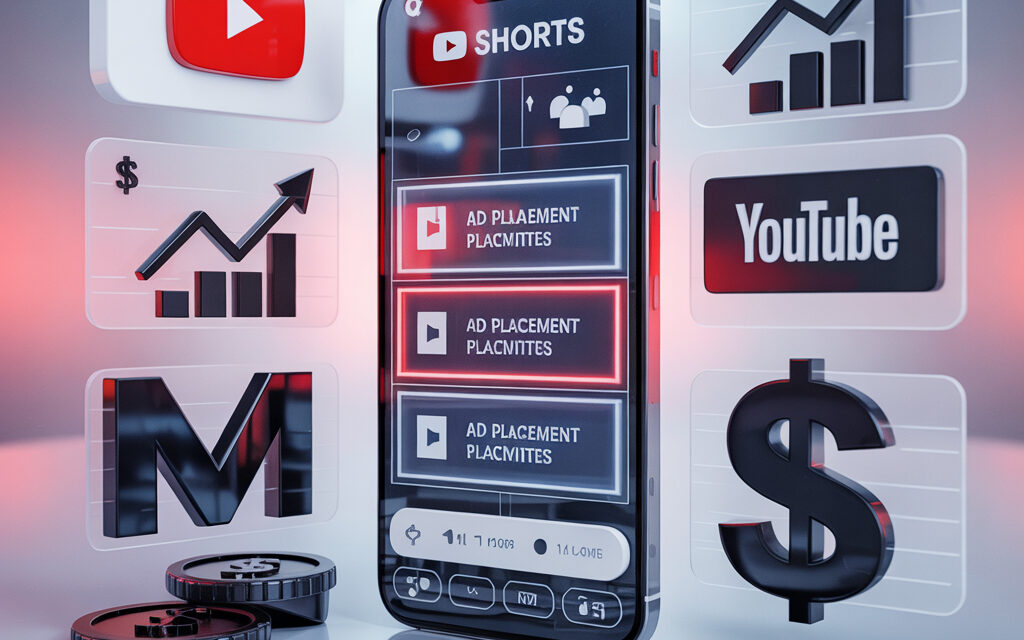
YouTube has announced an expansion of ad options in Shorts ahead of the holidays, including comments on Shorts ads, the ability for creators to add links to a brand’s website in branded content, expanded Shorts ad placements, and more. To prepare such campaigns, many brands rely on preliminary demand analysis on the platform – this is broken down in detail in the guide How to find popular search queries on YouTube.
First, YouTube will now let viewers leave comments on Shorts ads “to give your brand more opportunities to engage with audiences and provide the same level of interaction as with organic Shorts.”
This will provide another way for people to interact with Shorts campaigns, which could help boost interest and, as YouTube notes, also give brands more opportunities to connect with ad viewers.
YouTube says that comments on Shorts ads will only be available if a video channel is linked to a Google Ads or 360 Space account. But if you meet these requirements, this could become another way to increase engagement for your Shorts campaigns.
Though most likely, this is a more extensive update.
YouTube will now also allow short-form creators to add links to your company’s website in their branded Shorts, providing a more direct connection between the ad and your offers.
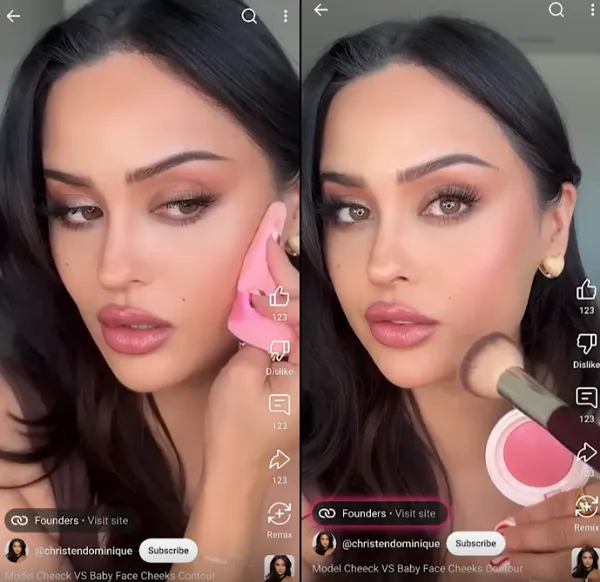
This option, first announced at the “MadeOn” event in September, will give brands more ways to drive purchase intent through partnership campaigns.
According to YouTube’s information:
“This will make it easier for viewers to discover and buy products, and give creators a powerful tool to drive results for brand partners. Creators will now be able to show advertisers exactly how their Shorts are driving direct traffic and conversions, using data that goes beyond traditional metrics like views and likes.”
YouTube is now rolling out this feature more broadly, providing another option to boost performance of your short-form content.
Finally, YouTube is also launching Shorts ads on the mobile web browser, expanding the potential inventory for your campaigns. In turn, this will also mean that Shorts ads will be viewable on TVs, which have become a key platform for Shorts consumption. Part of the audience watches videos in parallel with other tasks – on the go, with the screen locked – so a format like the one broken down in the article How to watch YouTube in the background can be useful here.
These are several important updates that are not entirely new in themselves (YouTube has already announced them before), but they are now becoming more widely available.
And Shorts ads are worth paying attention to. Citing Kantar research, YouTube claims that Shorts ads for creators increase purchase intent by 8.8%, which is 2.9 times higher in driving consumers to spend compared to competitors. To make such campaigns feel comfortable on mobile, creators and brands can use dedicated optimization of the customer experience – this is the focus of the breakdown How to speed up YouTube on your phone.
In addition to these updates, YouTube has also shared a number of tips for creating Shorts ads, including:
- Start with clear marketing goals: you can tailor your campaign to specific objectives, such as increasing app installs, boosting brand awareness, maximizing views or attracting high-intent customers. Short-form videos can extend the reach of your programmatic campaign mix through dedicated Shorts buying options.*
- Use vertical video content: vertical videos with a 9:16 aspect ratio work best in Shorts and perform better than horizontal content. While horizontal and square content is also supported, vertical videos are prioritized in branded Shorts ad campaigns. If you use horizontal creatives, they will appear in vertical Shorts with blurred areas at the top and bottom.* Additionally, you should keep an eye on how previews and thumbnails are rendered: in case of any strange issues with frame display, the technical breakdown Why is YouTube not showing images? can help.*
- Keep videos short and engaging: although videos can be up to 3 minutes long, only the first 60 seconds play in the Shorts feed. We recommend using ads under 60 seconds to match user behavior in the Shorts feed.*
- Make your ads feel native and social-friendly: integrate the ad’s design organically into the surrounding content, avoiding “banner-like” paid creative. Use audio (music, voice-over or both) in your Shorts ads, as this has been shown to boost conversions by more than 20%. We also recommend using text overlays.*
- Use creator content: whenever possible, work with creators and use original creator content in your ads. You can also promote organic Shorts by linking directly to the videos.* In some scenarios, the audience cares not only about watching in the feed, but also about co-viewing in communities – for example, the format described in the guide How to watch YouTube in Discord.*
There are many more tips that can be valuable for your Shorts ad strategy. At the same time, it is important to remember the technical access limitations: some users come in via third-party VPNs and run into playback errors, and for such cases the detailed breakdown Why doesn’t YouTube work with a VPN: causes and solutions will be useful.