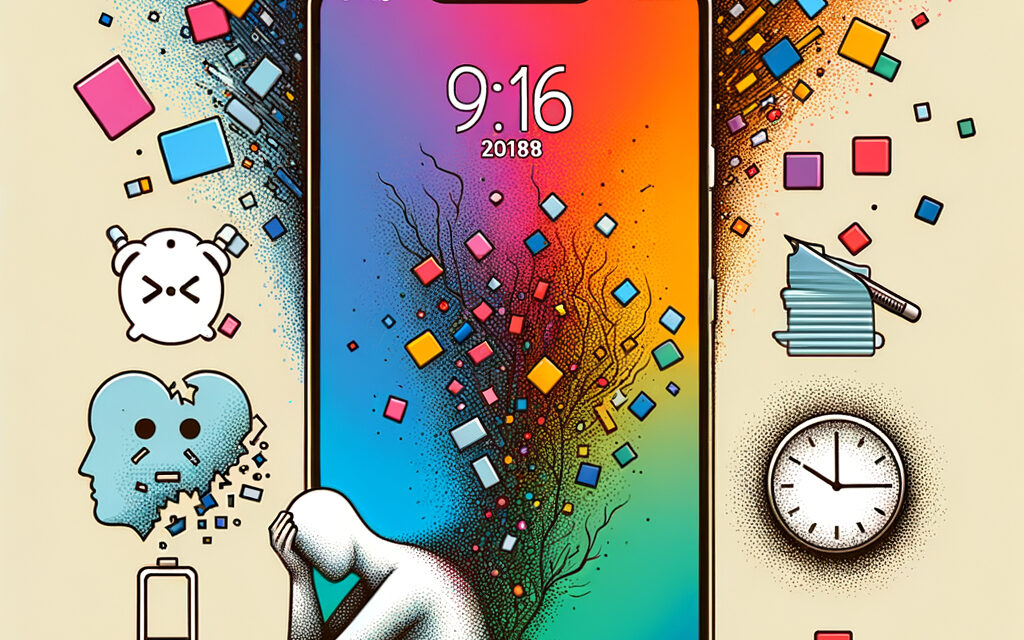
This article isn’t about demonizing apps, but about how short videos affect attention, sleep, and mood in everyday life. I’ll share what I’ve noticed in myself and friends, and offer calm ways to check in with yourself without pressure or extremes.
Short Answer
TikTok itself isn’t “evil,” but its format and algorithms easily pull you into endless scrolling, disrupt sleep, swing emotions, and scatter attention. If used mindfully with simple limiters, the risk is lower. If you “live in the feed” a feeling of emptiness and fatigue quickly sets in.
Why TikTok Is Bad (Harmful, Dangerous) in Practice?
The algorithms of short clips “feed” us precise triggers: a bit of dopamine, lots of novelty, and minimal effort. Hence the risk of getting stuck, shaky attention, irritability, and sleep problems. This is especially noticeable in teenagers, but adults in Ukraine face the same thing: “one more video” turns into 40 minutes, anxiety grows, and your head is overloaded.
A Short Story About “One More Video Before Bed”
Once I had this happen: went to bed earlier, turned on the feed “for 5 minutes,” and fell asleep an hour later. In the morning – my head was foggy, and the tasks didn’t get any fewer. Seems trivial, but if it happens a few times a week – overall well-being takes a hit.
What Changes with Attention and Mood
After long feed sessions, it’s harder to read text without distraction, and you don’t feel like doing “slow” tasks. Mood swings: a funny clip, alarming news, another cringe – and it’s already hard to understand why there’s noise inside.
How to Quickly Check This on Yourself
A week of screen tracking: record your time on TikTok and note how you fell asleep and how easy it was to work in the morning. Usually by day 3-4, you can see if it’s affecting you or not.
What Happens to Attention and Memory When We Watch Clips for Hours?
Short, flashy content teaches the brain to expect constant bursts of novelty. Because of this, sustained attention drops, and longer tasks seem boring. Many say: “I open a document and a minute later I’m already reaching for my phone” – that’s a common story, not “laziness.”
Pauses and Timers as a Simple Test
Try limiting yourself with one timer for 15 minutes and see what you feel after the signal: do you want to continue at any cost, or do you calmly close it? That’s an honest check of your “hook” level.
A Reader’s Story
A reader wrote that after editing video and parallel “scrolling for inspiration,” they started forgetting what they wanted to open in the browser. They removed background reels – their memory cleared up in a week.
How Does TikTok Affect Sleep and Anxiety Levels?
Late-night scrolling, blue light, and emotional swings interfere with falling asleep. The brain stays “high-frequency,” and even with closed eyes, fragments of clips appear. Hence – restless sleep and a foggy morning head.
Blue Light and Late Scrolling
I’ve noticed that even with a warm filter, the screen still energizes. If you put the phone away 60 minutes before bed, falling asleep really is easier. Banal, but it works.
What Actually Helps You Fall Asleep
A ritual instead of the feed: a shower, 10 pages of a book, or an audio podcast with a timer. And “airplane mode” so notifications don’t give you reasons to go back.
What About Privacy and Data? Does It Leak or Not?
Any social network collects data about what you watch, what you react to, how much time you spend. In TikTok, this is especially felt due to the hyper-accurate feed. Check the permissions: microphone, camera, location – often there’s more access than needed.
What Permissions You Grant Without Noticing
Sometimes the app asks for access “just in case,” and we press “OK.” In my opinion, it’s better to grant access on request, not constantly.
How to Quickly Organize Your Settings
Go to Privacy, turn off personalized ads, reduce contact-based recommendations, limit location access to “only while using” or “never.” It’s 3 minutes, and you’ll feel much calmer.
How to Recognize an Unhealthy Attachment in Your Child or Yourself?
Look not at “how many hours,” but at the impact on life: sleep, school/work, mood, communication. Often a simple conversation without accusations and a couple of clear rules at home help.
Signs in Daily Life
- falling asleep with the phone and heavy mornings
- irritability if there’s no access to the feed
- tasks get postponed for “one more clip”
- decreased interest in previous hobbies
Mini-Agreement at Home
We agree: phones sleep outside the bedroom, feed time is after lessons/chores, a shared “quiet time” an hour before bed. Not as punishment, but as a rule for everyone.
| Sign | What It Looks Like | What You Can Try |
|---|---|---|
| Sleep “falls apart” | I go to bed and get stuck for another 30-60 minutes | A 15-minute timer + phone charging in another room |
| Scatterbrained | Hard to read 3-5 pages in a row | Rule “1 task – 10 minutes without a screen,” then a short break |
| Emotional swings | A feeling of emptiness after the feed | A list of “quiet activities”: a walk, shower, audio without a screen |
| Compulsive returning | Opened “for a second” and disappeared | Delete the shortcut from the home screen, leave access only via search |
Short Digital Hygiene Checklist for TikTok
- Turn off autoplay or set a 15-minute timer.
- Remove the phone from the bedroom, alarm clock separate.
- Limit notifications to a minimum, “Do Not Disturb” mode in the evening.
- Check permissions: camera/microphone/location – only when necessary.
- Leave one “window” for the feed per day, not the whole day in bits.
What Alternatives Are There to Relax and Not Feel Empty?
Most often, changing the format and speed helps. A long video on your interests, a podcast during a walk, 10 pages of a book a day, a board game with friends. It’s a different feeling of rest – not flashes, but calm switching.
Slow Formats
A podcast with a sleep timer, a series without parallel scrolling, an audiobook in headphones during travel – the brain rests more softly.
Content by Interests
Local communities in Ukraine, sports in the yard, offline master classes. When there are “live” impressions, the pull to the feed is noticeably less.
Who Can TikTok Be Useful For and How to Use It More Safely?
For creators and businesses, the platform provides reach and feedback. But even then it’s important not to wreck your head with routine and sleep.
If You’re a Viewer
- Subscriptions instead of endless “recommended”: less chaos, more meaning.
- Trigger topics – to the block list: hide what throws you off track.
- Viewing slots: e.g., 15 minutes after lunch and that’s it.
If You’re a Creator
- An offline publication plan, not “living in the feed for ideas.”
- Allocate separate time for replies and analytics, don’t jump every 10 minutes.
Related Links
- WHO: Recommendations on screen time and healthy sleep
- UNICEF: Child online safety and digital well-being
Mini-FAQ
Is it true that TikTok “breaks your brain”?
No, but the short video format easily disrupts focus and sleep. Harm depends on habits.
How much time can you spend without harm?
It’s different for everyone. Check by how you feel: if sleep, tasks, and mood are fine – your routine works.
Should you delete the app?
If you can’t maintain boundaries – you can take a break. Often a timer and “phone outside the bedroom” are enough.
What about privacy?
Reduce permissions and personalization, check settings every couple of months.
Key Takeaways from the Article
Short videos are a convenient snack for attention, but not dinner. Usually, a couple of quiet rules help: a timer, phone not near sleep, fewer notifications, mindful subscriptions. If you want to regain focus and calm sleep – start small and see the effect in a week.
If You Want – Share How It Went for You
It will be interesting to learn what simple changes worked specifically for you and what didn’t.
Glossary
- Algorithm – rules by which the feed selects clips.
- Dopamine – a chemical “motivator” that responds to novelty and rewards.
- Scroll – swiping through the feed non-stop.
- Trigger – a stimulus that causes a strong reaction.
- Feed – a stream of recommended videos.
- FOMO (Fear Of Missing Out) – fear of missing something important.
- Digital hygiene – simple rules for healthy screen use.
- Notifications – alerts from apps.
- Autoplay – automatic playback of the next clip.
- Block list – topics and accounts you consciously hide.