What the “Unlicensed Sound” Notification Means
Main Reasons for Audio Blocking on TikTok
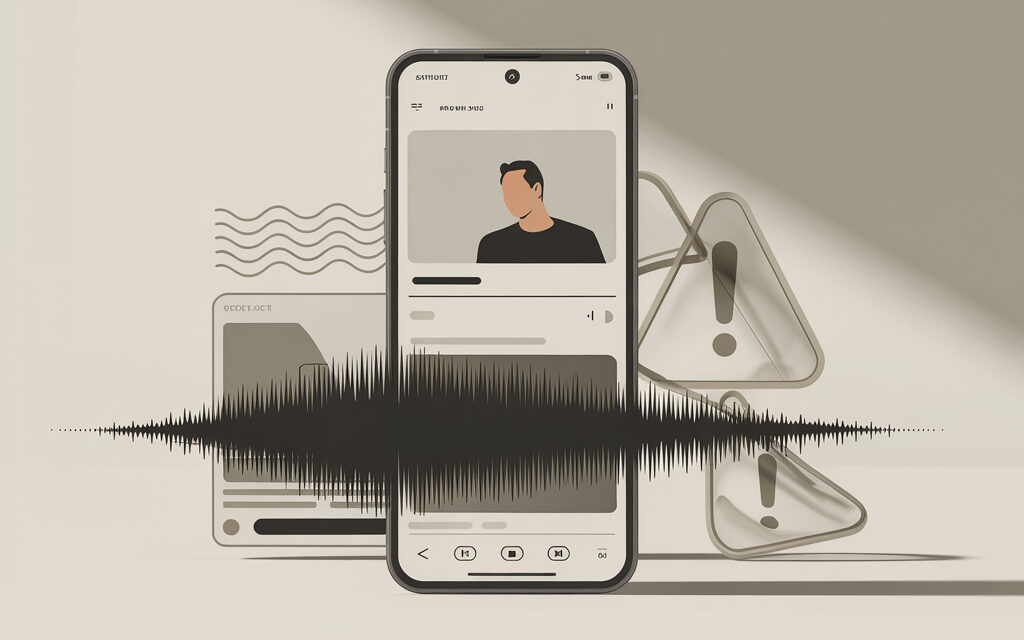
The phrase “This sound is not licensed” or “Sound unavailable in your region” means the track is restricted due to rights. Videos may be muted, hidden from recommendations, or removed. In practice, this most often happens when popular music is used without permission or when someone else’s “re-uploaded” sounds are used.
- A track without commercial licensing (critical for brands and businesses).
- Regional license: rights exist, but not for your country.
- Re-uploaded sound (someone uploaded a piece of a song as an “original sound”).
- A cover or remix too similar to the original.
- Background music from radio/TV got into the recording and was recognized by the system.
In practice, the phrase this sound isn’t licensed on TikTok appears precisely when TikTok’s system recognizes a match with a protected track or when regional rights restrictions are triggered.
Regional Restrictions in Ukraine
Some tracks are licensed only for specific countries. That’s why users in Ukraine often see the “sound unavailable” notice. VPN doesn’t guarantee a solution: TikTok often verifies region using multiple signals.
- Check the sound in preview mode from an account set to your region.
- If it’s a commercial profile, use the “Commercial Music Library” – it’s already filtered for rights.
- For personal accounts, it’s safer to upload your own recording or legal royalty-free tracks.
Difference Between Licensed and User-Uploaded Tracks
Licensed tracks are from the library with permission for use (sometimes only for personal, sometimes for commercial use). User-uploaded tracks are what the author uploaded themselves or took from other sources. In practice, the safest options are: either TikTok’s “Commercial Music Library” for business profiles, or legal libraries with clear licensing.
- Licensed: terms are specified, often with confirmation “for commercial use”.
- User-uploaded: risk that the original is someone else’s song and it gets recognized.
- Original recording (your voice/instrument/sounds) – the most reliable option.
Copyright and Platform Rules in 2026
Global Fines and ByteDance Precedents
Due to pressure from regulators and rights holders, the platform has strengthened music filters. This has led to more frequent sound muting and removal of re-uploads. The bottom line for creators is simple: the “cleaner” the sound source, the fewer surprises after publishing.
FTC Fines: $5.7M and Consequences for Users
Following fines and other disputes, TikTok became more attentive to rules. This affects us: the system more frequently mutes questionable sounds, and the commercial library for business accounts became stricter. In practice, this is a plus – less risk for brands and ad integrations.
- Commercial accounts get access to a strictly curated library.
- Personal accounts can use more sounds, but responsibility for rights is higher.
- Contesting blocks became more formal: proof of license is needed.
Local Moderation Norms in Ukraine
Regional restrictions are common. Rights holders issue licenses not everywhere, and the platform blocks such sounds by country. If you’re targeting an audience in Ukraine, test sounds locally and have a backup track ready.
- Check sound availability with a Ukrainian SIM and without VPN.
- Make a duplicate draft with an alternative track.
- For commerce – only commercial sounds or your own recordings.
How to Check a Sound’s License Before Publishing
Step-by-Step Process for Finding Safe Audio
- Open “Add sound” in the TikTok editor and switch to “Commercial sounds” (if it’s a business account).
- Find a track, open the sound card, and look for labels: commercial tracks often have a permission note.
- Make a short test draft and save it – check if any warning appears.
- If taking music from outside TikTok – ensure a “for commercial use” license and permission for social media.
- When in doubt – upload video with “Original Sound” (your recording) and add licensed music very quietly in the background only.
Analysis Tools: Built-in TikTok Search and External Services
- Built-in search: “Commercial sounds” section for business accounts – the quickest path without extra checks.
- External libraries: choose tracks labeled “Commercial use allowed” or “Social media clearance”.
- Save license confirmations (receipts, screenshots of terms) – this helps with appeals.
Table: Popular Royalty-Free Sound Libraries
| Library | License Type | Commercial Use on TikTok | Attribution Needed | Payment | Note |
|---|---|---|---|---|---|
| TikTok Commercial Music Library | Built-in, cleared for business | Yes (for business accounts) | No | Free | Fastest and safest option for brands |
| YouTube Audio Library | Varied: CC and free | Partly (check terms) | Sometimes Yes | Free | Check “use outside YouTube” |
| Epidemic Sound | Own license | Yes (with active subscription) | No | Subscription | Requires linking social accounts |
| Artlist | Universal license | Yes (with active subscription) | No | Subscription | Covers socials, check plan |
| Pixabay Music | Pixabay License | Yes | No | Free | Good for backgrounds and loops |
| Jamendo (Licensing) | Commercial licenses | Yes (under license) | No | Per track/Subscription | Choose licenses for social media |
| FUGUE by Icons8 | Free/Pro | Yes (Free – with attribution) | Sometimes Yes | Free/Subscription | Check terms for TikTok |
| Mixkit | Mixkit License | Yes | No | Free | Suitable for short clips |
| Bensound | Free (with attribution)/Pro | Yes (Pro recommended) | Free – Yes | Various plans | For ads, get a paid license |
Step-by-Step Solution for the Blocking Problem
Step 1: Removing and Replacing the Sound
If the sound is already muted – don’t wait. The fastest way is to re-upload the clip with a new track. In practice, most often it’s done like this: save the edit, replace the audio with a safe one, and publish anew.
- Open the original project in your editor (CapCut/Premiere/DaVinci).
- Replace the track with one from a commercial or royalty-free library.
- Do loudness normalization and re-export.
- Publish the new post, delete the old one or leave it as a draft with no traffic.
The situation where TikTok removed the sound completely and the video is left without audio means the platform applied restrictions, so the optimal solution is to replace the sound with a safe one and perform a re-publish.
Using 2026 AI Audio Generators
AI tracks are convenient, but not a panacea. If the generation is “similar” to a known song, a block is still possible. Use platforms with clear licensing and commercial permission.
- Suno/Udio/Soundful/AIVA – use only if you have a commercial license for export.
- Avoid prompts like “in the style of X” – increases risk of similarity.
- Keep the export and license terms – useful for appeals.
Step 2: Contesting the Ban Through Support
Appealing is worthwhile if you have proof of rights. Without documents, the answer is predictable: denial. Submit an appeal directly from the app.
- Open the blocking notification → “Appeal”.
- Attach a screenshot of the license/receipt/link to the terms.
- Briefly describe: “track purchased/under subscription, allowed for social media”.
- Wait for a response. If denied – move to a safe replacement.
Step 3: Switching to Original Recordings
When stable results are needed, creators record their own sound. This could be a lavalier mic + a calm background from a noise library. Risks are almost zero.
- Record voice/instrument/ambience and format it as “Original Sound”.
- Add a quiet loop from a free library with commercial permission.
- Save the project and tracks – useful for quick edits.
Switching to your own recordings solves the problem of rights and stability, and the question how to record your sound on TikTok will help format it as original without mixing with external sources.
User Mistakes When Working with Sounds
Common Violations in Ukraine
Here, people usually make the same mistake: take a popular sound from someone else’s video and think it’s “already safe”. That’s not how it works. The block hits everyone who used the re-upload.
- Using a clip of a hit song as an “original sound” – frequent blocking.
- Publishing covers too close to the original – they get recognized.
- Background music from a cafe/radio – the system finds it and mutes the sound.
- Uploaded a video with music from an editor “for personal use only” – not allowed for business.
The common practice of downloading a sound from TikTok via link and reusing it leads to blocking because the platform views such an audio file as a re-upload without rights, even when the source seemed safe.
Table: Top 5 Mistakes and Their Consequences
| Mistake | What Happens | How to Fix | For the Future |
|---|---|---|---|
| Using someone else’s “original sound” with a hit | Sound muted/removed | Re-upload with a legal track | Look for sound in the commercial library |
| Cover too similar to original | Recognition and block | Record a unique arrangement | Changing key/tempo isn’t enough |
| Background music from cafe/radio | Track muted | Noise reduction + replace background | Record in a quiet place |
| Music “for personal use only” | Restrictions on ads/branding | Buy a commercial license | Immediately use royalty-free with commercial rights |
| Regionally unavailable track | “Sound unavailable” notice | Choose an alternative available in UA | Test in a draft |
Problems arise from not understanding how to use a sound from a video on TikTok correctly, since direct copying or re-uploading someone else’s audio without a license almost always leads to recognition and blocking by the platform.
Risks of Using Unlicensed Tracks
Account Blocking and Loss of Monetization
First – the sound in the video gets muted. Further, reach restrictions and temporary sanctions on the profile are possible. Regular violations lead to loss of monetization and account blocking.
- The account’s reputation is damaged by a “chain” of videos with violations.
- Ad campaigns are halted, especially for business profiles.
- Restoring trust takes time and nerves.
Ban Statistics: +35% Platform Growth with Clean-ups
As the audience grows, moderation becomes stricter. Specific numbers differ by market, but the trend is one: less tolerance for re-uploads and questionable tracks. Bet on legal sources – it saves time and money.
Alternatives to Licensed Sounds for Ukrainian Creators
Free Libraries and Ukrainian Resources
If you just need “background, so it’s not silent”, free libraries with commercial permission are enough. For advertising tasks – subscriptions with clear legal protection. One important point often forgotten: check if social media and advertising are permitted.
- Free: Pixabay Music, Mixkit, FUGUE (with attribution), YouTube Audio Library (check terms).
- Subscription: Epidemic Sound, Artlist (covers most cases).
- Own recordings: ambience, footsteps, street, office – flexible and safe.
If the task is to keep the visual and simply replace the problematic track, it makes sense to first remove the original audio, and in this context, it’s useful to understand how to remove sound from a video on Android? to then add legal background from a library.
Table: Tool Comparison (CapCut, Epidemic Sound, Ukrainian Analogs)
| Tool | What’s Inside | Commercial Use on TikTok | Terms/Price | When to Choose |
|---|---|---|---|---|
| CapCut | Editor + music selection | Depends on track (check terms) | Free/Premium | Quick editing and export for TikTok |
| Epidemic Sound | Large music/SFX library | Yes with active subscription | Subscription | Ads, branding, stable protection |
| Artlist | Music and SFX | Yes (under license) | Subscription | Projects with cross-posting |
| Pixabay Music (available in Ukraine) | Free tracks | Yes | Free | Background videos, tests |
| FUGUE (available in Ukraine) | Free/Pro library | Yes (Free – with attribution) | Free/Subscription | Creativity with a “0” budget |
| Jamendo Licensing | Music with commercial rights | Yes (under chosen license) | Per track/Subscription | Local campaigns and point-of-sale |
Optimizing Videos for TikTok Algorithms 2026
LSI Keywords: TikTok copyright, unavailable sound region, royalty-free audio Ukraine
In practice, it’s better to make a clean sound and correct export than to argue with blocks. Give a clear description and hashtags so people find the video on the topic of rights and sounds. And check the audio’s technical parameters before publishing.
- Relevant description/hashtags: “TikTok copyright”, “unavailable sound region”, “royalty-free audio Ukraine”.
- Audio: loudness around -14 LUFS, peaks up to -1 dBTP, 44.1/48 kHz sample rate, stereo is fine.
- Sound start within the first 1-2 seconds, no long pauses.
- Normalize levels and check if the voice is clipping.
- Save the project and separate tracks – easier to quickly replace a track.
Given the auto-play feed, it’s important to consider that many users choose, how to watch TikTok without sound, so visual accents, subtitles, and clear context in the first seconds directly impact retention and watch-through rates.
FAQ
Why is the sound unavailable specifically in Ukraine?
Most often due to a regional license. The rights holder didn’t grant permission for UA, and the platform mutes the track by country. Solution – take an alternative track available in the region.
All the listed restrictions and nuances often boil down to one user question – Why can’t I use my sound on TikTok?, where the answers depend on the audio source, region, and account type.
Can you use VPN for unlicensed tracks?
Technically yes, but it doesn’t solve the rights issue. Videos can still be muted or removed. Safer to find a legal replacement.
How long does video unblocking take?
Usually from a few hours to several days. If you don’t have documents for the track, appeals rarely help. Faster to re-upload with a safe sound.
How to monetize content without risk of a ban?
Use the “Commercial Music Library” or subscriptions covering social media. Record your own sound. Keep license confirmations for disputed cases.
What to do if the account is permanently blocked?
Gather evidence, submit an appeal through support. Simultaneously, prepare a new account and re-create content with 100% legal sounds. For the future – only verified music sources.
It’s also worth considering the live stream format, where its own moderation rules apply, which is why many have the question: Is it possible to mute sound during a live stream on TikTok?.
Checklist: Topic Summary
Pre-Publish Check (10 points)
- Account: personal or commercial – the correct library is selected.
- Sound from “Commercial Music Library” or a verified royalty-free source.
- License: social media and commercial use are permitted.
- Test draft shows no warnings.
- Audio normalized (-14 LUFS, no clipping).
- Sound starts at the beginning of the clip, speech volume is comfortable.
- No background music from cafe/radio in the recording.
- Screenshot of license/receipt saved.
- A backup track is ready in case of a block.
- Export for TikTok: 44.1/48 kHz, stereo, high bitrate.
Account Monitoring (Daily Steps)
- Check notifications about rights and restrictions.
- Review fresh videos: is there a “sound unavailable” notice.
- Maintain a list of working tracks, update it.
- At first complaint – replace sound and re-upload.
- Archive licenses and receipts in the cloud.
Summary: to avoid blocks, use the commercial music library or verified royalty-free catalogs. For ads and brands, this is the standard: licenses in order, sound clean, export correct. If you need speed – take sound from the “Commercial Music Library” or make an “Original” and publish without delays.
If you have a non-standard task – write what kind of video you’re making and for which platform. I’ll suggest the quickest path without extra steps.