Here, in simple terms, I’ll tell you where to look for early access, beta tests, and TikTok pilots, how to apply, and what to watch out for to avoid scams. No fluff, with examples and a few short personal stories.
I’ll note what kinds of programs exist, how to check regional availability, and what to prepare in your profile to get noticed. At the end, there will be a checklist, a table, and a short FAQ.
The Short Answer
Most often, the path is this: follow notifications inside TikTok, check sections for creators and official pages, turn on beta updates for the app, and apply for specific pilots through forms from TikTok. Only look at tiktok.com domains and their official subsections, follow community guidelines, don’t use a VPN for applications, and calmly wait for the invite.
How to Participate in TikTok Pilot Programs in Practice
Check the Requirements and Region
TikTok pilots and beta programs have different conditions: age 18+, compliance with community guidelines, thematic content, sometimes – basic activity and views. Access depends on country and language, so don’t be surprised if a pilot isn’t available to everyone. You can start with the help sections and the Creator Portal – they usually list the conditions and geography.
Useful links: TikTok Community Guidelines, Creator Portal.
Switch Your Profile to a Creator-Friendly Format
TikTok has tools for creators and business profiles. I’ve noticed that with a creator approach, it’s easier to see analytics, connect tools, and get into thematic sections. It’s not a magic button, but a clean profile structure helps the TikTok team understand that you create original content and are ready for testing.
Apply Only from Official Sources
Pilots often have forms on tiktok.com or in the app. There can also be an invite – a pop-up notification with a button to go to details. If a link leads to an unclear domain, it’s better to close it and look for confirmation in TikTok’s help or the Creator Portal. A calm check saves nerves and your profile.
Turn On Beta Updates for the App
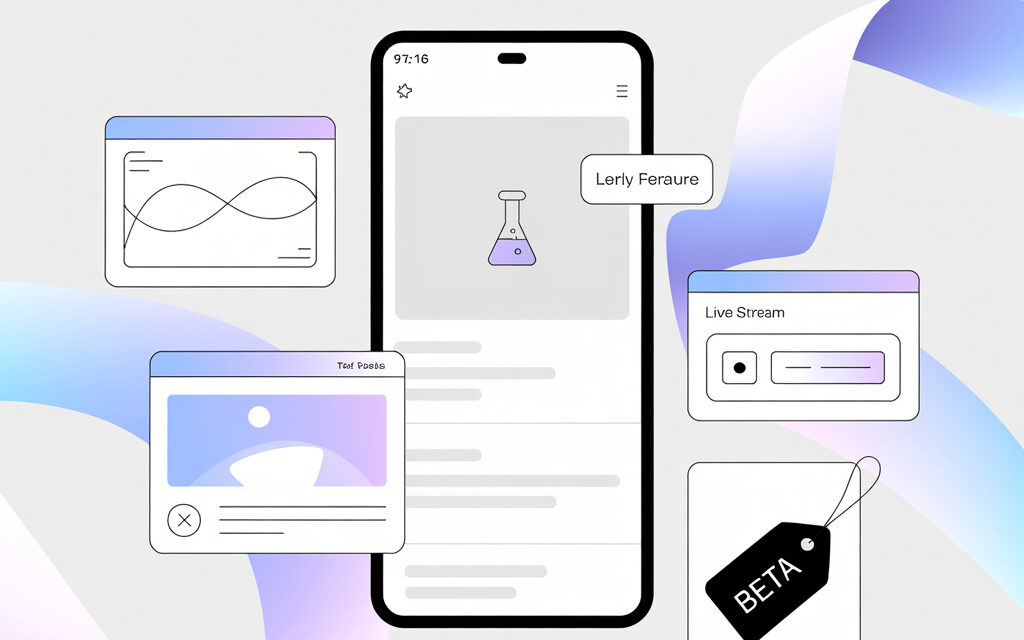
Early features sometimes come through the TikTok beta version. On Android, beta is enabled on the app’s page in Google Play – if you see an offer to join the beta, that’s the normal path. On iOS, access through TestFlight is more often closed – you get in via a separate link from TikTok, it’s not always open. This isn’t a guarantee for pilots, but a chance to see new tools earlier.
Where to Look for Pilots and Early Access Without Unnecessary Risk
Inside the App: Notifications and Creator Sections
Many people face missing invites. Usually, a calm habit of checking notifications, inbox, and tool settings helps. In some regions, options to apply for a pilot appear right in the interface – without external links.
Official Pages: Creator Portal, Effect House, Marketplace
It most often works like this: check news on the Creator Portal, if you’re an effects creator – on Effect House, and for brand collaborations – on the Creator Marketplace. They publish test sign-ups, rules, and regional notes there. This is the cleanest path.
Email and Forms: How to Tell Real from Phishing
In my opinion, it’s better not to fill out anything if the domain in an email or chat isn’t tiktok.com or subdomains like effecthouse.tiktok.com. Official emails are usually concise, without strange attachments or ultimatums. Check the sender’s address and look for news about the program in TikTok’s help – if there’s silence, it’s most likely not legit.
What Kinds of TikTok Pilots Exist and How They Differ
Pilots have different focuses: monetization through new programs for creators, effects testing, early access to advertising tools, beta app. Below is a short summary comparison. Availability depends on country, age, and account history.
| Pilot / Focus | For Whom | Where to Look / Apply | Comment |
|---|---|---|---|
| Creator Rewards Program | Creators with original 1+ minute videos | In-app notifications, Creator Portal | Requirements and regions change – read official terms |
| Effect House Pilots | AR effects creators | effecthouse.tiktok.com | Basic effects creation skill needed, separate rules |
| Creator Marketplace Early Features | Creators ready for brand integrations | creatormarketplace.tiktok.com | Regional restrictions and profile verification |
| TikTok Beta in Google Play or TestFlight | Any user who wants to see new features | App page in Google Play, invitations via TestFlight | Not always open, features come in batches |
How to Prepare Your Profile to Not Get in Your Own Way
Follow Rules and Keep Publications Clean
Simple discipline usually helps: no controversial content, others’ copyrighted work without permission, or mass following. If there are old videos with violations, it’s better to hide or delete them. This reduces chances of rejections and restrictions.
Show a Clear Niche and Consistency
I’ve noticed that profiles with a clear niche get invites more easily. No need to chase numbers – just make it clear to the algorithms and people what your content is about. Several quality videos on one topic are better than ten random ones.
Technique and Presentation
Sound and lighting decide. Often it’s enough to film in 1080p, ensure clean sound, and not overload the video with text. In my opinion, it’s better to keep it short, clear, without extra visual noise.
Age 18+ and Verification
Many pilots require 18+. Check your birthdate in settings, link an email and phone number so there are no questions during verification. These are boring steps, but they save time when an invite arrives.
What to Do If Your Region Isn’t Supported Yet
Don’t Try to Bypass with a VPN
It’s technically possible, but based on readers’ experience, it often backfires: access can be blocked, and the account can be flagged. In my view, it’s better to wait for official expansion or choose pilots available to everyone.
Choose Universal Directions
Effect House is often more widely open – you can learn, publish effects, and get into selections. Another option is to improve your content and prepare a portfolio for the Creator Marketplace, to be ready when the region is added.
Subscribe to Updates
Follow the Creator Portal and TikTok’s help center. News about region expansions usually appears there first. Calm monitoring once a week – and you won’t miss anything.
A Few Real-Life Stories
An Acquaintance Got an Invite Without “Chasing Metrics”
A friend made calm video reviews on one narrow topic. Without super numbers or marathons. One day, a notification about a new monetization feature arrived with an offer to try it. What helped was that he had a clean profile and a clear niche.
I Once Got a Beta Feature Through Google Play
I just turned on beta access on TikTok’s page in Google Play – and after a couple of weeks, one test shooting setting appeared. Not critical, but interesting. I couldn’t get into TestFlight – the sign-up was closed. That happens too.
Checklist Before Applying
- Profile is clean: no violations or controversial content
- Thematic focus is clear from the last 6-9 videos
- Age and contacts are confirmed, two-factor authentication is on
- Application links lead to tiktok.com or official subdomains
- Pilot terms and regional restrictions have been read
- Beta app is connected where available
- Portfolio is ready: a playlist of best videos or a collection of effects
Common Mistakes and How to Avoid Them
Rushing and Filling Out Suspicious Forms
Usually, a pause for a couple of minutes and checking the domain helps. If something pressures you for urgency – that’s a red flag.
Overloading with “Universal” Topics
It’s better to choose one or two topics and make them livelier. It’s easier for algorithms to understand who to show them to, and for the TikTok team to know where to invite you.
Ignoring Notifications
I set a reminder once a week to go through my inbox and settings. It’s boring, but useful.
Micro-FAQ
- Do you need many followers for pilots? – Not always. More often, originality, age 18+, and rule compliance are more important.
- Can you speed up getting an invite? – There’s no direct way. A clean profile, a stable theme, and demonstrable authorship help.
- What to do if the form isn’t available in my region? – Save the link, follow updates, and simultaneously develop accessible directions like Effect House.
- Will the beta app give access to all pilots? – No. It’s only early client features; monetization pilots follow their own rules.
- Where to look for official information? – Creator Portal, Effect House, and TikTok’s help center. They update terms and regions there.
Key Takeaways from the Article
Pilots in TikTok are about patience, a clean profile, and attention to official sources. Don’t chase magical methods, but calmly check conditions, region, and links. In my opinion, it’s better to prepare a portfolio in advance, turn on the beta app, and check the Creator Portal from time to time.
If You Want – Share How It Went for You
I’m curious what pilots opened up for you and what helped. If you want – share how it went for you.
Glossary
- Pilot – a test program with limited access
- Beta – an early version of an app or feature
- Creator Portal – the official section for TikTok creators
- Effect House – TikTok’s platform for creating AR effects
- Creator Marketplace – a platform for collaborations between creators and brands
- Invite – an invitation to participate in a program
- Regional Restrictions – program availability by country
- Original Content – video created by you without borrowing
- Verification – confirmation of identity and contacts
- Community Guidelines – basic publication norms on TikTok