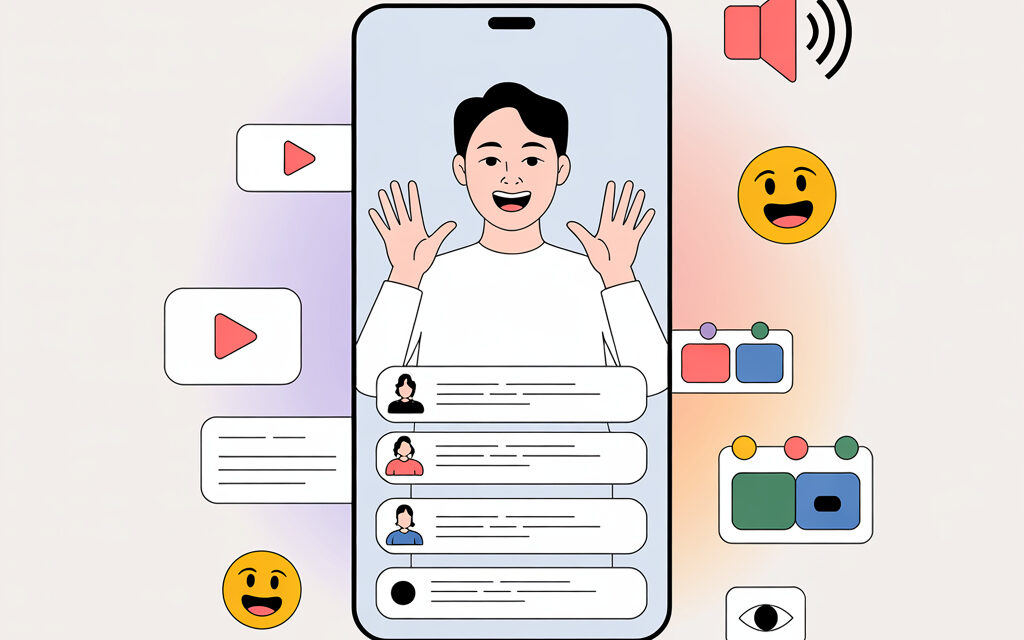
Here, I’ve gathered simple ways to make your video understandable if someone is scrolling through their feed with the sound off. No complicated terms, just real steps and examples of how it works for me and people I know. In short, we focus on on-screen text, visual cues, and clear shots.
Short Answer
Think with your eyes, not your ears. Put the hook in the first seconds, add subtitles and text overlays, show actions in close-up, use high-contrast titles and clear gestures. Review your clip with the sound off and cut anything that doesn’t get the point across.
how to create content for silent viewing on tiktok: where to start
Define the Idea and Hook
On TikTok, many people watch with the sound off, especially on public transport. So in the first 2-3 seconds, you need a visual hook: a close-up, a before-and-after, an arrow, icons, emojis, or a short title. Immediately show what the viewer will get: a recipe, a life hack, time saved. I’ve noticed that a bouncing text overlay with the hook works better than just a beautiful scene.
Plan the Shot Without Relying on Sound
Create a storyboard of 4-6 steps: what the viewer will see without words. Add on-screen text as mini-instructions, visual cues, and arrows. Try to film in 9:16 format, with even lighting, good contrast, and a stable image.
Silent Viewing Test
Before publishing, turn off the sound and have a friend watch it. Ask them what they understood and where they got lost. Usually, it helps to cut out unnecessary parts, speed up the editing, and add one or two text overlays.
Which Visual Elements Make Video Understandable Without Sound
On-Screen Text and Overlays
On-screen text saves retention when audio is off. Keep phrases short, 6-8 words max, use a contrasting background, and don’t clutter. Overlays can be highlighted with color, and important words can be emphasized with emojis or icons. I once had a single word on an overlay that increased repeat views.
Gestures and Close-Ups
Show with your hands what’s happening: pointing, opening, turning on. Use close-up shots when you need to understand an action. Keep the editing fast but don’t break the flow of meaning.
Simple Markers
Before-and-after, arrows, circles, a timer, a progress bar. Viewers understand these markers without explanation. A loop often works well, where the last shot visually connects back to the first.
How to Format Subtitles and On-Screen Text So They Get Read
Size and Contrast
Subtitles should be large and legible. White text with a semi-transparent dark background almost always works. Don’t place text too low, so it doesn’t get covered by the interface buttons.
Pacing and Synchronization
Sync the captions with the action. Give time to read, but don’t drag it out. If a phrase is long, break it into 2 lines and show them one after the other.
Bilingual Subtitles
For a Ukrainian audience, you can try bilingual subtitles ua/uk, but keep them short. For example: the top line in Ukrainian, the bottom in English. The main thing is not to overload the frame.
Auto-Generation and Manual Editing
Auto-generated subtitles save time, but I usually manually correct punctuation and trim the excess. It takes 3-5 minutes, but the text looks neat. For accessibility and subtitles, W3C has a good resource; you can check their accessibility guide: WCAG.
Why Video Quality Drops and What to Do
Export and Bitrate
Quality often drops due to low bitrate or unnecessary recompression during re-rendering. Export in 1080p, 9:16, with a reasonable bitrate. Avoid repeated exports from messengers—they ruin the picture.
Light and Contrast
I’ve noticed that with good lighting, even an average camera looks decent. A white wall, a window to the side, or a simple lamp already works wonders. Contrast and sharpness help with reading text and subtitles.
Stabilization
Light stabilization and a fixed shot reduce blurriness after compression. If you’re filming handheld, brace your elbows on a table or use a simple tripod. This is also about retention.
how to create content for silent viewing on tiktok for a ukrainian audience
Language and Local Details
Write captions in Ukrainian or the language your audience speaks. Add context close to everyday life: transport, kitchen, studies, small life hacks. Localization increases retention and reactions, even if the sound is off.
Cultural Nuances
Avoid jargon that only a narrow circle might understand. Simple words that everyone gets are better. Sometimes adding one familiar symbol or emoji that conveys meaning without words helps.
How to Check That Everything Works Without Sound
Simple Test with Friends
Show the video to one or two people without hints and with the sound off. Ask them to describe in their own words what they saw. Where their story breaks down, add a text overlay or a close-up.
Metrics Without Fanaticism
Look at retention in the first seconds, repeat views, and saves. Don’t get buried in complex analytics formulas; it’s enough to see the trend. The TikTok Creator Portal has basic retention tips: link.
Friendly A/B Testing
Sometimes I make two similar videos: one with concentrated text, the other a bit softer. I compare the reactions over a couple of days. This helps find a comfortable pace.
Checklist for Silent Videos
- The hook in the first 2-3 seconds is visible without sound
- Close-ups where the action is important
- Subtitles are short, high-contrast, not covered by the interface
- Overlays explain the steps, arrows show the direction
- The thumbnail clearly promises a result
- 1-2 people passed the sound-off test
- Video exported in 1080p, 9:16, without excessive compression
Examples of Scripts for Silent Videos
A Recipe in 20 Seconds
Thumbnail: the finished dish and the word “Cooking.” Shots: ingredients in close-up, arrows, a timer, a final before-and-after shot. Subtitles with short steps: 1 egg, 3 minutes, mix.
A Gadget Life Hack
Hook: close-up of the problem. Then overlays: Settings – Option – Click. Ending: a green checkmark, a short “Thanks” in the captions.
A Mini Cleaning Tutorial
Before-and-after in one location, arrows pointing to dirty areas, a 5-minute timer. At the end, an overlay: “Save so you don’t forget.” An acquaintance gets consistent saves with this format.
How to Know Everything Uploaded Correctly
Thumbnail and Description
The thumbnail is readable in miniature, without tiny details. The text in the description complements the video, doesn’t repeat it word for word. Choose hashtags based on essence, without chains of irrelevant keywords.
First Seconds After Publishing
Check that the subtitles haven’t shifted and buttons aren’t covering the text. If you notice a minor thing that’s easy to fix, it’s better to re-upload immediately. The algorithm likes clear, cohesive videos.
Table: What Helps Understand a Clip Without Sound
| Element | Why | How to Do It |
|---|---|---|
| Hook | Stops the scroll in the first seconds | Close-up, before-and-after, overlay with a benefit |
| Subtitles | Convey meaning without audio | Short, high-contrast, synced with the action |
| Overlays | Structure the steps | 1 thought per screen, 2-3 seconds, don’t cover the face |
| Gestures and Icons | Show direction and emphasize points | Arrows, emojis, simple symbols |
| Close-Ups | Remove visual noise | Shoot closer, highlight the action |
| Thumbnail | Promises a result | Short title, clean background, clear photo |
Micro-FAQ
- Should I always add subtitles? – Almost always yes. They help with accessibility and retention.
- What’s the best text size? – So it’s readable on a phone at arm’s length. Check on a real screen, not just in the editor.
- Can I go without captions, just visuals? – You can, if the action is crystal clear. But one short overlay often clears up questions.
- Does music matter if the sound is off? – Indirectly. A video might catch on due to rhythm, but the meaning should come from the shots and text.
- How many hashtags should I use? – As many as truly describe the topic. Better 3-5 relevant ones than a long string.
Key Takeaways from the Article
- Think with your eyes and show the action in close-up.
- Short, high-contrast subtitles and overlays are the foundation of silent videos.
- Light, stabilization, and careful export save quality.
- Test without sound on people, look at retention without fanaticism.
- Local details and simple language make the video feel closer.
Small Stories
What Happened to a Friend
A friend’s DIY life hack videos weren’t getting traction for a long time. He added overlays with arrows and a timer, cut out the chit-chat, and retention at the beginning went up. To me, that’s the most visual example of how a hook works.
Once With Me
I made a mini-recipe without sound and thought everyone would understand. Friends asked me to label the steps and time. I added 3 short overlays—and suddenly saves increased many times over.
What’s Next
If you want, share how it went for you. I’m curious which overlays and hooks worked best in your topics.
Glossary
- Hook – A visual detail at the beginning that stops the scroll.
- Overlay – A rectangle with text or a hint on the video.
- Subtitles – A text track for the video that can be read without sound.
- Close-up – A shot where the subject occupies most of the screen.
- Loop – Editing where the end matches the beginning, making you want to rewatch.
- Retention – How long a viewer watches a video.
- Thumbnail – The first frame or miniature seen in the feed.
- Bitrate – The amount of data per second of video; affects quality.
- Localization – Adapting text and details for a specific audience.
- Accessibility – How convenient content is for people in different viewing conditions.