What are Instagram Reels and Why People Download Them
Definition of Reels and Video Format
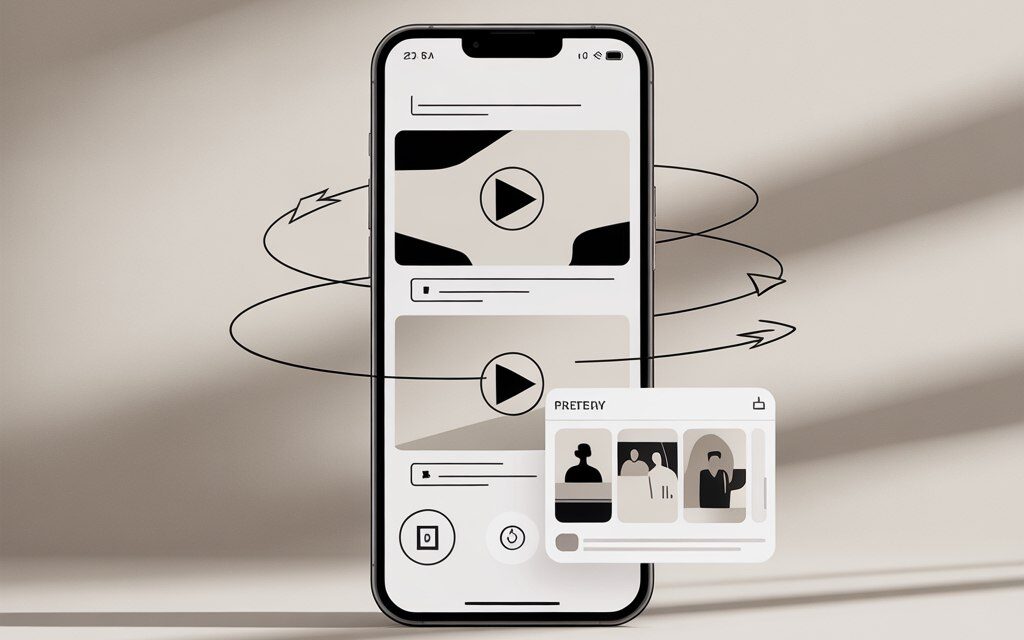
Reels are short vertical videos in a 9:16 format. They are typically MP4 files with H.264 video and AAC audio, which open without issues on phones and in editors. People download them when they need to quickly save a reference, show an example to a client, prepare for offline viewing, or use a clip in an edit.
For publishing on a website or in a presentation, it’s more convenient to save the original file without watermarks. It’s best to choose a quality not lower than 720p, and ideally the original stream if the service provides it.
Can You Download Other People’s Videos from Instagram? Legal Aspects in Ukraine 2026
For personal viewing and learning – usually okay. For reposting, advertising, or editing into a commercial project – you need explicit, written permission from the rights holder. Music in reels is also protected, which is often ignored.
If in doubt – ask the author for written consent or replace the audio with stock music. This way you avoid claims and content takedowns.
Instagram ToS Rules and Copyright
- Mass downloading and using third-party tools that require your login credentials violates the rules.
- Reposting someone else’s reel without permission risks a complaint and content removal.
- The safe scenario is personal offline viewing without publication.
Risks of Account Blocking When Downloading
- Logging into dubious applications is a common cause of account hacking.
- Massive API requests and data scraping are grounds for temporary restrictions.
- Phishing copies of popular services are a source of viruses and spam.
How to Save Someone Else’s Reel from Instagram? Overview of Main Methods
Downloading Your Own Reels in the App
- Open your reel – three dots – Save to device. If the music is blocked due to licensing, it will save without the original track.
- Before publishing: in the reels editor – download button – video goes to your gallery.
- If the button is missing – use screen recording as a backup option.
Can You Download Other People’s Reels? For Others’ Content
In practice, people most often do this: copy the link to the reel and send it to a Telegram bot or a web service. Phone apps are used less frequently – due to unnecessary permissions and ads.
Step-by-Step: Copying a Reel Link
- Open the reel – three dots – Copy link. On iPhone, it might be Share – Copy Link.
- Make sure the author’s account is public. Download services don’t work with private profiles.
- Then paste the link into your chosen tool and download the file.
How to Save Someone Else’s Video from Instagram to Your Gallery via Telegram Bots (Recommendation for Ukraine)
Top Bots 2026: Creoscanbot, SaveZBot, Save As Bot
For many users, it’s important to understand whether it’s possible to save Instagram videos to their gallery, and when using Telegram bots, the file is indeed saved locally on the device, not just within the bot app.
If you need something quick without installing apps – Telegram bots are the most convenient. Don’t log into Instagram within the bot – just the reel link is enough.
| Bot | Capabilities | Limits | Watermark | When to Choose |
|---|---|---|---|---|
| Creoscanbot | Reels, posts, stories | Has a daily limit | Usually none | Need a stable result and simple steps |
| SaveZBot | Reels, carousels, photos | May have restrictions | None | When you frequently save feed posts and reels |
| Save As Bot | Reels and stories | Free with limits | None | Quick single downloads |
Instructions for Creoscanbot: 5 files/day free
- Open Telegram – search for Creoscanbot.
- Paste the reel link – send the message.
- Choose quality if offered by the bot – download the file to Gallery/Files.
- If you see a limit notification – wait 24 hours or try another tool. Actual limits change – check within the bot itself.
Advantages of Bots: No watermarks, Fast
- You don’t install apps or grant unnecessary permissions.
- They usually save the original file without watermarks and with original sound.
- Work the same on mobile and desktop.
This naturally leads to the question, is it possible to save a video from Instagram without a watermark, and in practice, it depends on the tool – bots and web services usually pull the original file, while repost apps often add branding.
Local Bots for Ukrainian Users
There are bots with Ukrainian/Russian interfaces and payment in hryvnia for extended limits. Look for reviews in Telegram, check the last update date, and avoid bots that ask for your Instagram login.
Web Services for Downloading Without Installation
How to Save a Video from Someone Else’s Instagram Story? Adaptation for Reels/Stories
The scheme is the same: copy the link – paste it into a field on the website – get the file. For stories, you often need the direct URL of the story, not the profile.
The mechanics here are similar to reels, so the question, how to save a video from someone else’s Instagram story, is solved by copying the direct link to the story and using services that support this specific format.
| Service | Support | Ads | Watermark | Usage Tip |
|---|---|---|---|---|
| SaveFrom | Reels, posts | Moderate | No | Quick save in a couple of clicks |
| iGram | Reels, photos, carousels | Yes | No | When you need quality/format choice |
| Insaver | Reels and stories | Yes | No | For stories and highlights |
iGram.world and Insaver.io: Paste link → download
- Open the site – paste the link – press Download/Get video.
- Choose the desired quality – save the file.
- If the page is overloaded with ads or asks for a login – close it and try another service.
SaveFrom.net: Unlimited, HD Quality
- Paste the reel link – download in the available quality.
- Sometimes multiple stream options are available – choose the one with a higher bitrate.
- Watch the domain – phishing copies of popular services often appear.
Apps for Android and iOS in Ukraine
Android: Video Downloader for Instagram, Barosave
Apps are convenient if you download frequently. But they require additional permissions and send notifications – keep that in mind.
| App | Login Required | Saves Sound | Pros | Cons |
|---|---|---|---|---|
| Video Downloader for Instagram | Not mandatory | Yes | Sharing from Instagram, download queue | Ads, occasional glitches |
| Barosave | No | Yes | Simple steps, folders by author | May lag behind Instagram changes |
Installation from Google Play, Safety
- Install only from Google Play – check reviews and update date.
- Do not enter your Instagram login credentials into third-party apps.
- Disable unnecessary permissions: location, contacts, notifications.
iOS: InSave, Instant Save
On iPhone, people often use the share menu: Share – Open in App – Save. If the app is unavailable in your region – it’s easier to switch to a web service or bot.
Bypassing App Store Restrictions 2026
Changing your region for one download is unnecessary hassle. It’s simpler to use a Telegram bot or web service, or as a backup – screen recording. This way you don’t touch your payment profile or get unwanted subscriptions.
Comparison Table of Reels Downloading Tools
| Tool | Platform | Free | Login Needed | Watermark | Quality | When to Choose |
|---|---|---|---|---|---|---|
| Creoscanbot | Telegram | Yes | No | No | HD | Fast and no installation |
| SaveFrom | Web | Yes | No | No | HD | Download a couple of reels to your computer |
| iGram | Web | Yes | No | No | HD | Need quality/format choice |
| Barosave | Android | Yes | No | No | HD | Frequent downloads to phone |
| InSave | iOS | Yes | No | No | HD | Sharing via Share menu on iPhone |
Browser Extensions and Screen Recording as Alternatives
Web Helper for Chrome/Firefox
- Look for extensions only in the official Chrome Web Store and Firefox Add-ons stores.
- After installation, a Download button usually appears under the reel – click it and save the file.
- Downside – extensions often break after Instagram interface changes.
Screen Recording: When Services Don’t Work
This is Plan B, when the account is private, the link won’t parse, or services are temporarily down. Quality is slightly lower, but the result is in your gallery right now.
Many people wonder, why my Instagram stories don’t save to the gallery, and most often it’s due to app glitches, iOS or Android restrictions, or missing permissions, which is why screen recording remains the most stable backup method.
Tools: AZ Screen Recorder (Android), Built-in iOS
- iOS: Settings – Control Center – Screen Recording – add the button. Open the reel – start recording – trim the edges in Photos afterwards.
- Android: install AZ Screen Recorder from Google Play – grant permissions – record – trim in Gallery.
- Turn off notifications during recording to avoid capturing them on screen.
Common Mistakes and How to Avoid Them
Mistake: Watermarks on Video
Appear if you download via repost services or transfer from other platforms. Solution – use a bot or site that pulls the original stream from Instagram.
A frequent question is, why can’t I save videos from Instagram to my gallery, and in most cases the problem is not with Instagram, but with browser settings, file-saving permissions, or the specifics of a particular service.
Problems with Private Accounts in Ukraine
You can’t download from closed profiles via a link – that’s normal. The only solution here is to request the content from the author.
In this situation, people often ask, how to download a photo from Instagram if the profile is private, but there are no technical solutions for this – without access to the account, the only option is to request the file from the owner.
Solution: Check for Public Status Before Downloading
- Go to the author’s profile – if there’s a lock next to the name, the account is private.
- If the reel is from a private profile – services won’t see it, even if the link looks correct.
| Symptom | Cause | What to Do |
|---|---|---|
| Service says “video not found” | Private account or deleted reel | Ask the author for the original or use screen recording |
| Downloaded without sound | Licensed music | Download without music and add a stock track |
| File is too blurry | Low-quality stream selected | Re-download, choosing a higher quality |
Risks and Safety When Downloading in 2026
Legal Risks in Ukraine: Fines for Piracy
Do not publish others’ videos without permission – this can lead to complaints, blocks, and demands to remove the material. If the content is used in commercial communication, get the author’s consent and replace the music with licensed tracks.
Protection from Viruses: Verified Sources
- Do not download .exe files and “accelerators.” Reels tools don’t need them.
- Always check the service domain – popular sites often have fakes with similar names.
- On your phone, disable installation from unknown sources.
VPN Recommendations for Ukrainian IPs
Sometimes access to Instagram or download services is unstable on public networks. A reliable VPN helps maintain connection, but doesn’t solve copyright issues. Choose services with no-logs policies and servers in the EU, avoid free VPNs with intrusive ads.
FAQ
How to Save Others’ Instagram Posts to Your Gallery?
Copy the link to the post or reel – paste it into a Telegram bot or web service – download the file. If the account is private, this won’t work via a link.
Can You Download Reels for Offline Viewing Later?
Yes. Download in advance – the reel will be in your gallery and play offline. On iPhone, make sure the file is saved locally, not just in iCloud.
Do Bots Work with Ukrainian Instagram Accounts?
Yes, if the page is public and the link is accessible. The account’s region doesn’t matter.
What to Do If a Service Doesn’t Download the Video?
Check the link, the profile’s public status, and try a second tool. As a last resort, use screen recording.
Is It Safe to Use Bots Like SaveZBot?
It is safe if the bot doesn’t ask for your Instagram login and has genuine reviews. Don’t send personal data or click suspicious links in the bot’s responses.
Checklist: Summary on the Topic
- Copy the link to the reel on Instagram.
- Choose a tool: bot, web service, or app from the table.
- Download in HD and check the sound.
- Ensure there are no watermarks and the file is actually saved to your device.
- Use only for personal viewing or obtain the author’s permission.
- Have a backup plan – a second service and screen recording.
If you need speed – go for a Telegram bot. If you’re downloading to a computer and want to choose the stream – a web service is more convenient. For frequent downloads to your phone, keep one reliable app.
The most important thing is not to log into dubious tools and not to publish others’ content without permission. This way you save time and avoid post-publication problems.
What’s your scenario – saving a reel for offline viewing, showing it to a client, or using it in an edit?