What Hiding Likes and Views on Instagram Is
Function Definition and Its Goals
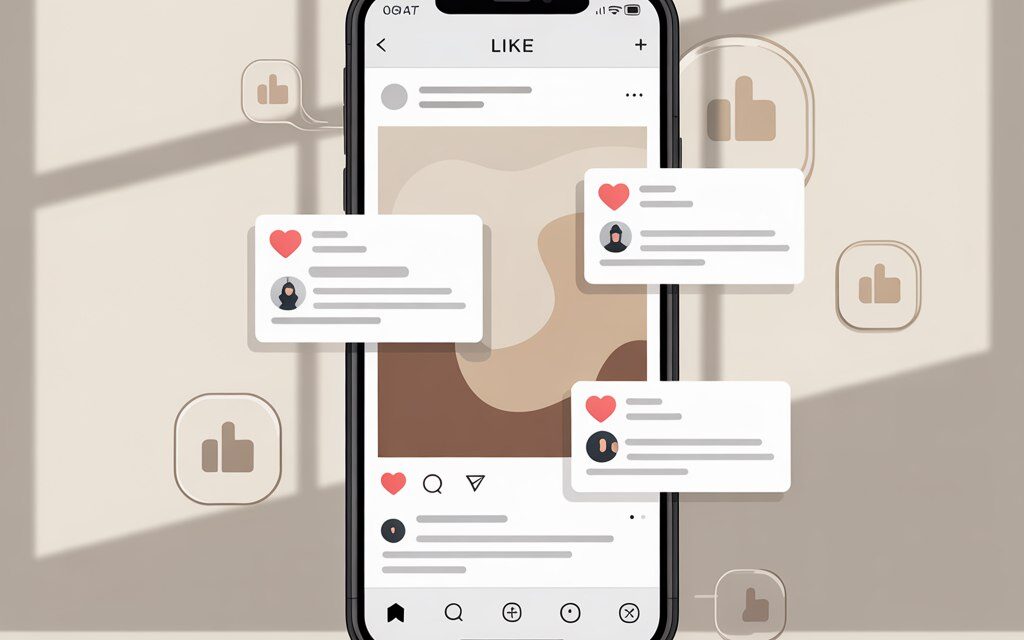
Hiding likes and views is a setting that removes the public count of likes and sometimes views from the interface. The like button remains, but the numbers are not visible to other users. The goal is simple – to compare numbers less and look at the content itself more.
To correctly assess the setting’s impact on reach and engagement, it’s important to understand how the Instagram hide likes feature works?, as it only affects the display of numbers, but does not disable the like mechanism or its accounting in the system.
In practice, it’s most common to do this: hide the counter on posts where attention to the text or topic is important, not the number. Or when testing a new format and you don’t want a low count to scare off the audience.
How Content Appears After Activation
After hiding is enabled, other users see the name of one user and a caption like “and others” under your posts instead of the like count. You yourself continue to see the full statistics in Insights.
| Who | What is seen under the post | Where it’s visible |
|---|---|---|
| Other users | Username and phrase “and others”, without the total number | Feed, profile, recommendations |
| Post author | Full like and view counts | Post screen by tapping on the likes line, Insights section |
| Advertising tools | Engagement statistics are available | Ads Manager, in-app promotion |
Function Development History up to 2026
The feature was first tested in 2019, and from 2021 it was opened to all regions. Since then, it has been working stably on personal, business, and creator accounts. There are currently no significant country restrictions.
Testing and Global Rollout in Ukraine
In Ukraine, the feature appeared along with the global launch. The interface might have differed in wording, but the logic is the same. If you don’t see the option, check for app updates and the interface language.
Step-by-Step Guide to Activation for New Posts
Steps in the Instagram Mobile App
Quick method before publishing:
- Create a post as usual – photo, video, or carousel.
- On the screen before the “Share” button, open “Advanced settings”.
- Enable “Hide like and view counts on this post”.
- Publish. That’s it – the counter will be hidden immediately.
Advanced Settings Before Publication
If you didn’t find the option the first time – it might be called slightly differently depending on the language. Look for a line with wording about “Hide like and view counts on this post”.
| Platform | Path to the setting | Is the option always there? |
|---|---|---|
| iOS | Create post – Advanced settings – Hide like and view counts | Usually yes |
| Android | Create post – Advanced settings – Hide like and view counts | Usually yes |
| Web | Create post – Additional parameters | May be missing – easier to do in the mobile app |
Hiding for Reels and Videos with Views
For Reels and videos, the logic is the same – open “Advanced settings” before publishing and enable hiding. In some formats, only likes are hidden, while views remain visible – that’s normal. If you need maximum privacy for numbers, test with a draft and see how it appears in the profile.
Integration with Business Accounts in Ukraine
Business and creator accounts have the same access. There are no restrictions on promotion – promoting posts with a hidden counter works. One often-forgotten point is important to check – all numbers are preserved in Insights, visible only to you and the team with access.
How to Hide Likes on Already Published Posts
Instructions for Photos and Carousels
If the post is already published, do this:
- Open your post.
- Tap the three dots in the top right corner.
- Select “Hide like count” or “Hide like and view counts”.
In practice, this is most often done: go through the grid, open the necessary publications one by one, and hide counts where the numbers are distracting or interfere with a topic test.
Mass Hiding in the Profile
Instagram does not have a mass hiding button for already published posts. Everything is done one post at a time. To speed it up, open the profile in grid mode, move from top to bottom, hiding counts on key publications.
| Scenario | Action | Result |
|---|---|---|
| Quickly hide on the last 5 posts | Open 5 posts in a row – three dots – Hide like count | Counters hidden, content looks clean |
| Hide numbers on sensitive topics | Use hiding specifically on these publications | Remove comparisons, focus on meaning |
| Prepare a profile for a partnership review | Hide on controversial posts, leave on case studies | Neat appearance, examples with numbers remain |
Restoring Counter Visibility
You can restore everything in two taps: three dots on the post – “Show like count”. The setting applies to that specific post. If you need to restore access to all engagement statistics, including likes, it makes sense to figure out in advance how to see all likes on Instagram?, since even with a hidden counter, the author always sees the full data via the post or Insights. If you need to show numbers going forward – simply don’t enable hiding for future publications.
Hiding Likes in Others’ Posts in the Feed
Privacy Settings
If you don’t want to see others’ numbers in your feed:
- Profile – three lines – Settings and privacy.
- Privacy – Posts.
- Enable “Hide like and view counts” for the feed.
This setting only affects your viewing of others’ posts. It doesn’t change anything on your own posts – the post’s setting decides there.
Impact on the Feed Algorithm in 2026
Hiding the counter is about display, not ranking. In practice, no noticeable drop in reach due to hiding is observed. It’s better to evaluate based on saves, comments, and engagement, not on the hiding fact itself.
It’s important not to confuse a drop in visibility due to format or topic with phenomena like Instagram shadowban, since hiding likes itself is not a sanction and does not limit post visibility by algorithms.
Technical Details of How the Function Works
What the Author Sees in Instagram Insights
Insights retains all key metrics: accounts reached, reach, impressions, likes, comments, saves, profile visits. For videos and Reels, views, replays, and retention are visible. This data does not disappear after hiding and is available for export via screenshots or third-party analytics.
Even if the counter is hidden from the audience, the author can always check interaction details, including how to see who liked a post on Instagram, by opening the likes line or the Insights section for a specific publication.
Differences for Personal and Professional Accounts
Personal accounts have the same hiding buttons. Professional ones get a plus – detailed Insights and access for managers. The hiding function itself works the same.
LSI: hide likes on Instagram, Instagram like privacy settings
If you’re looking for instructions in English – look for the phrases “Hide like and view counts on this post” and “Hide like and view counts” in Privacy – Posts. In the interface, they are found in the Advanced settings section before publication.
Advantages and Usage Statistics in Ukraine
Reducing Social Pressure: 2026 Data
Creators and brands note that without the public counter, discussions are calmer, and comments are more substantive. In teams, it helps test new formats without the fear of “it won’t work.” For educational and charitable topics, this is especially useful.
Table: Adoption Rate by UA Regions
There is no official detailed statistics by region. Below is a reference point for assessing interest based on open sources and local observations. Use as a working hypothesis, not as exact figures.
| Region | % accounts with hidden likes | Source |
|---|---|---|
| Kyiv | no public data | open sources, market observations |
| Lviv | no public data | open sources, market observations |
| Odesa | no public data | open sources, market observations |
Engagement Growth for Ukrainian Influencers
When numbers are removed, some authors notice freer comments and an increase in saves. A working scheme: hide the counter on posts with long texts and in debates, and leave it on case studies and results. This makes it easier to manage perception and test content.
Risks and Common Mistakes
Impact on Viral Effect and Reach
Without the visible like count, the social proof effect decreases. Sometimes people like less often because they don’t see “how many already.” This is compensated by a simple call to action in the caption and a focus on saves, shares, and comments.
Mistake: Ignoring Insights After Hiding
Here, the same mistake is usually made – enabling hiding and then stopping monitoring metrics. Check reach, retention, traffic sources, daily engagement. If posts with hidden numbers consistently drop – return the counter on some publications and compare.
With a sharp drop in reach and engagement, it’s important not to panic but to figure out what to do about an Instagram shadowban, analyzing metrics, traffic sources, and audience reaction, rather than automatically linking everything to hiding the counter.
Problems with Restoration and Visibility
Sometimes after updates, the interface temporarily changes labels or elements display incorrectly. This is usually resolved by updating the app and toggling the language along the chain English – Russian – English. It is in such cases that users most often wonder why likes are not displayed on Instagram, although in most situations the reason is related to enabled hiding, a temporary interface bug, or web version peculiarities. If the button is missing in the browser, perform the action from your phone and then restart the browser.
Tools and Alternatives for Managing Likes
Table: Best Apps for Instagram Privacy 2026
Important: Instagram’s API does not allow third-party services to hide or show counters. These tools help with planning publications and analysis, while the hide toggle is done manually in the app.
| Tool | How it helps in practice | Price, UAH per month |
|---|---|---|
| Buffer | Publication planning, basic analytics, reminders about the pre-post checklist | from 350 |
| Later | Content calendar, grid preview, notes “hide counter when publishing” | from 450 |
| Iconosquare | Deep analytics, comparison of posts with visible and hidden counters | from 600 |
| Hootsuite | Teamwork, reports for clients, KPI control without public numbers | from 900 |
Integration with Telegram Bots in Ukraine
Bots cannot toggle hiding likes – there is no such access. But they are convenient as reminders: a pre-publication checklist, collecting questions from comments, recording test results. A simple scenario – the bot sends a list of “before publishing,” you confirm the items and go to post.
FAQ
Can Likes Be Hidden Only for Certain Followers?
No. Hiding is either enabled for all viewers of the post or disabled. There is no separate audience selection for this function.
Does the Function Work in the Instagram Web Version?
Sometimes yes, sometimes the option is missing in the web. It’s more reliable to work from the mobile app – the setting is consistently there.
Does Hiding Affect Advertising in Ukraine?
No. Promoting posts with a hidden counter is available. Statistics for the ad in Ads Manager remain complete.
How to Check Statistics After Hiding?
Open Insights for the post or in the Professional dashboard. Look at reach, engagement, saves, shares – these are the main benchmarks.
Is the Function Available for All Accounts in 2026?
Yes, the function is widely available. If you don’t see the option, update the app and check the interface language.
Checklist: Summary on the Topic
- Check availability in the profile: Settings and privacy – Privacy – Posts.
- For new posts, enable hiding in Advanced settings before publication.
- For old posts, use three dots – Hide like count.
- In others’ feed posts, enable hiding in privacy if you don’t want to see numbers.
- Monitor Insights: reach, retention, saves, comments.
- Don’t forget Reels – check what exactly is hidden in your format.
- Test specifically: hide on controversial topics, leave on results case studies.
In short, hiding likes is a normal working tool. It doesn’t break statistics or interfere with advertising. It helps calmly test topics and keep the focus on content, not the number under the post.
In practice, the counter is most often hidden where the text and discussion are important. And on commercial case studies, where social validation is needed, everything is left as is.
What’s your scenario right now – hide numbers on a couple of posts to test a topic or tidy up your profile before launching a campaign?