Admit it, you too once tried to pocket a YouTube video: turn off the screen and keep listening to your favorite podcast or lecture. After a few seconds of silence, it became clear — “background” on YouTube doesn’t turn on by magic. In this article, we’ll break down how to set up the platform, smartphone, and browser so that music doesn’t cut off, the screen doesn’t go dark, and the battery doesn’t give out prematurely. We’ll go through official methods and life hacks, debunk myths, and most importantly, answer all the popular questions users have.
1. Quick guide: what is YouTube background mode and why you need it
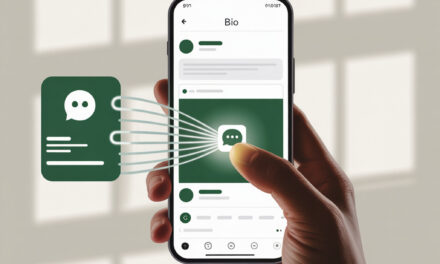
How to turn on background mode? – perhaps the most common query from those who listen to long tracks or educational videos. Background mode is the ability to continue playing the audio track when the YouTube app is minimized, the screen is locked, or another Picture-in-Picture (PIP) window is open. The user gets three benefits: battery savings (OLED screens are especially grateful), freeing up the screen for other tasks, and turning YouTube into a free “audio player” for music and podcasts. By the way, if you don’t have your own channel yet, check out our guide How to create a YouTube channel — it covers everything from scratch step by step.
Officially, Google sells this option together with YouTube Premium, but there are free alternatives: browser PIP modes, third-party clients like NewPipe, and Chrome extensions. In the following sections, we’ll compare them in terms of stability, convenience, and risks, and also show when it’s better to pay for a subscription and when just flipping a switch in settings is enough.
2. Why YouTube stops playing in the background
2.1. “Battery saving” and other system limitations
“How do I keep YouTube from stopping?” — the first cry from the heart when a video goes silent right at the climax. Most smartphones aggressively save battery and close apps running in the background for more than 30–60 seconds. In Android settings, this is called Battery Optimization, on Xiaomi it’s “Battery saver”, on Samsung it’s Sleeping Apps. If YouTube falls into “sleep mode”, the audio stream stops. The solution is simple: add YouTube (or the browser if you’re watching through it) to the exception list, remove the background activity restriction, and turn off adaptive performance management while listening.
Mobile optimization engineer Sergey Baranov (@androidGeek) confirms: “80% of complaints about interruptions are related to an aggressive task manager, not the app itself.” Make sure Adaptive Battery is off and YouTube is pinned in the multitasking panel (lock icon).
2.2. Why the screen darkens on YouTube and how to fix it
Why does the screen darken on YouTube? The proximity sensor and “Pocket Mode” sometimes mistake a hand or case for closing the lid. The system reduces brightness to a minimum to save power. You can fix it in two ways: turn off automatic brightness or enable permanent PIP mode, which keeps a mini-window on top of all apps. On Samsung, “Video assistant” in Labs settings can help; on Xiaomi, the “Picture-in-picture” option in Special features.
2.3. Why YouTube videos don’t play in background mode — error checklist
Why don’t YouTube videos play in background mode? Check four things: (1) internet connection stability — below 128 Kbps, YouTube stops the stream; (2) app freshness — an old version may not support PIP; (3) permissions “Draw over other apps” and “Modify system settings”; (4) VPN profile — some VPNs cut UDP traffic, causing buffering to stop. Going through this checklist will eliminate 90% of typical failures. And if the video only plays over mobile data, check out the breakdown Why YouTube only works over mobile internet — we walk through where Wi-Fi gets lost.
3. Android solutions
3.1. How to enable Picture-in-Picture (PIP) on YouTube
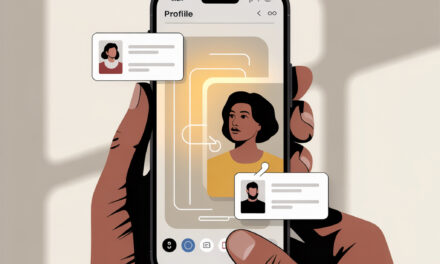
How to enable Picture-in-Picture on YouTube? Open system Settings -> Apps -> YouTube -> Picture-in-picture and toggle the switch to active. Then play a video, press the “Home” button — and the mini-player will appear in the corner of the screen. Drag it with your finger, pinch to resize, and double-tap the window to pause the video. In Android 14, the window can be attached to the left or right edge to avoid accidentally closing it.
“It’s important not to forget to give YouTube the Appear on top permission; without it, PIP won’t work,” reminds NewPipe developer Daniel Rampelli (@rampe-dev).
3.1.1. How to watch YouTube in a separate window on your phone
How to watch YouTube in a separate window on your phone? If you don’t like standard PIP, try “Split screen” mode: open the app list, hold the YouTube icon, select “Split screen”, then choose the second half for a browser or notes. This method is convenient for recipe guides or educational lectures — video on top, notes below. An alternative is the floating window in Galaxy Labs on Samsung: adjust transparency so the video doesn’t block the interface of another app. For those who find half a screen insufficient, the guide How to make YouTube half-screen will help set up the perfect “mini-cinema” on your smartphone.
3.2. How to watch YouTube in background mode on Xiaomi
How to watch YouTube in background mode on Xiaomi — a nearly rhetorical question for MIUI 15 owners. Go to Settings -> Special features -> Video tools and activate “Play sound with screen off”. Then allow YouTube to bypass Energy Saver. Plus: MIUI can automatically reduce brightness to 1% when the screen is off, saving up to 12% battery per hour of music. Minus: the feature sometimes conflicts with “Focus mode”, so make sure that’s turned off.
3.3. How to watch YouTube in background mode on Android
How to watch YouTube in background mode on Android? The universal method is the Kiwi or Vivaldi browser. Open m.youtube.com, tap ⋮ and check “Desktop Mode”, then simply minimize the window: the sound will continue playing. For Android 12-13, it’s convenient to add a quick tile “Background YouTube” via the SoundAssistant app — tapping it locks the screen but doesn’t stop the stream. On Samsung One UI 6, “Labs -> Media background play” plays a similar role.
3.4. Apps for watching YouTube in background mode
Apps for watching YouTube in background mode — it’s a broad concept. The user top for 2025 looks like this:
- NewPipe — open source, no ads, offline support; but no Google account login.
- uYouPlus — extremely flexible quality and speed settings, requires installation via AltStore.
- Vanced Extended — familiar YouTube interface, automatic login, but the project relies on enthusiast efforts.
- Brave Browser — plays sound in the background without a subscription, bonus: blocks trackers.
Before using, consider the risks: Google may block your account if it suspects modified clients.
How to watch YouTube in background mode on Samsung
How to watch YouTube in background mode on Samsung? On One UI 6 and newer, open Settings -> Advanced features -> Labs -> Media background play and activate the switch. Also ensure YouTube is not in the “Sleeping apps” list (Settings -> Battery -> Background usage limits). After that, videos will continue playing even with the screen off. If you need “picture-in-picture”, make sure the PIP toggle is on in the app properties. This method has been tested on Galaxy S24 Ultra and works without root.
4. iPhone with and without YouTube Premium
4.1. How to watch YouTube in background mode on iPhone — free method via Safari
How to watch YouTube in background mode on iPhone? Open Safari, go to m.youtube.com, play a video, then tap Aa -> Request Desktop Website. After switching, hold the “Refresh” button and select “Add to Home Screen”. The resulting shortcut launches YouTube in a web wrapper with PIP support. Minimize Safari, and the mini-player will continue playing even with the screen locked.
4.2. How to make YouTube work with the screen off
How to make YouTube work with the screen off? On iOS 17, create a Siri Shortcut: Get Contents of URL -> Play Sound -> Run in Background. Save the shortcut named “PlayTube” and add it to your home screen. Now just share a link from YouTube and select “PlayTube” — audio will play in the background, and you can turn off the screen immediately. Minus: no track switching, but the method is completely free.
4.3. YouTube Premium: pros, cons, price
How to make YouTube work in background mode? The most “official” answer is to get YouTube Premium. The subscription at 109 UAH per month removes ads, adds offline downloads, and automatically enables background mode. The main advantage is stability: YouTube updates won’t break playback, and your account won’t be penalized for using “gray” clients. The disadvantage is obvious — the price. The family plan (up to 5 users) at 199 UAH makes the subscription more cost-effective than any third-party alternative. A detailed breakdown of YouTube Premium can be found in our separate guide.
5. Background YouTube on PC and laptop
5.1. How to watch YouTube in a separate window on PC (browser PIP)
How to watch YouTube in background mode on PC? Right-click on the video twice (first click brings up the YouTube menu, the second the browser menu) and select “Picture in Picture”. The window can be dragged, resized, and double-tapped to pause. In Chrome, the Alt + P shortcut opens PIP without a menu. Edge and Opera support the same function out of the box, Firefox via the “Watch in PIP” button on the control panel.
5.2. How to enable background mode for YouTube in Chrome
How to enable background mode for YouTube in Chrome? Install the Enhancer for YouTube extension: in settings, activate “Audio Mode”, and the tab will continue playing the audio track even after minimizing the browser. Set up auto-PIP when minimizing — so the video won’t be interrupted.
5.2.1. How to enable background mode for YouTube in Firefox
How to enable background mode for YouTube in Firefox? Add the Behind The Overlay extension, enable “Enable background playback” in settings, and restart the browser. Now the sound won’t stop when you switch to another tab. Edge implements a similar function via the flag edge://flags/#edge-media-hevc-playback.
5.3. How to keep YouTube from stopping when minimizing a tab
How to watch YouTube in background mode on PC if you often have to close the tab? The solution is the SMPlayer media player with the “Sync with YouTube” module. Copy the video URL, press Open -> Network Stream, and the player will play only the audio stream without needing a browser window open. Look for five extensions that turn Chrome into a YouTube player in our collection.
6. Where to listen to music in background mode for free
| Platform | Background mode | PIP | Offline | Limitations |
| YouTube (web) | Yes, via extensions | Yes | No | Ads, risk of extension blocking |
| NewPipe | Yes | No | Yes | Android only, no login |
| Vivaldi Browser | Yes | Yes | No | Background sound only in desktop version |
| Spotify Free | No | Yes | Yes | Ads, limited skips |
Where can you listen to music in background mode for free? The answer is almost everywhere, but with caveats. NewPipe leads in convenience, but lacks subscriptions and recommendations. Vivaldi is convenient on a laptop but doesn’t sync playlists between devices. Spotify Free doesn’t let you turn off the screen but blocks selecting a specific track. Choose based on what’s more important: catalog, ad-free experience, or offline. And if you want to understand which topics are currently attracting audiences, check out the guide How to find popular YouTube search queries — we show how to catch trends before they hit the top.
7. Frequently Asked Questions (FAQ)
How to enable background mode?
To enable background mode, determine which device you’re using. On Android, it’s enough to activate PIP in the YouTube app settings and add it to battery optimization exceptions. On iPhone, play a video in Safari in desktop mode and minimize the window. On PC, double right-click brings up “Picture in Picture”. Each method takes less than a minute and doesn’t require root or jailbreak.
How to watch YouTube in background mode in the app?
How to watch YouTube in background mode in the app? If you’re using the official YouTube app, make sure you have an active Premium subscription — then background playback is automatically enabled in Settings -> Background mode & downloads. Without a subscription, use third-party clients like NewPipe on Android or uYouPlus on iOS: they maintain the audio stream when the interface is minimized. It’s important to add the app to energy-saving exceptions and grant the “Draw over other apps” permission; otherwise, the system might stop it after a minute of waiting. In practice, this saves up to 15% battery per hour compared to regular viewing with the screen on.
How to watch YouTube in a separate window on your phone?
To watch YouTube in a separate window on your phone, use split-screen mode or a third-party browser with PIP support, like Brave. Activate the video, hold the multitasking button, and select “Split screen”. The video will be fixed on the top part of the display, and you can open notes or a messenger below. On Xiaomi and Oppo, the function is available from the “Floating window” dropdown menu.
Is “picture-in-picture” available in all countries?
On Android, Google has enabled PIP globally, but in some Southeast Asian regions, the function is still marked as “beta”. iOS gives PIP only to YouTube Premium subscribers in the US, Europe, and Ukraine. You can bypass the restriction through a browser: Safari and Kiwi don’t check the account’s region.
Why does Android stop YouTube after locking the screen?
Android considers YouTube “unnecessary” in the background and puts the process to sleep after a minute. Open Settings -> Battery -> Optimization and select “Don’t optimize” for YouTube. Additionally, turn off Adaptive Battery and “Sleep mode” on Samsung.
How to watch YouTube in background mode on iPhone without Premium?
How to watch YouTube in background mode on iPhone without Premium? The most reliable method is the Safari trick. Request the desktop version of the site, play the video, then tap Aa -> Site settings and enable “Allow mini-player”. Now PIP will work even after locking the screen. An alternative is a Shortcut that streams audio through “Quick Commands”.
How to enable Picture-in-Picture on YouTube on iPhone?
Open Settings -> General -> Picture in Picture and make sure the toggle is active. Then update YouTube to the latest version and, while playing a video, swipe up: the mini-player will move to the home screen. If the feature doesn’t work, sign out of your account, clear the app cache, and try again.
8. Conclusion: which method is right for you
If you need 100% uptime and offline — YouTube Premium covers all issues and saves time. Prefer free solutions on Android? NewPipe or Brave paired with PIP will give the same result but require manual setup. iPhone owners can use the Safari shortcut; on PC, built-in PIP is sufficient. Try a few options and choose the one that fits your habits and budget. How to speed up YouTube on Android can be found in our separate material.
Author’s tip. I personally ride an exercise bike and play a TED Talks playlist via PIP — that way calories burn and my brain doesn’t get bored. And if the sound cuts out, I just take out my phone and say, “OK Google, continue playback.”
Sources
• Google Support: Background play & Picture-in-Picture