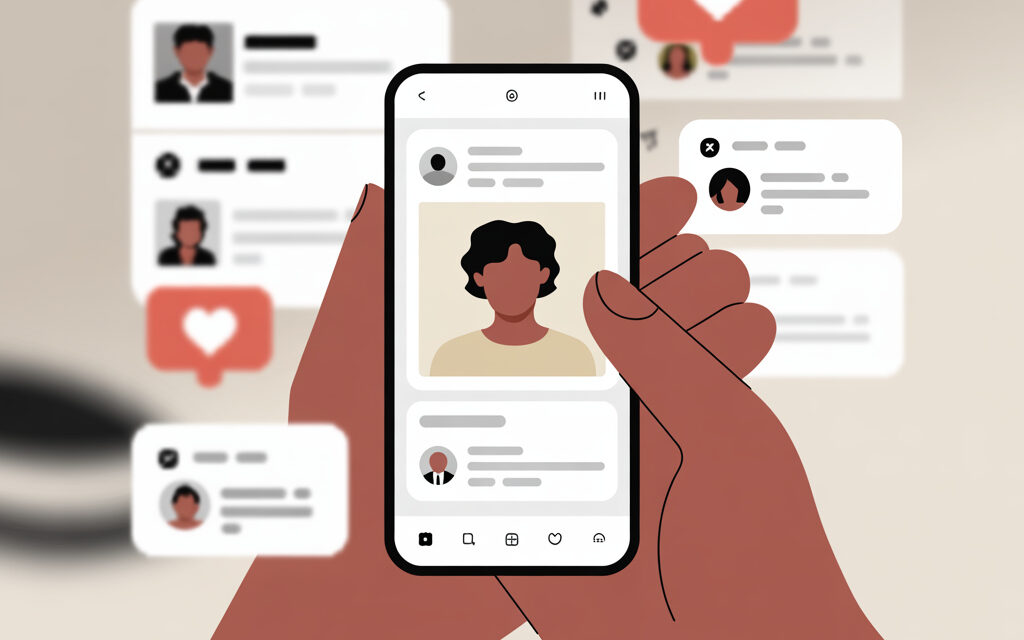
Straight to the point. There is no direct button in Instagram that shows all likes from other people. You can only see the list of people who have liked a specific public post. Everything else is solved by manual search or external trackers – with risks to your account.
Below, I’ve gathered working scenarios: where to click, where mistakes are usually made, and how to avoid getting blocked. No unnecessary theory – only what’s really used in practice.
What are likes on Instagram and why viewing them is limited in 2026
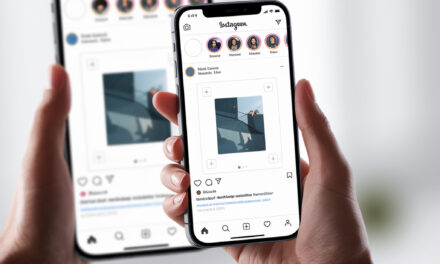
A like is the “heart” mark under a post or reel. The author sees who liked it, while other users only see the list of likers under that specific publication if it’s public. In practice, this is exactly how the question of how to see who liked a post on Instagram? is resolved – by opening the “Liked by” list under a specific post, provided the account is public and access isn’t restricted by privacy settings. There is no global log of other people’s likes in the app.
Viewing others’ activity is limited by privacy policy. Historically, the friends’ activity tab disappeared, and now Instagram doesn’t let you see what another person has liked in one click. This is normal – and in 2026, the picture is the same.
Definition of likes: posts, reels, stories
- Posts and reels – likes are visible to the author and to everyone who opens the “Liked by” list under that specific publication.
- Stories – there are no likes as such, only reactions and views. Their list is seen only by the author.
- Hiding the like count by the author – changes the number under the post but doesn’t cancel the list of usernames in the “Liked by” window.
This is precisely why many wonder, why Instagram likes aren’t visible in 2026, even though the list of users who liked the post remains accessible under public posts.
History of privacy changes: from the “Following” tab to 2026 updates
There used to be a friends’ activity tab – it was removed. Now, a user has no built-in access to a feed of others’ likes. Against this background, it becomes clear, how to see someone else’s activity on Instagram? Currently, it’s only possible through open actions that a user leaves publicly. Changes are moving towards privacy, so don’t count on the return of such features.
Privacy statistics in Ukraine: 85% of users hide activity
There are no precise official figures for Ukraine. In practice, it’s like this – some authors hide the like count, some leave it by default. This doesn’t prevent viewing the list of likers under a specific public post. For reference, keep in mind that global viewing of others’ likes doesn’t exist and isn’t expected.
| Situation | What you see | What you won’t see | Comment |
|---|---|---|---|
| Public post on someone else’s account | List of usernames of those who liked that post | All likes from that person over a period | Works manually – post by post |
| Post with hidden like count | “Like” button leading to the list of people | The total number of likes under the post | The list of usernames is accessible |
| Someone else’s story | Nothing | Who reacted and viewed | Seen only by the story’s author |
| Private account, you’re not following | Nothing | Likes, posts, and followers | Follow request approval needed |
How to see your own likes on Instagram: step-by-step guide
This is a built-in app function. If the goal is to quickly find saved reactions, it’s logical to figure out, How to see liked posts on Instagram? via the “Your activity” section, where a full list of likes with filters by date and accounts is available. Useful if you need to quickly find a previously liked post or mass-remove likes.
Access via “Your activity”
- Open your profile – three lines in the top right corner.
- Select “Your activity”.
- Open “Interactions” – “Likes”.
- Scroll through the list, use filters by date and authors.
Filters by date and content type
Filters save time when there are many likes. Choose a date range, specific accounts, sorting – from newest to oldest or vice versa.
| Filter | Where to click | When it’s useful |
|---|---|---|
| Date range | Filter – Dates – From and To | To find likes from a specific week or campaign |
| By authors | Filter – Accounts | To see what you liked from a specific profile |
| Sorting | Filter – Sorting | To quickly return to the earliest likes |
How to unlike or save liked publications
- To remove a like – open the entry from the list and tap the heart icon again.
- To save to a collection – tap the bookmark under the post – select a collection or create a new one.
- There’s no mass unlike button – do it selectively to avoid triggering temporary limits.
Is it possible to see what someone liked on Insta? Official ways
Officially – only spot-checking the list of likers under a specific publication. That’s why the question, How to see what another person has liked on Instagram?, boils down to manually checking individual posts without automation and without access to the full activity history. It’s a long road, but without risks.
Through feed and friends’ notifications
- Follow the target account and turn on post notifications – the bell icon on the profile page.
- When the author you think your acquaintance might like posts something – open the “Liked by” list and find their username.
- Only works with public posts and if your acquaintance actually liked that entry.
Manual search in the list of those who liked public posts
- Open the target author’s publication.
- Tap on the number of likes or the “Liked by” text.
- Enter the person’s username in the search – if it’s in the list, they liked that post.
Limitations for stories and private accounts
- Stories – reactions and views are seen only by the author.
- Private profiles – without following, you won’t see posts or likes.
- A hidden like count doesn’t prevent accessing the list of people, but the total number of likes might not show.
How to see what another person has liked on Instagram? Unofficial methods
There are trackers and parsers that collect open data. They work with varying success and may violate platform rules. If you decide to use them – do it carefully and not through your main account.
Via the target’s phone: Settings > Liked posts
This method is only possible with the person’s consent and with physical access to their phone. Open profile – menu – Your activity – Interactions – Likes. Any other scenarios without consent are a bad idea and a direct path to conflicts.
Tracker services: top 7 for 2026 (Zengram, InstaShpion, KogoLike)
The list below is a guide to tool types. Availability and prices change. Check current terms before paying and use a trial period if available.
Service comparison table
| Service | Functions | Price (UAH/month) | Blocking risks |
|---|---|---|---|
| Zengram | Collecting likes from several recent posts, comments, basic reports | from 300 | Low when using proxy or VPN |
| InstaShpion | Mutual likes, tracking activity of selected accounts | from 250 | Medium – captchas and temporary blocks occur |
| KogoLike | Monitoring specific profiles, CSV export | from 200 | Low with limited number of requests |
| LiveDune | Account analytics, engagement reports, export | from 400 | Low – analytical focus |
| Parser.im | Parsing likes and comments on public posts, notifications | from 350 | Medium – depends on intensity |
| Snoopreport | Profile activity reports based on public data | from 450 | Medium – data gaps possible |
| Pepper.Ninja | Open data collection, filters and segmentation | from 390 | Low with moderate load |
Prices are approximate – check current rates. Any service may provide incomplete data if posts are deleted or the account is private.
Step-by-step tracker setup in Ukraine (with VPN)
- Choose a VPN with Ukrainian or nearest European servers – enable a traffic masking protocol.
- Create a separate technical Instagram account – enable two-factor authentication.
- In the service settings, add a proxy or enable VPN at the system level.
- Add target public profiles – set a request frequency limit.
- Enable reports once a day – export to CSV or Google Sheets.
- Check stability for 2-3 days, then scale. If you get temporary blocks – reduce the frequency by half.
How to see posts someone liked on Instagram? Tools and parsers
Technically, it’s about collecting the list of likers from each public post of the target author. If the needed username is there, it means they liked that specific post. To speed things up, parsers are used to iterate through new publications and cross-check the list of likers.
Parser.im and TrandHero: activity monitoring
- Configure a list of profiles to monitor.
- Set the crawl interval – once a day or every few hours.
- Get a report – in which posts the target person’s username appears among the likers.
AI parsers 2026: Insta-parser, Pepper.Ninja
Essentially, these are convenient interfaces for collecting open data. Plus – filters and ready reports. Minus – paid and sometimes with delays. Keep the load moderate and always test on one profile before adding a dozen.
How to see liked publications of another person on Instagram? Manual hacks
If trackers aren’t suitable – you can manage manually. It’s slower, but with no blocking risks.
Follow + bell: content notifications
- Follow the target profile and tap the bell – enable post notifications.
- As soon as the author posts – go to the “Liked by” list and search for the needed username.
- Repeat for key authors – this way you only see recent likes, not a multi-year history.
Analyzing comments and stories for indirect tracking
- Comments – often coincide with likes. If a person regularly comments on an author’s posts, the likelihood of likes is high.
- Story tags – if a person is tagged, check the author’s posts from those same days – a like might be there.
- Use a quick list of favorite authors – this reduces navigation time.
How to find out who someone liked on Instagram? Mistakes and risks
In practice, problems most often arise from excessive parser activity and authorizations in shady apps. Here, the same mistake is usually made – logging into an unknown service with the main account and getting a temporary ban.
Common mistakes: ignoring ToS, fake apps
- Authorization with your login and password in third-party apps without a reputation.
- Mass requests to one profile in a short time.
- Lack of two-factor protection and a backup email.
Risks: blocking, data leak (12% blocks statistics)
There’s no precise percentage statistics on blocks in the public domain. But cases of blocks and captchas occur regularly – especially with aggressive data collection. The risk of leaks increases if you give your login and password to third parties.
| Mistake | Consequences | How to fix |
|---|---|---|
| Logging into an unknown service with main account | Access theft, spam, blocking | Use a technical account, change password, enable 2FA |
| Too frequent requests to API and web | Captcha, temporary restrictions | Reduce frequency 2-3 times, increase pauses |
| Monitoring private profiles | Empty reports, false conclusions | Work only with public data |
Security checklist for Ukraine
- Use a VPN – stable, with nearby servers.
- Test service trial periods – check data quality on 1-2 profiles.
- Don’t log in with your main account – only a technical account plus 2FA.
- Monitor only public profiles – without bypassing restrictions.
- Limit request frequency – no more than one crawl per day per profile.
- Store exports locally – without unnecessary access for third parties.
Table: methods vs. effectiveness 2026 (Ukraine)
| Method | Effectiveness | Legality | Cost | When to choose |
|---|---|---|---|---|
| Official – via list of likers under a post | Low for volume, ok for spot checks | High | Free | One-time fact-check of a like under a specific post |
| Manual search with notifications | Medium | High | Free | Tracking a few authors without automation |
| Trackers and parsers | High on public profiles | Low – depends on the tool | 200-500 UAH/month | Regular reports and exports to spreadsheets |
| Via the target’s phone | 100% with consent | Depends on consent | Free | Family and work accounts with shared access |
Recommendations for ethical use in SMM (Ukraine)
In practice, the common approach is to collect only open competitor data and segment the audience without trying to invade privacy. This passes internal checks calmly and doesn’t create reputational risks.
For business: competitor analysis without risk
- Collect the last 20 posts of 3-5 competitors – export the list of likers.
- Find overlaps in usernames – this is the active core audience.
- Save examples of posts with the most overlap – use as a benchmark.
FAQ
Is it possible to anonymously view others’ likes in 2026?
Directly – no. Only likes under a specific public post are visible, where you manually search for the needed username. Any promises to show a full list of others’ likes over a period are either parsing or marketing.
Do trackers work on private accounts?
No. They collect only what’s publicly visible. On private profiles without following, data is inaccessible.
Which service is best for Ukraine?
Depends on the task. For quick reports, analytical platforms are suitable; for targeted monitoring – lightweight trackers. Start with a trial period and test on one profile.
What to do if blocked for parsing?
Stop activity, change password, log out of all sessions, enable 2FA. Usually, restrictions are lifted within 24-72 hours. Afterwards, reduce request frequency.
How many likes do services record per day?
The number is variable and depends on the profile’s audience. Focus on the trend – growth or decline in engagement – rather than precise daily figures.
Checklist: Summary of the topic
- First, check the official way – the list of likers under a specific public post.
- If you need it regularly – set up notifications and make a short list of authors.
- For automation, use trackers only via a technical account and VPN.
- Work with public profiles – without grey-area schemes.
- Test any service during a trial period and on one profile.
To summarize. There is no direct way to view all likes from other people on Instagram. Officially, only lists of likers under specific public posts are available – manually and sporadically. For volume, trackers help, but that’s already a balance between convenience and risks.
If the task is work-related – competitor analysis and content ideas – take only open data, don’t touch private matters, and keep request frequency reasonable. This way, you’ll get a stable process without bans and surprises.
What’s your task – a one-time check of a like under one post, or setting up regular monitoring for several profiles?