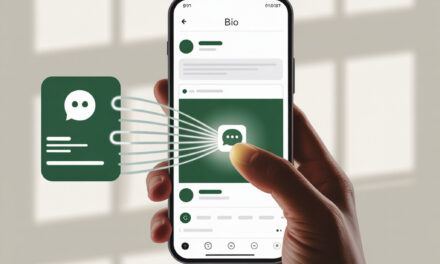
What is a Telegram Channel Link and Why Add It to Your Website
A Telegram link is a standard URL that opens your channel, chat, bot, or invite. The format is simple: t.me/channel_name or t.me/bot_name. Every profile, channel, and bot has its own address that can be opened and copied manually. For basic verification, it’s enough to understand how to view the link to your telegram to use it on your website, in buttons, or navigation without errors.
Click – it opens the Telegram app or its web version.
Why put it on a website – to quickly convert visitors into subscribers. It’s the shortest path: a person reads content, clicks a noticeable button, lands on the channel, and subscribes. Plus, you get a clear traffic source you can measure and improve.
Link Formats: t.me, https://t.me, and Deep Links
In practice, four options are used – channel, invite, bot with start parameter, and short link. Below is a quick overview of their differences and best uses.
| Format | Example | Where to Use | What to Track | Pros | Limitations |
| Channel | https://t.me/yourchannel | Website buttons, menus, footer | Outbound link clicks on site | Simple & clear | Cannot pass parameters |
| Invite | https://t.me/+ABCDEFG12345 | Private channels, promotions | Site clicks | Can restrict access | No tags, link can change |
| Bot with start | https://t.me/yourbot?start=source_site | Contests, quizzes, file delivery | Source in payload, bot logic | Precise source, flexible scenarios | For bots only, not channels |
| Short | https://bit.ly/tg-channel | Ad placements, print materials | Clicks and referrals in service | Stats & A/B, nice-looking links | Intermediate redirect |
For open and closed communities, a link to a telegram chat is used, which leads directly to the discussion and allows quick user onboarding without searching inside the app.
Advantages for Traffic and SEO in Ukraine 2026
A Telegram link helps capture part of the search traffic that lands on your site – then you can push for a subscription in 1 click. On Ukrainian projects, this works steadily – many have a higher mobile share on Telegram than on the website. Plus, it’s convenient for announcing articles, videos, and promotions – without complex showcases.
For SEO, it’s not a silver bullet. But when placed logically – in the header, footer, end of articles – you don’t lose user behavior and get returns via the channel. The main thing is not to overdo the number of buttons and avoid aggressive full-screen pop-ups.
Subscriber Growth Statistics from UA Websites
Practical benchmarks:
- If the link is in the header and end of articles – 5-12% subscriber growth per month from the current base.
- Adding a pop-up with a 20-30 second delay – another 2-6% conversion lift, but it’s important not to smother the content.
- A button in email newsletters with UTM and link to the channel – often gives the best CTR among social buttons.
How to Add a Telegram Link to Your Website: Basic Link Types
Simple Link t.me/channel
The quick option when you just need it. Take https://t.me/channel_name, put it on a button with the text “Subscribe on Telegram.” For correct placement, it’s important to take the original URL from the app or web version. In practice, this boils down to a clear understanding of how to copy a telegram link without extra redirects and shorteners.
Test on mobile – to ensure it opens the app, not the web. For menus and footers, this format is most commonly used.
Invite Link with ?start=source Parameters
Important – ?start works only with bots. Deep links allow passing the source and launching scenarios inside the bot. For this, it’s important to understand how to make a link to a bot in telegram with the correct start parameter and working payload. For channels, the parameter is ignored. If you need source tracking – create a simple bot – it will save the start tag and provide a link to the channel or content.
- Scenario: traffic – bot – delivers PDF – invites to channel.
- Plus – source is visible right in the bot, audience can be segmented.
- Minus – one more step than a direct jump to the channel.
UTM Tags for Analytics in Telegram and Google Analytics
UTM is appropriate when you track clicks on the website itself – Outbound Link events, not inside Telegram. For pure t.me links, UTMs are not passed to the channel, but you’ll see clicks in web analytics and the link shortener.
- Mini-standard: utm_source=site, utm_medium=button, utm_campaign=header or article_end.
- If using a short link – UTMs are added to the original URL, view stats in the service.
- For bots, rely on ?start=payload – it’s more reliable than UTM for TG.
Step-by-Step Guide: How to Insert a Telegram Link on Your Website
On WordPress: Plugins and Widgets
In practice, here’s what people usually do – add a Telegram icon to the menu and footer, plus a button in the post template.
- Menu: Appearance – Menus – Links – insert https://t.me/channel_name – Label “Telegram” – Add to Menu.
- Footer: Appearance – Widgets – Text or Social Icons – add the Telegram icon and link.
- Post: Button block – Insert link – style Filled, width Auto.
- Check Settings – General – Site Address uses https – so outbound clicks count correctly.
Telegram Widget and Social Icons
If you need a widget with icons – use the standard Social Icons block in Gutenberg. The Telegram icon is there by default. For shortcodes and buttons in the sidebar, any lightweight social icons plugin works – without bloat and extra scripts.
On Tilda: how to make a telegram link in tilda
The fastest way is to take a ready-made button or icons block and insert the link. If you need a custom look, use Zero Block.
- Button: Add Block – Buttons – choose style – insert https://t.me/channel_name.
- Icons: Add Block – Social Networks – select Telegram – insert link.
- Zero Block: Add element – Text or Shape – Attachment – Link – insert URL.
- Publish the page – test on mobile.
Zero Blocks and Integrations
In Zero Block, watch the clickable area – it’s often forgotten to stretch it. For pop-up buttons, use the built-in Popup and set a 15-25 second delay – so it doesn’t interrupt reading.
On HTML Sites and Builders (Wix, Readymag)
HTML – place a regular link on a button. For builders – same principle: take a Button or Icon element and insert the URL.
- Wix: Add – Button – Properties – Link – Web Address – https://t.me/channel_name – Open in new tab.
- Readymag: Widget Button – Link – External – insert link.
- Test behavior on iOS and Android – to ensure it opens the app.
In the Footer, Sidebar, and Pop-ups for UA Audience
Here, people usually make the same mistake – placing only one button in the header and forgetting the end of content and footer. The working combo is: header + end of article + icon in footer. Add pop-ups with a soft delay and a frequency of once every 3-7 days per user.
| Place | When to Place | Pros | Cons | Notes |
| Header | If high mobile traffic | Always visible | Can become background noise | Short text – Telegram |
| End of Article | After useful content | High CTR from engaged users | Not everyone reads to the end | Add 1-2 bullet points – why subscribe |
| Sidebar | On desktops | Doesn’t interrupt reading | Weaker on mobile | Fix height, don’t let layout jump |
| Footer | For systemic navigation | Familiar location | Low visibility | Icon + text “Subscribe” |
| Pop-up | For promotions and lead magnets | Strong impulse | Risk of irritation | Delay 15-30 sec, frequency no more than once every 3-7 days |
Telegram Link in Taplink and Mobile Adaptations
Integration with Taplink for Landing Pages
When you need a quick link-in-bio landing page – Taplink solves it. For TikTok, Taplink or similar bio-pages are most often used. This is precisely how the task of how to make a telegram link in tiktok is solved, ensuring correct opening in the app. Add a button with t.me, organize blocks, add clear labels.
- Create button – Type Link – URL to channel or bot.
- Telegram icon – enable for recognition.
- Order – place Telegram button above other socials and below the main CTA.
- Check opening variant – in Telegram app or browser.
Adaptation for Mobile Traffic in Ukraine
Most clicks come from mobile. Instagram often opens links via its in-app browser, so it’s important to test button behavior. The practical task here is how to add a telegram link to instagram so it leads directly to the app without breaking the transition scenario. Make buttons at least 44×44 px, generous padding, short text. On iOS, the web version sometimes opens – add a hint “Will open in Telegram” nearby.
Tools and Services for Creating and Tracking Links
| Tool | Description | Price | Good For |
| Bitly | Link shortening, clicks, geo | Free/Pro | Quick campaign tracking |
| TGStat | Channel analytics, monitoring | Free | Tracking dynamics |
| Telegram Bots | Deep links with ?start | Free | Source tagging in bot |
| Google UTM Builder | Generates UTMs for GA4 | Free | Unified project labels |
| SendPulse/Mailchimp | Buttons in newsletters, clicks | Free/Pro | Email to Telegram conversions |
Placement Mistakes and How to Avoid Them
Spam Links and Risks of Google/Telegram Ban
Don’t set auto-popups on every page – it’s annoying and hurts user behavior. Don’t buy mass directory submissions – no benefit, potential problems. Better 2-3 logical points on site and one careful pop-up.
Incorrect Parameters: Missing UTM or ?start
For bots – always check the payload in ?start. For channels – don’t rely on UTMs, count clicks on site and in the shortener. Keep tag naming uniform – easier to read reports.
Ignoring Mobile Optimization for Ukraine
Opening most often breaks on iOS. The issue is usually with in-app browsers, redirects, or missing app. In such cases, it helps to understand what to do if a telegram link doesn’t open, and test opening scenarios on iOS and Android.
Test scenarios – app installed and not. If the web version opens unexpectedly, add a hint and a second button “Open in app”.
Risks and Security: Legal Aspects in Ukraine 2026
GDPR and UA Data Laws Compliance
The Telegram link itself doesn’t collect personal data. When fully opting out of the messenger, it’s important to use only the official address. A reliable option is the delete telegram account link, leading directly to the Telegram service without intermediaries and redirects. But if you track clicks and use pixels – show a cookie consent banner and provide a link to your privacy policy. In forms – explicit consent for Telegram communication if you plan to message the user.
Protection from Bots and Fake Clicks
Bots most often come from open ad networks and giveaway campaigns. For bots, set simple anti-flood logic – rate limiting, first message check. For links – track spikes in clicks without subscriptions and filter such sources.
Case Studies: Successful Placement for UA Blogs
Example of 25% Channel Growth from a Tilda Site
What they did: button in header, CTA at the end of each post, soft pop-up offering a checklist in exchange for subscription via bot. Over 6 weeks – main contributions came from end of articles and pop-up, header provided steady background. Fixed mobile padding – CTR grew noticeably.
Integration in Email Newsletters with SendPulse
Scenario: weekly newsletter – “Subscribe on Telegram” block with UTM, quiet announcement of new channel content. Consistently the best CTR among social buttons, especially with mobile audience. The main thing – one clear call and a understandable reason to click.
Optimization for AIO and Google SGE 2026
Structured Data for Links
Add the Telegram link to the sameAs block of your Organization or Person schema – this helps search understand your ecosystem. On the Contacts page, have a clear Social Media section – Telegram icon + text. Anchor text nearby – clear for both people and machines.
Quick Answers in Search Engines
A short FAQ page about the channel works better than fluff. Example: How to subscribe, What’s inside the channel, Where is the archive. Use simple wording and answer in 1-2 sentences – easier to pick up and easier for people to read.
FAQ
Can I add multiple links to different channels?
Yes, but better 1-2 priority ones. If you have many channels, create an “All Channels” page and put one button in the menu.
How to check clicks from the website link?
Enable outbound link click tracking in analytics and use a short URL with stats. For bots, the ?start tag will show the source.
Does it work on Ukrainian hosting?
Yes, they are regular external links. Main thing – https on site and correct redirects.
What if the link doesn’t open on iOS?
Add a duplicate “Open in Telegram app” button and leave a hint. Check if the social platform’s in-app browser is blocking it.
Does it affect site SEO?
Directly – no. Indirectly, it helps retain and return audience via the channel, if buttons are placed appropriately and don’t interfere with content.
Checklist: Summary on the Topic
- Create working links: channel t.me/…, bot if needed t.me/…?start=source.
- Place: header, end of article, icon in footer – without overload.
- Pop-up – delay 15-30 seconds, frequency once every 3-7 days.
- Tracking: outbound click event + short link, uniform UTMs.
- Mobile test: iOS and Android, opens in app.
- FAQ on page – short answers to 3-5 typical questions.
- Monthly – report on clicks and subscriptions, adjust points.
| Platform | Quick Steps | Time | Good When |
| WordPress | Menu – Links – t.me, Widgets – Icons, Button in posts | 10-20 mins | Need header+footer+articles |
| Tilda | Button/Social block, Zero Block link, soft pop-up | 10-30 mins | Landings & blogs on Tilda |
| HTML | Button with URL, styles, mobile test | 10-15 mins | Custom code, no CMS |
| Wix/Readymag | Button – Link – external URL, icons | 10-20 mins | No-code builders |
In practice, here’s what people usually do – put one clear button in the header and duplicate it at the end of the article. For promotions, they connect a bot with ?start tags and offer a bonus for subscribing. This is enough to steadily grow the channel without extra effort.
If you need it fast – start with header and footer. If results are important – add a button at the end of articles, a soft pop-up, and click tracking. It’s important to check one thing often forgotten – how the link opens on iOS via in-app browsers of social apps.
What’s your website – a blog on Tilda, WordPress, or a builder – and where would be most convenient to place a Telegram button today?